Digital Marketing
How to capture LinkedIn Ads data in Zoho CRM
Connect LinkedIn campaigns to Zoho CRM leads so you can report on qualified opportunities, customers, and revenue.
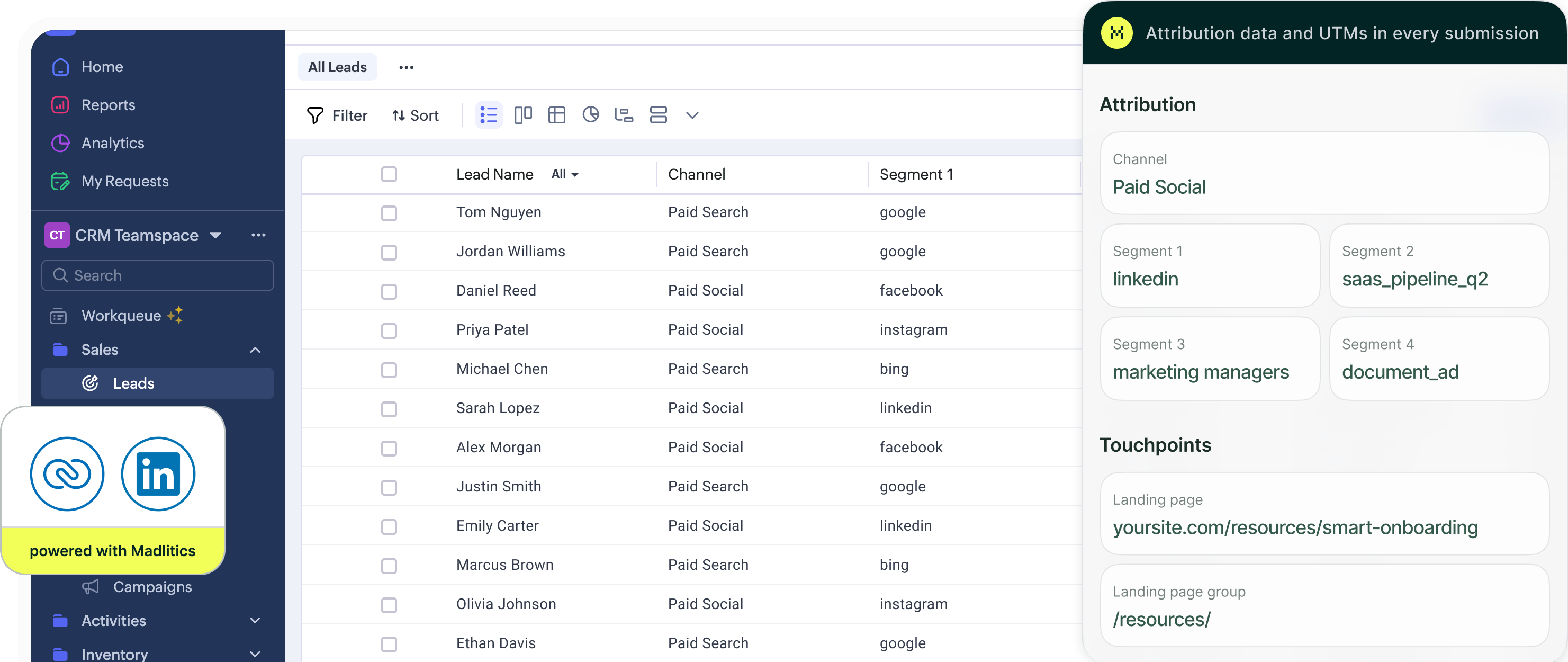
LinkedIn Ads helps you reach specific professional audiences. Understanding which campaigns contribute to business growth means connecting their original campaign details to the leads and customer outcomes inside Zoho CRM.
Madlitics captures first-touch attribution when visitors arrive from LinkedIn, preserves it as they browse and return, and populates your configured Zoho CRM Webform fields at submission.
This guide explains how to capture LinkedIn Ads attribution from website visits and use it to evaluate lead quality, pipeline, and revenue.
Clicks and visitor counts show campaign activity. Connecting campaigns to Zoho CRM records reveals which ones generate qualified leads, customers, and revenue.
The illustrative example below shows how the same campaigns compare before and after customer outcomes are included.
LinkedIn Ads Campaign Performance Based on Traffic Metrics
Sponsored Content attracts the most visitors at the lowest cost per visit. Customer and revenue data reveal a different picture of performance.
LinkedIn Ads Campaign Performance Connected to Leads, Customers, and Revenue
The ABM campaign generates 17 customers and $126,000 in revenue from 121 leads. Sponsored Content produces more leads (201) but only three customers and $11,000 in revenue.
Connecting campaign attribution to customer outcomes helps marketers evaluate which LinkedIn campaigns contribute to business growth.
Capture original campaign context on your website and keep it alongside your leads for Zoho CRM reporting.
Add Madlitics across your website, including your campaign landing pages and the pages containing Zoho CRM Webforms. It captures original attribution when visitors arrive and preserves it as they browse and return.
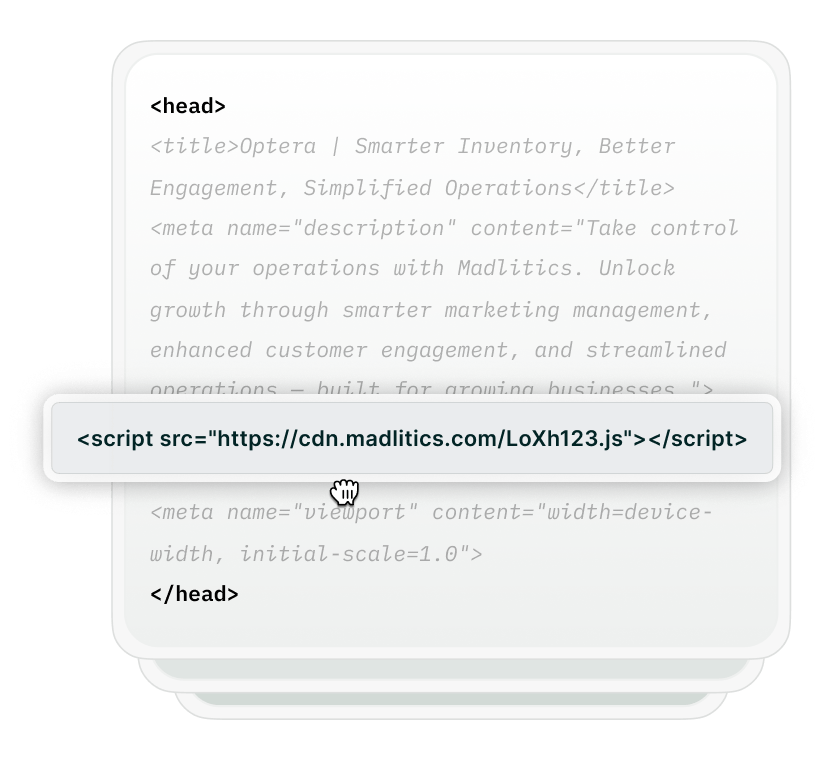

Tag your LinkedIn Ads destination URLs with consistent campaign values. Use utm_campaign for the campaign, utm_term for an audience label, and utm_content for the creative variation.
For example: https://yoursite.com/demo?utm_source=linkedin&utm_medium=paid_social&utm_campaign=crm_demo&utm_term=marketing_leaders&utm_content=reporting_video
Here, crm_demo identifies the campaign, marketing_leaders identifies your audience label, and reporting_video identifies the creative variation.
Create the seven Madlitics attribution fields in the Leads module and add them as hidden fields in your webform. Madlitics populates those fields at submission, so the resulting Lead includes its original channel, campaign segments, and landing page data.
Follow the Zoho CRM setup guide and verify a test Lead before relying on the data in reports. Capturing a supported LinkedIn click identifier such as li_fat_id, when present, requires additional field configuration.
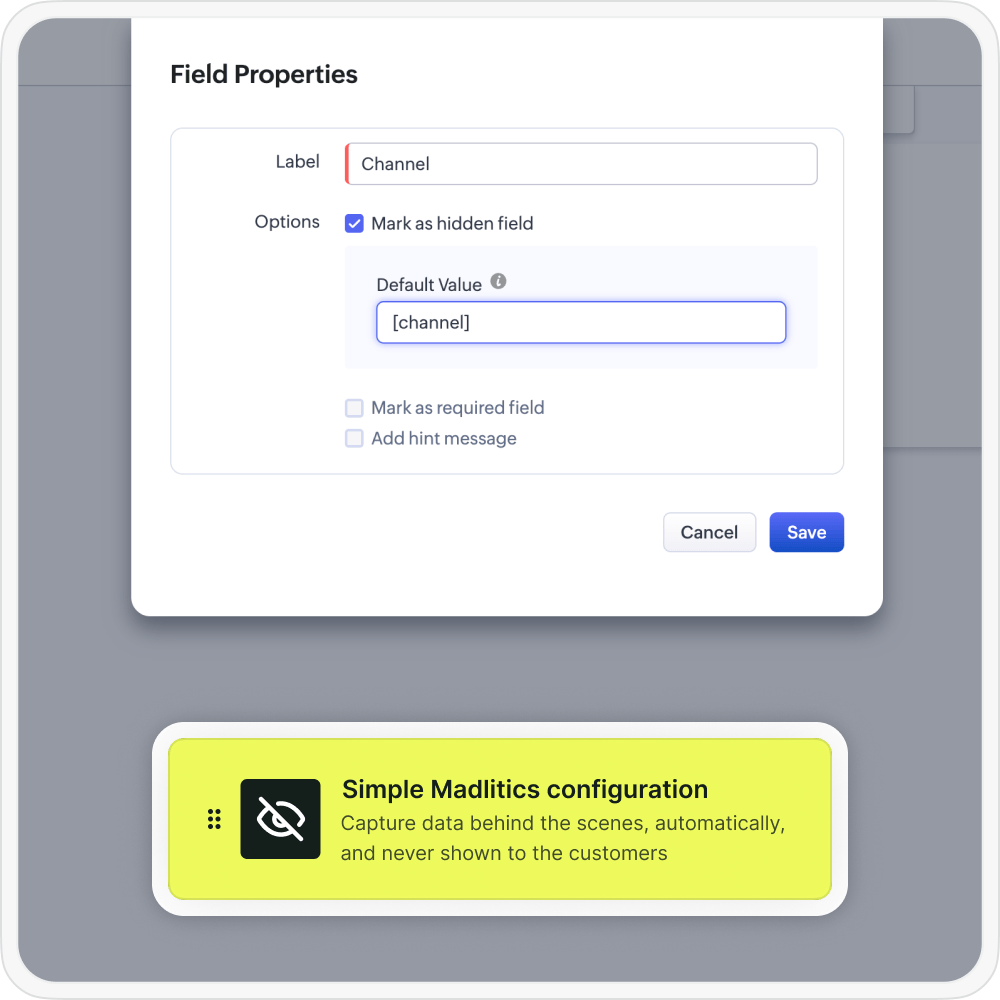

Group leads by their captured LinkedIn campaign, audience label, or creative values. Compare which efforts generate qualified leads and pipeline.
To report through to customers and revenue, configure the relevant lead-conversion field mappings so attribution remains available on the resulting records. Combine those fields with customer status and deal data to evaluate campaign performance.
Use original attribution alongside lifecycle and deal data to compare LinkedIn Ads with other channels and evaluate individual campaigns.

Leads by channel
Compare Paid Social lead volume with other marketing channels.

Conversion rate by channel
Compare the percentage of leads that become customers.

Revenue by campaign
See which LinkedIn Ads campaigns generate customer revenue.
Keep original LinkedIn campaign details alongside your Zoho CRM leads. Use captured campaign, audience, and creative values in your reporting to understand which efforts contribute to qualified opportunities, customers, and revenue.
Start a Madlitics free trial and follow the Zoho CRM setup guide to configure your webforms.
Keep original LinkedIn campaign context on your leads and connect it to pipeline and revenue.
Capture campaign details
Store LinkedIn campaign, audience-label, and creative values supplied through your UTM parameters.
Preserve first-touch attribution
Retain original attribution as visitors browse your website and return later using the same browser.
Track original landing pages
Identify the first page a LinkedIn Ads visitor viewed, even when they submit a form elsewhere on your website.
Enrich Zoho CRM leads
Populate configured webform fields so campaign attribution arrives alongside each lead’s contact information.
Answers to common questions about LinkedIn Ads attribution with Madlitics and Zoho CRM.