
Gravity Forms UTM Tracking and Lead Source Attribution

Madlitics preserves each visitor’s original marketing source and adds channel, campaign, landing page, and available click ID data to your configured Gravity Forms submissions.
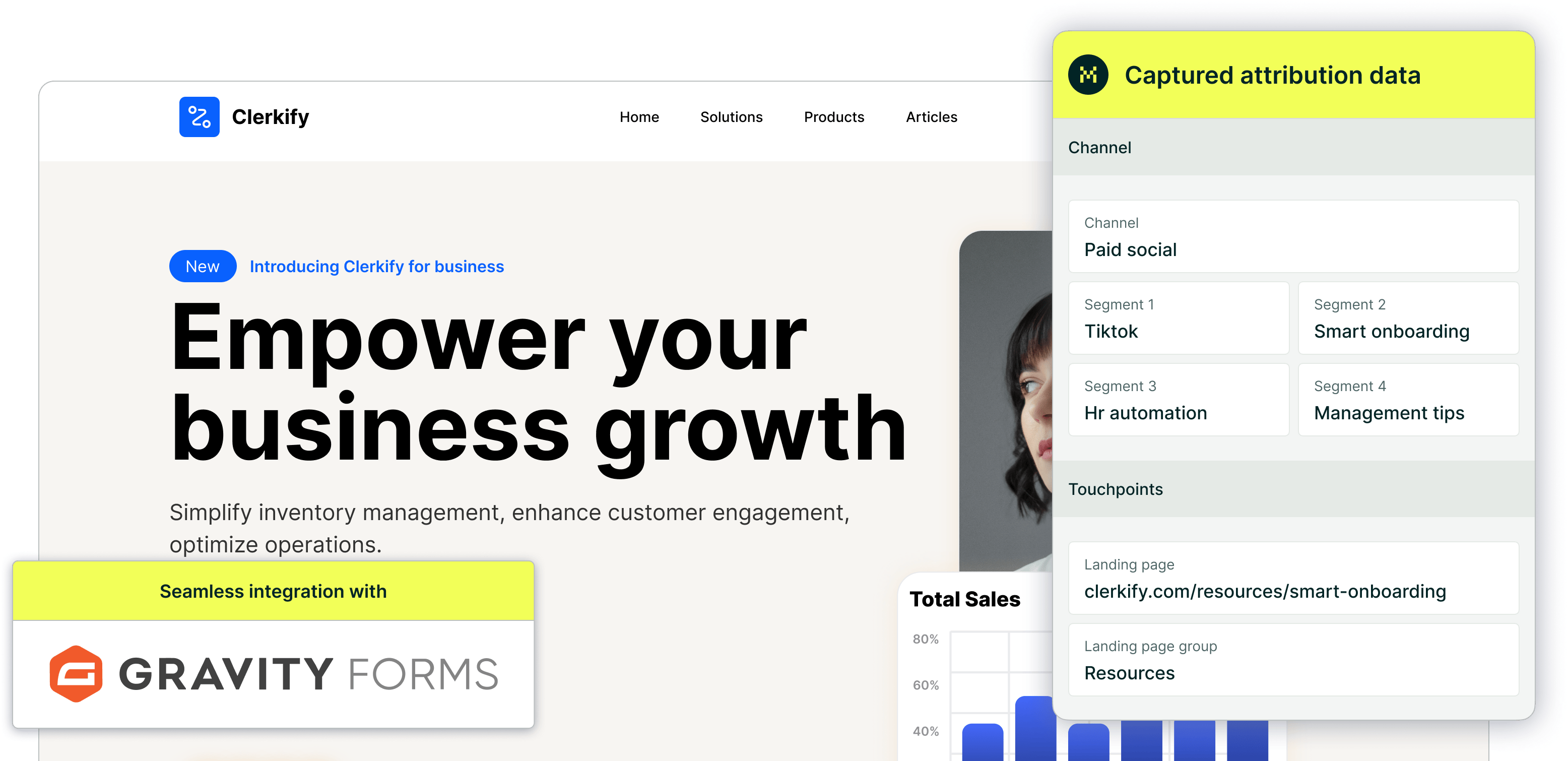
Turn every Gravity Form submission into actionable attribution data

Connect the contact details collected by Gravity Forms with the marketing context behind each lead. Madlitics captures original attribution when visitors arrive, preserves it as they browse and return, and populates your configured fields when they submit. Map those fields into your CRM to compare which channels and campaigns bring qualified leads, customers, and revenue.
Automated attribution tracking
Capture UTM parameters, first-touch data, and campaign details for every form submission — directly inside your marketing stack.
Landing Page Insights
Track the first page a lead visits, helping you understand which content drives conversions and customer interest.
Preserve the original lead source
Keep the first-touch channel and campaign with the lead when visitors move between pages or return later in the same browser.
Smarter audience targeting
Use marketing insights to refine segmentation, personalize campaigns, and send the right message to the right audience at the right time.
Optimize conversion tracking
Link form data with analytics and CRM tools to measure customer acquisition cost (CAC) and scale high-converting channels.
Actionable marketing insights
Turn attribution data into strategic decisions, to understand which campaigns bring in high-value leads and optimize your marketing spend accordingly.

How Madlitics works with Gravity Forms

Capture original attribution, receive it alongside your leads, and connect it to customer outcomes in your existing tools.
1.
Install Madlitics on WordPress

Add the Madlitics script across your website so it can capture attribution when visitors first arrive. It preserves the original source, campaign details, and landing page as they browse and return.
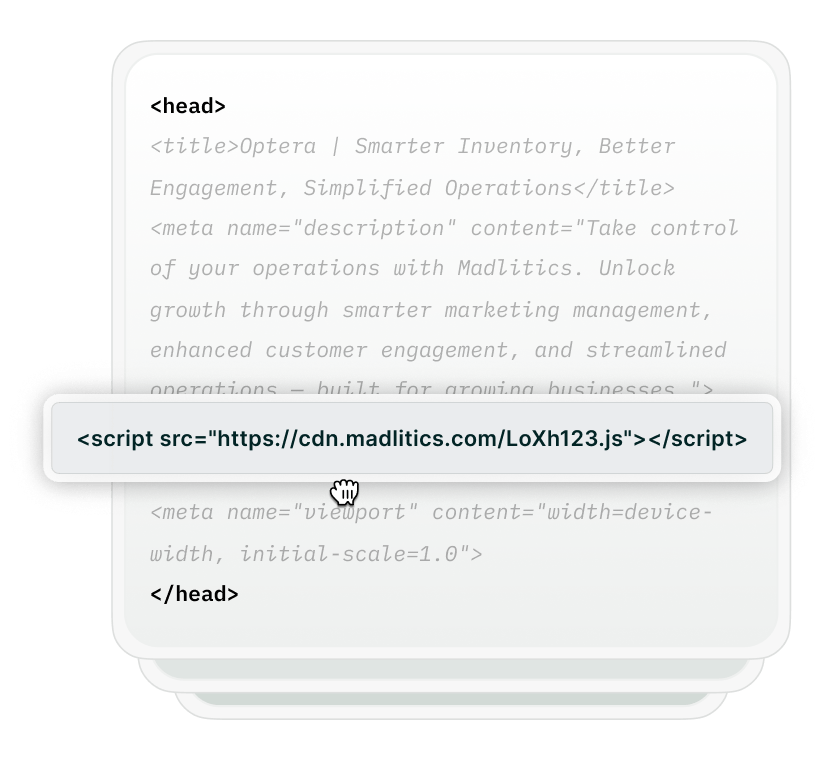
Install Madlitics on WordPress
Set up Madlitics
configure forms
2.

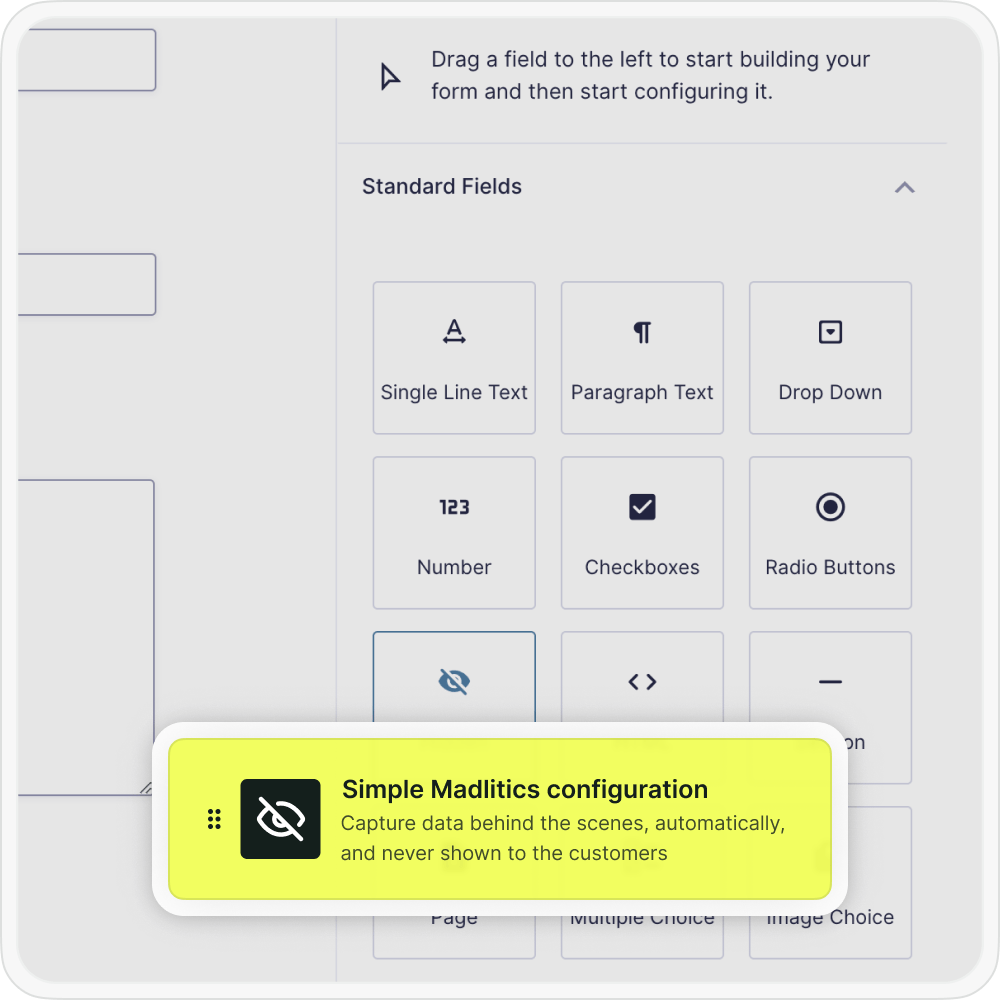
Configure Gravity Forms attribution fields‍

Add hidden fields to your new or existing Gravity Forms to receive channel, campaign segments, and landing page data. Configure additional fields for supported click IDs and other attribution values you want to include.
Set up Gravity Forms for attribution
3.
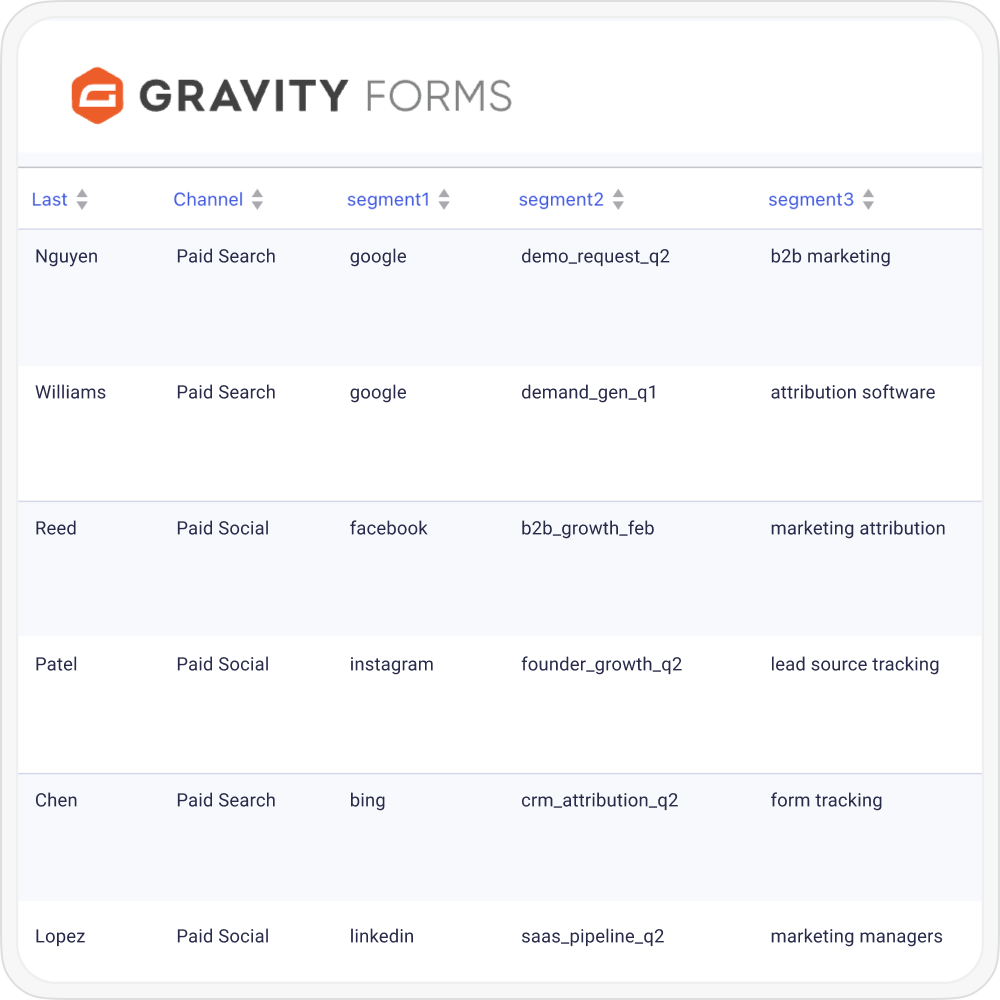
Receive enriched Gravity Forms submissions
When a visitor submits, Madlitics populates the configured fields with their saved attribution. Open the entry to see their original source alongside their contact details, then map those fields into your connected tools.
Captured data syncs with reporting tools
Reporting with Madlitics Img
4.
Report attribution across your stack
Send captured attribution into your existing CRMs, analytics tools, and automation workflows through configured integrations. Use channel, campaign, and landing page data alongside customer and revenue records to see which marketing efforts drive results.

Gravity Forms attribution guides

Configure your forms, capture campaign data, and connect original lead sources to reporting in your CRM.
Add the fields needed to receive attribution alongside your leads.
Preserve campaign tags across pages and receive them in submissions.
Connect original Google campaign details to leads and customer outcomes.
Bring Facebook and Instagram campaign attribution into your lead records.
Connect LinkedIn campaigns to qualified leads, pipeline, and revenue.
Keep original Microsoft campaign details attached to your leads.
Learn how Gravity Forms marketing attribution connects original lead sources to customer and revenue reporting.

What you can do with Madlitics and Gravity Forms

Use the captured attribution data to compare lead quality, connect campaigns with pipeline, and give sales useful context for follow-up.
Analytics
Connect Madlitics and Gravity Forms with Google Data Studio, Tableau, and Power BI to generate reports that break down conversions by channel, campaign, landing page, and UTM parameters. Gain actionable insights into which marketing efforts drive the most leads and revenue, helping you refine targeting and scale successful strategies.
→
Payment Systems
Integrate Madlitics and Gravity Forms with Braintree, Zuora, Paddle and more, to connect first-touch attribution data with revenue insights. See which campaigns, landing pages, and content drive paying customers, helping optimize acquisition costs (CAC) and improve retention.
→
Logo ActiveCampaign
CRMs
Send first-touch marketing attribution data captured with Madlitics and Gravity Forms to Salesforce, Zoho, HubSpot, and more. Track exactly where leads originate, see how landing pages influence conversions, and connect marketing efforts to revenue growth.
→
Email Platforms
Integrate Madlitics and Gravity Forms with Mailchimp, Campaign Monitor, and Brevo to track which marketing channels and campaigns generate subscribers. Use UTM parameters and landing page insights to build better audience segments and optimize email engagement.
→
Automations
Trigger smarter workflows in your automation tools, powered by real attribution data, from lead routing to AI-driven tasks.
→
Spreadsheets
Build clean reports and push attribution into spreadsheets for ad‑hoc analysis, strategy decks, and team dashboards for the full story
→

Frequently asked questions

Answers about capturing UTMs and lead source data.

Built for real teams. Backed by real results.

Madlitics is trusted by marketers across industries to help reduce wasted spend and drive smarter growth.