Digital Marketing
How to capture Google Ads data in Zoho CRM
Connect Google Ads campaigns to Zoho CRM leads so you can report on qualified opportunities, customers, and revenue.

Google Ads reports campaign conversions. Zoho CRM holds the lead and customer records that show what happened next. Connecting the original campaign details to those records helps you understand which marketing efforts contribute to pipeline and revenue.
Madlitics captures each visitor’s first-touch attribution, preserves it as they browse and return, and populates your configured Zoho CRM Webform fields at submission.
This guide explains how to capture Google Ads campaign data alongside each lead and use it in your Zoho CRM reporting.
Clicks and visitor counts show campaign activity. Connecting campaigns to Zoho CRM records reveals which ones generate qualified leads, customers, and revenue.
The illustrative example below shows how the same campaigns compare before and after customer outcomes are included.
Google Ads Campaign Performance Based on Traffic Metrics
Display Retargeting attracts the most visitors at the lowest cost per visit. On traffic alone, it appears to be the strongest performer.
Google Ads Campaign Performance Connected to Leads, Customers, and Revenue
The Attribution Tool campaign generates 17 customers and $126,000 in revenue from 121 leads. Display Retargeting produces more leads—201—but only three customers and $11,000 in revenue.
Connecting campaign attribution to customer outcomes gives marketers a clearer basis for budget decisions.
Understanding Google Ads performance all the way through to customers and revenue starts with preserving attribution data from the first click through the final conversion. Madlitics works alongside Zoho CRM to capture Google Ads attribution data, write it into form submissions automatically, and pass it into your existing marketing and sales workflows.
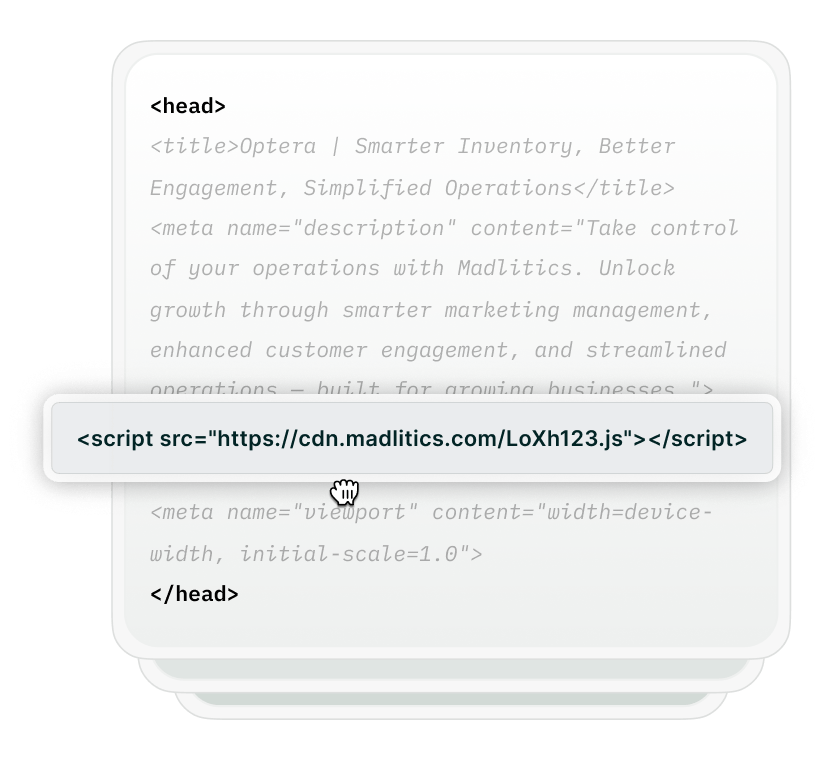
Add Madlitics across your website, including your landing pages and the pages containing Zoho CRM Webforms. It captures original attribution when visitors arrive and preserves it as they browse and return.
Tag your Google Ads destination URLs with consistent campaign values. Use campaign, ad group, and creative names that you can recognize in Zoho CRM reports.
For example: https://yoursite.com/demo?utm_source=google&utm_medium=cpc&utm_campaign=crm_demo&utm_term=marketing_teams&utm_content=reporting_video
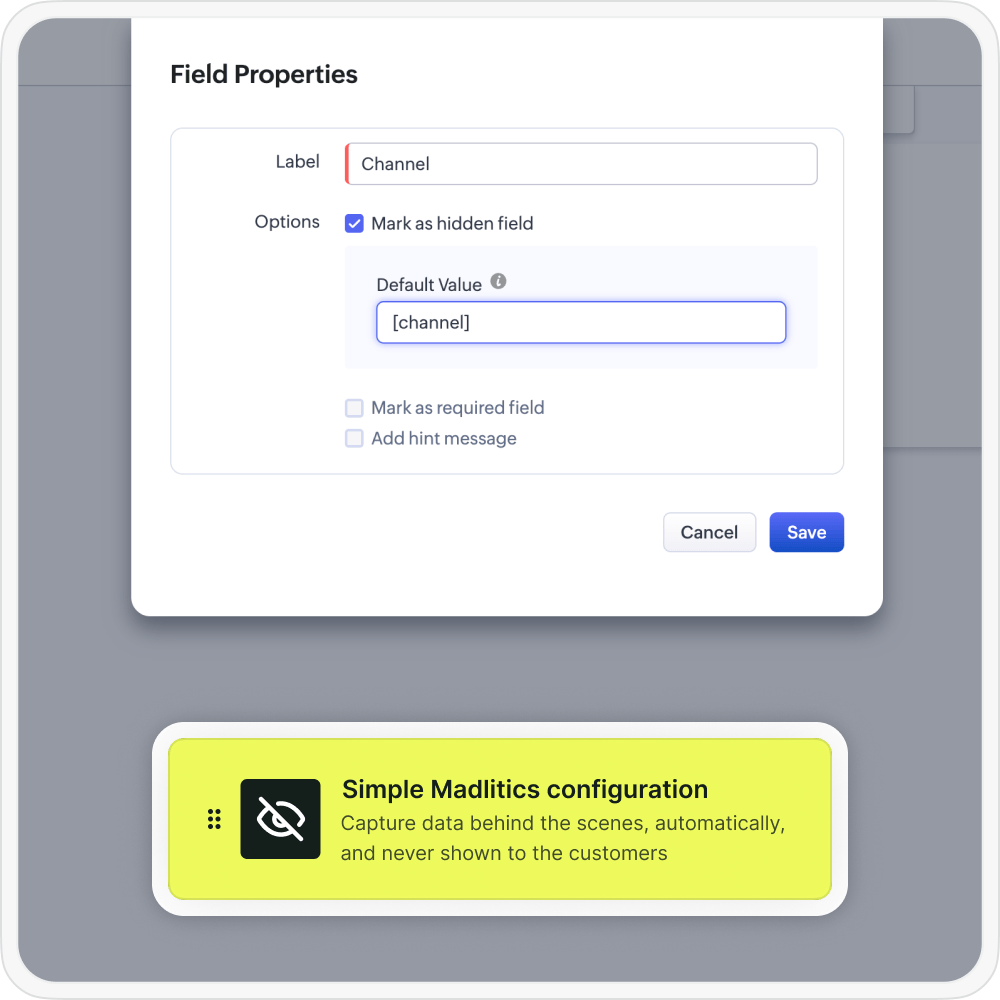
Create the seven Madlitics attribution fields in the Leads module and add them as hidden fields in your webform. Madlitics populates those fields at submission, so the resulting Lead includes its original channel, campaign segments, and landing page data.
Follow the Zoho CRM setup guide and verify a test Lead before relying on the data in reports. Capturing a supported click ID such as GCLID requires additional field configuration.
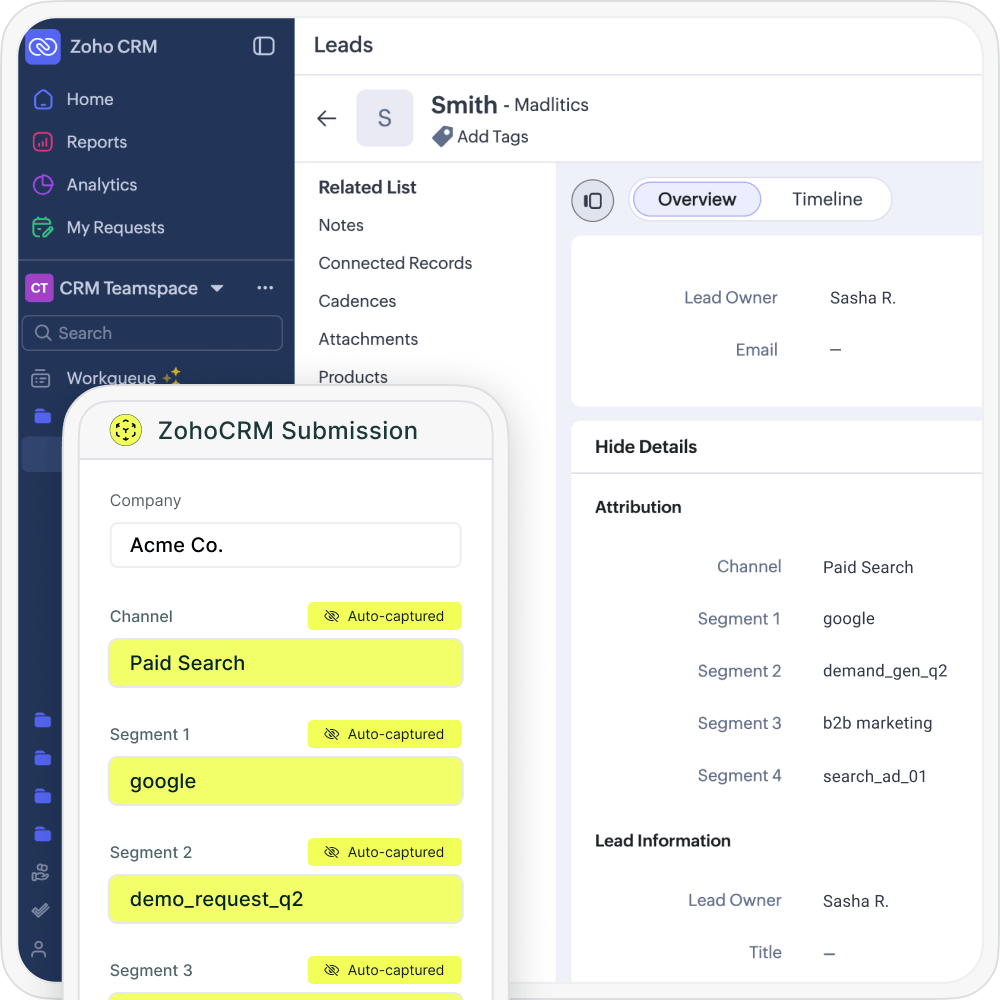
Group leads by their captured Google Ads campaign and compare qualification and pipeline outcomes.
To report through to customers and revenue, configure the relevant lead-conversion field mappings so attribution remains available on the resulting records. Combine those fields with customer status and deal data to evaluate campaign performance.
Use original attribution alongside lifecycle and deal data to compare Google Ads with other channels and evaluate individual campaigns.
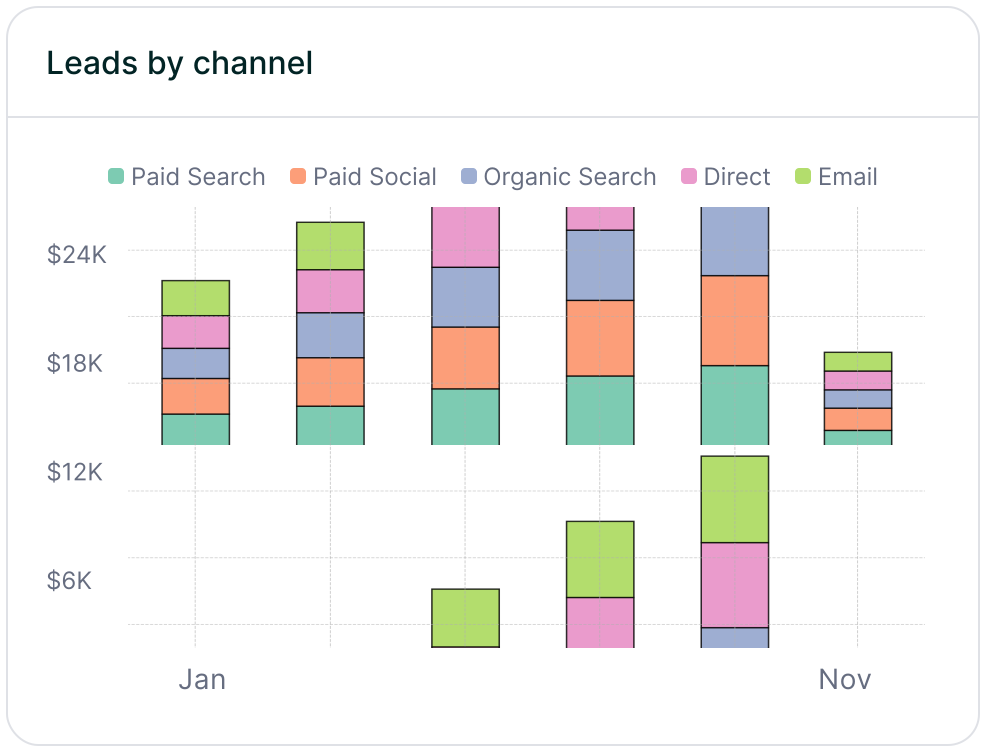
Leads by channel
Compare Paid Search lead volume with other marketing channels.
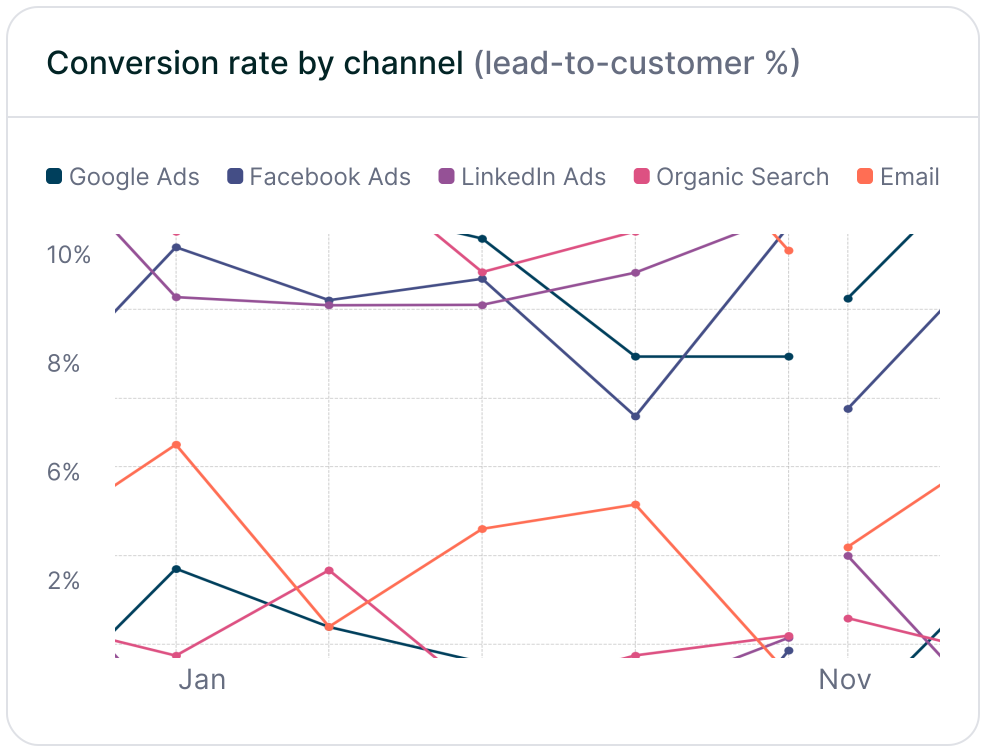
Conversion rate by channel
Compare the percentage of leads that become customers.
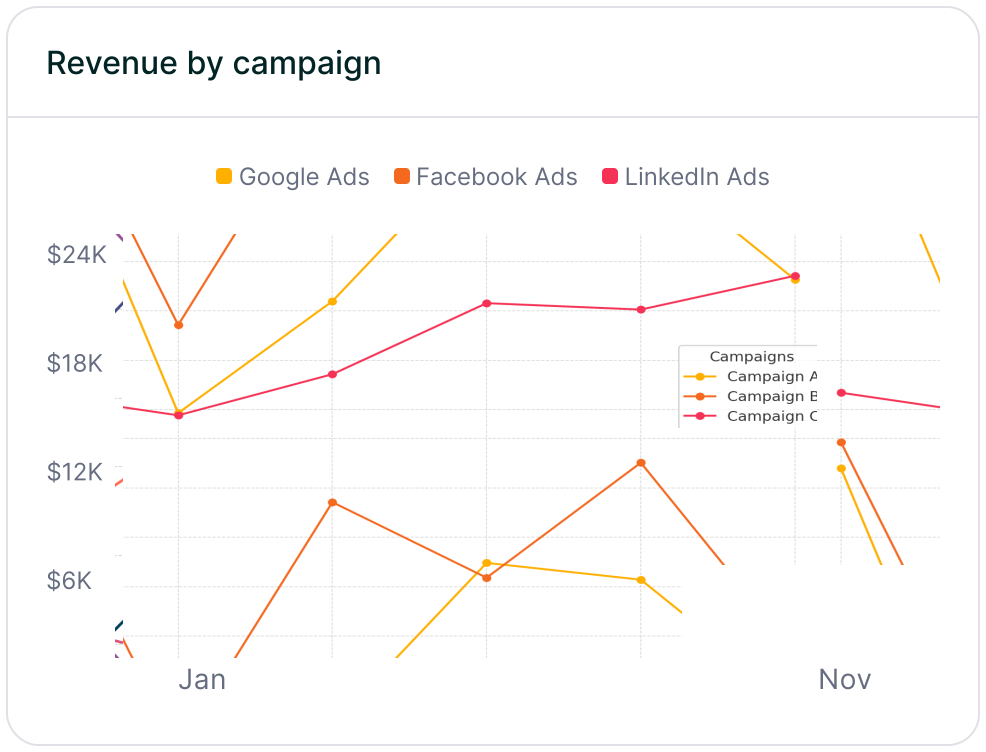
Revenue by campaign
See which Google Ads campaigns generate customer revenue.
Keep original campaign and landing page data alongside your Zoho CRM leads. Use those fields in your reporting to understand which Google Ads campaigns contribute to qualified opportunities, customers, and revenue.
Start a Madlitics free trial and follow the Zoho CRM setup guide to configure your webforms.
Keep original campaign context on your leads and use it to evaluate pipeline and revenue.
Capture campaign details
Store Google Ads source, campaign, ad group, and creative values supplied through your UTM parameters.
Preserve first-touch attribution
Retain the original attribution as visitors browse your website and return later using the same browser.
Track original landing pages
See which pages first introduced Google Ads visitors to your business, even when they submit elsewhere.
Enrich Zoho CRM leads
Populate configured webform fields so campaign attribution arrives alongside each lead’s contact information.
Answers to common questions about Google Ads tracking with Madlitics and Zoho CRM