Digital Marketing
How to capture UTM parameters in FormAssembly
Preserve each visitor’s original campaign details and capture them in FormAssembly submissions, even when they browse other pages before converting.
FormAssembly makes it easy to collect leads and pass their details into your CRM. Keeping the campaign context behind those leads takes more than reading UTM parameters from a URL. When visitors explore other pages or return later to submit, the original tags may no longer be present, leaving submissions without the campaign data you need to understand which marketing efforts generate customers.
Madlitics captures each visitor’s original marketing channel, UTM campaign details, and landing page, preserving that context as they browse and return. It writes the captured attribution into configured FormAssembly hidden fields, so your CRM receives the lead’s details alongside the marketing source that first brought them to your business.
This guide shows you how to install Madlitics, tag campaign links, and configure FormAssembly to capture attribution with submissions. Use that data in your existing CRM and reporting tools to compare lead quality, connect campaigns to pipeline and revenue, and make better-informed budget decisions.
Preserve campaign details from the first visit through to the form submission and your CRM
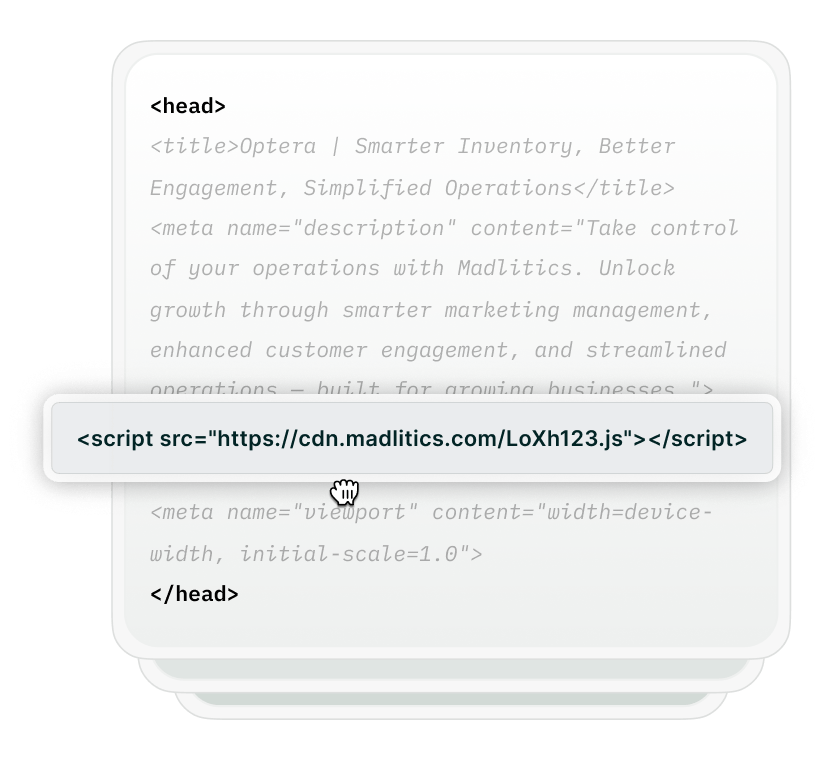
Add your Madlitics script across your website, including campaign landing pages and the page containing your FormAssembly form. This lets Madlitics capture the original attribution when visitors arrive, before they reach the form.
Madlitics preserves that context as visitors browse and return, while the stored attribution remains available in their browser.

Tag links in ads, emails, and other external campaigns to identify the source, medium, and campaign. Include term and content values to distinguish keywords, audiences, creative variations, or other details relevant to your reporting.
For example: https://www.yourwebsite.com/demo?utm_source=google&utm_medium=cpc&utm_campaign=product_demo&utm_term=attribution_software&utm_content=reporting_ad
Add the seven standard Madlitics hidden fields to your FormAssembly form: Channel, Segments 1–4, Landing page, and Landing page group. Configure each field with its corresponding default value from the setup guide.
When a visitor submits your configured form, Madlitics populates those fields with available original attribution. FormAssembly records the campaign context alongside their name, email, and other responses.
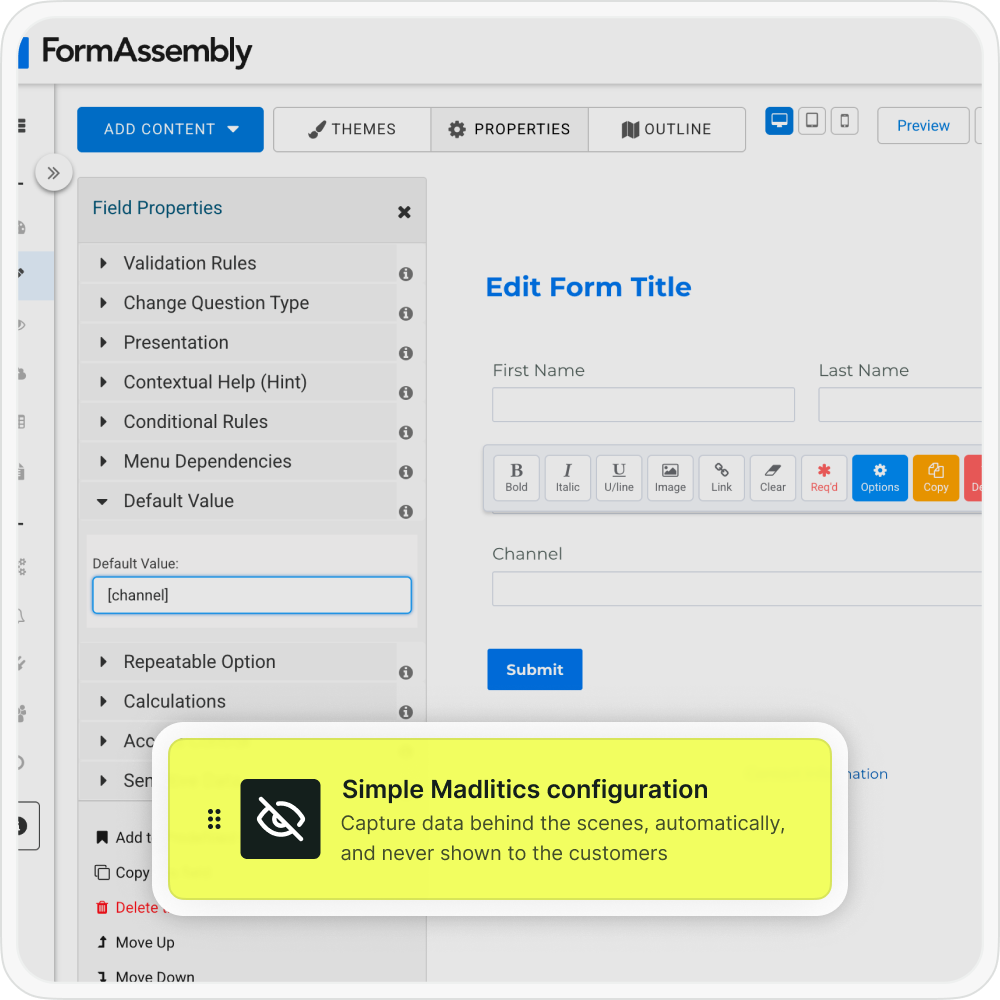

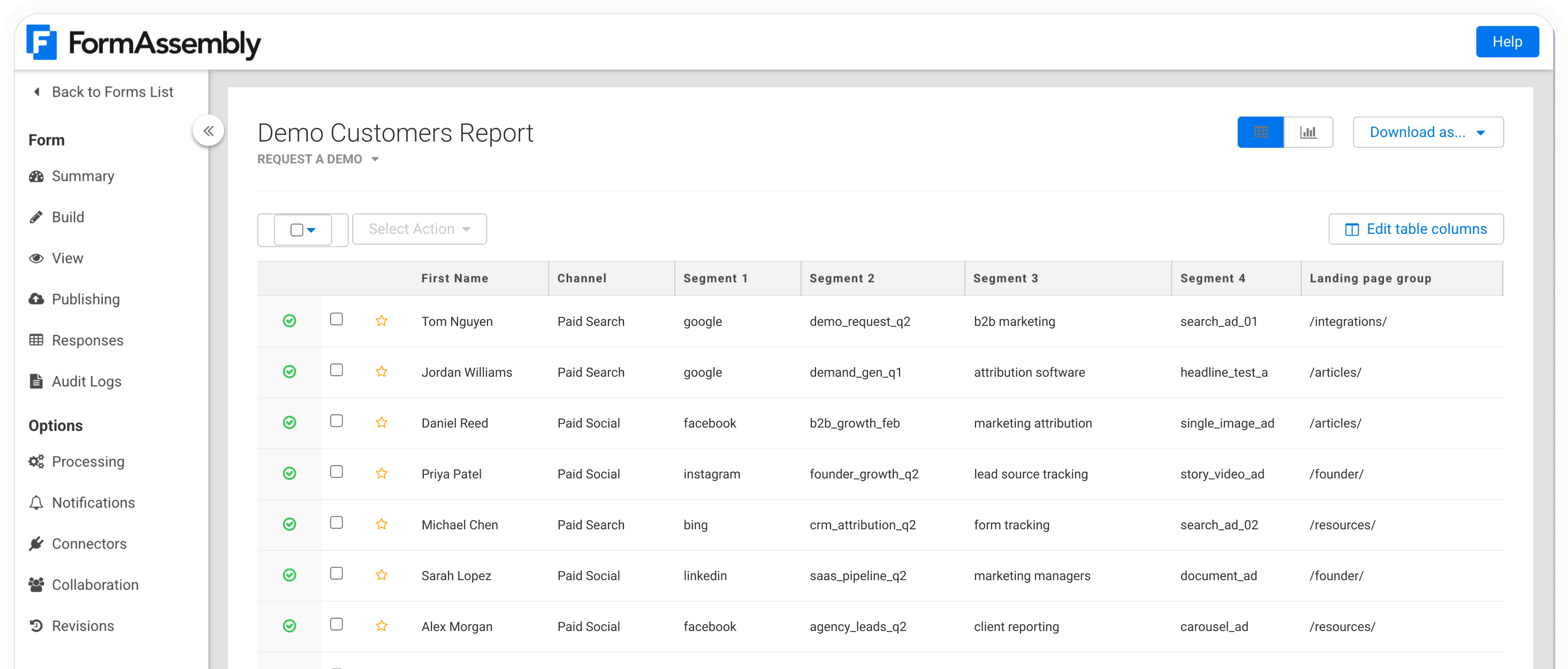
Open the submitted response in FormAssembly to see the captured attribution alongside the lead’s details. Map those fields through your configured FormAssembly connection so the same marketing context reaches your CRM.
Combine original campaign data with lead stages, customer records, and revenue to see which campaigns generate qualified opportunities and paying customers. Bring campaign costs into your reporting separately to calculate acquisition costs and return on ad spend.
Madlitics organizes tagged campaign data into four segment fields, with marketing channel and original landing page details to keep the campaign context alongside each FormAssembly submission.
utm_source = Segment 1 = googleutm_campaign = Segment 2 = demand_gen_q1utm_term = Segment 3 = crm_softwareutm_content = Segment 4 = hero_bannerPaid Searchhttps://www.yourwebsite.com/article/demo/article/Madlitics uses utm_medium alongside other available signals to classify the marketing channel. The raw medium value is not stored in one of the four standard segment fields.
The segment fields contain the values supplied in your campaign links. To report on an ad group, audience, or creative variation, include that detail in the relevant UTM parameter. Madlitics captures those supplied values rather than retrieving names from your advertising account.
The landing page fields identify where the visitor originally entered your website, which may differ from the page where they submit the form. Supported click IDs can also be captured when present and configured with additional fields.
Bring captured attribution into your CRM and combine it with lead stages, customer records, and revenue. This connects the campaigns behind your FormAssembly submissions with the outcomes that guide your marketing investment.

Leads by channel
Compare inquiries originating from Paid Search, Paid Social, Organic Search, Email, Referral, and other channels.

Conversion rate by channel
Use customer records alongside captured channel data to compare how often leads become customers.

Revenue by campaign
Connect captured campaign values with customer revenue to see which initiatives contribute to growth.
Madlitics keeps original campaign and landing page data alongside your FormAssembly leads. Pass those fields into your CRM to follow the campaigns behind qualified opportunities, customers, and revenue.
Start capturing attribution where your leads are collected, then use it in the tools where you already report.
Keep campaign context with your leads, from their first visit to customer reporting.
Capture campaign details
Record available source, campaign, term, and content values alongside each lead’s FormAssembly responses.
Preserve original attribution
Retain first-touch campaign data as visitors browse and return, while that attribution remains available in their browser.
Compare lead quality by campaign
Combine captured campaign values with qualification stages in your CRM to identify which initiatives generate promising leads.
Identify valuable landing pages
Capture the original landing page and its group to see which entry points introduce future leads and customers.
Answers to common questions about UTM tracking with Madlitics and Fluent Forms