How to capture UTM parameters and marketing attribution data in Apollo.io forms

Keep original campaign details with your Apollo form leads so you can see which marketing efforts bring in qualified opportunities and customers.
Attribution is broken

Using Apollo.io forms to capture inbound leads and want the campaign details alongside each contact? Apollo can collect UTMs when those values are available to the form, but when someone browses your site or leaves and returns later, the original tags may no longer be in the URL. Contact details reach Apollo while the marketing source and campaign details are missing, or remain in a separate analytics platform.

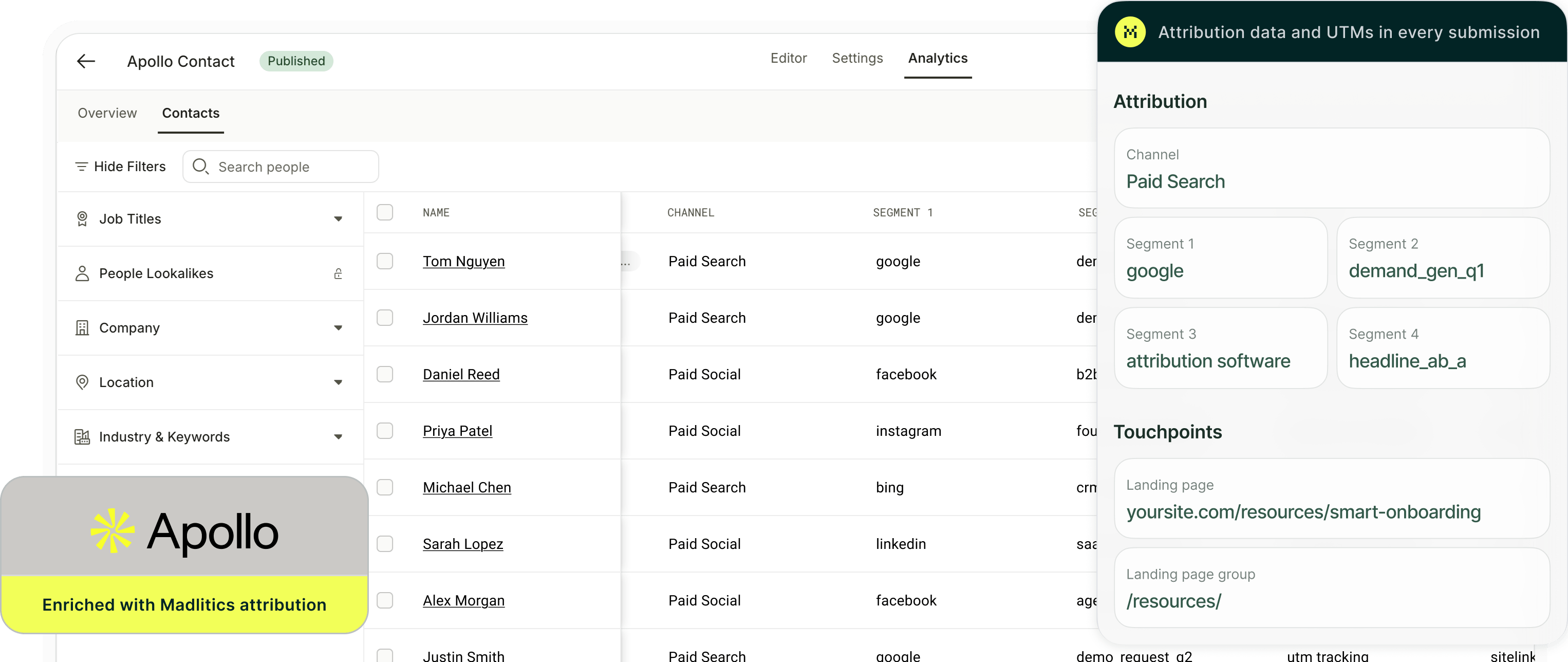
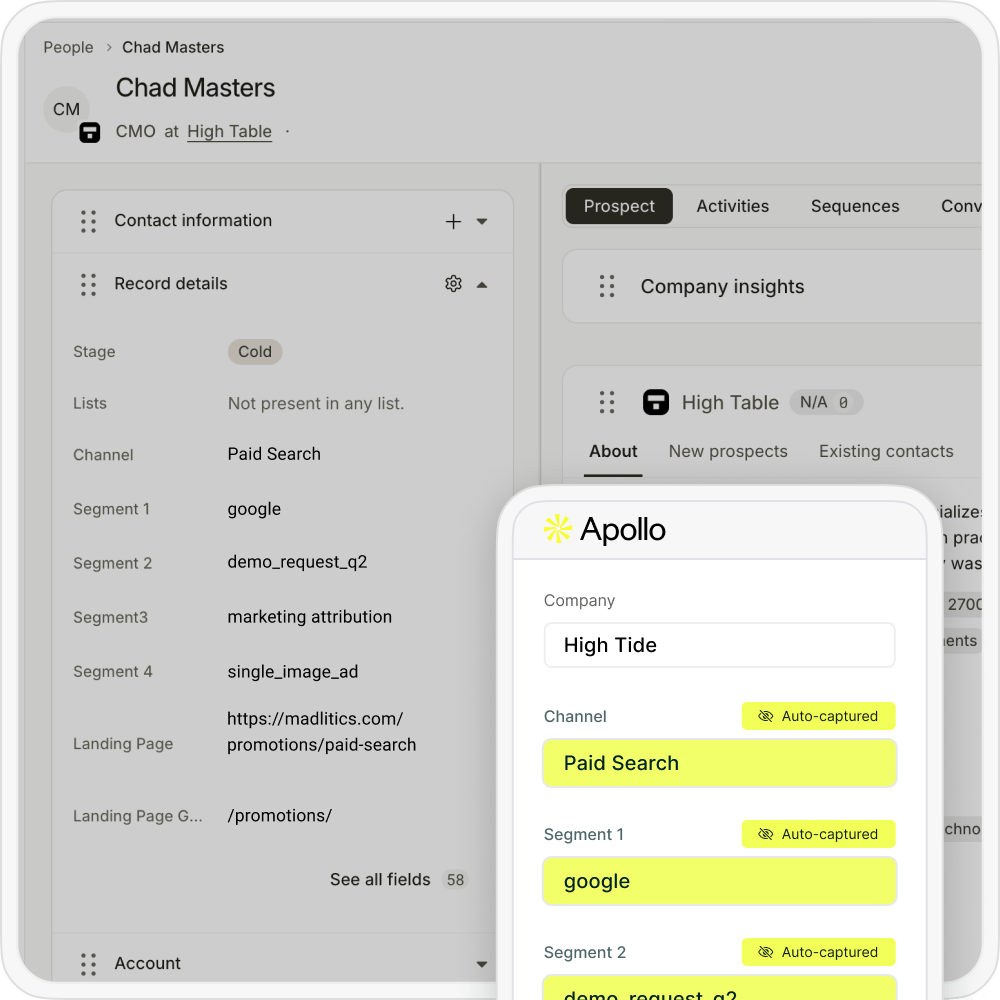
Madlitics captures the marketing channel, campaign details, and landing page when visitors first arrive, then preserves that context as they browse and return, provided their attribution cookie remains available. When a visitor submits an Apollo form configured with Madlitics, the available values are saved to mapped custom contact fields. Your team can see which sources, campaigns, and creative variations brought in each lead, right on the contact record.

This guide walks through tagging campaign links and capturing their values in Apollo. Once those fields are mapped into your connected CRM, you can compare campaigns alongside opportunity and revenue data to see which ones bring in leads that become customers.

How to capture UTM parameters in Apollo.io forms

Capture the original campaign details on your website, save them to Apollo contacts, and use them in your existing reports.

1.

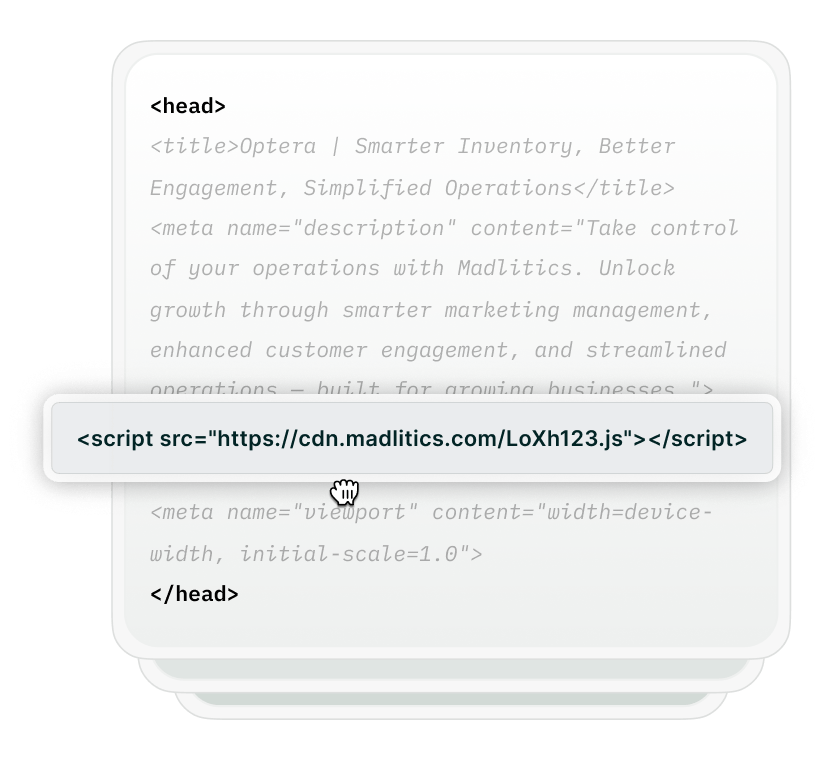
Install Madlitics on your website

Add Madlitics across the website where your Apollo form is embedded, including the landing pages your campaigns send visitors to. It captures the original marketing context when someone arrives and preserves it as they navigate to your form.

Install Madlitics on your site
Install Madlitics
Add UTM parameters
2.

Add UTM parameters to campaign links

Tag links from ads, emails, social posts, and partner campaigns so you can identify the marketing behind each lead. Keep your naming consistent across campaigns, then use term and content values for the targeting or creative details you want to compare.

For example, a newsletter link could use: ?utm_source=newsletter&utm_medium=email&utm_campaign=product-launch&utm_content=hero-button

Madlitics uses utm_medium alongside other signals to classify the marketing channel, while source, campaign, term, and content values go into Segments 1–4.

Madlitics URL builder
3.

Configure Apollo to receive attribution

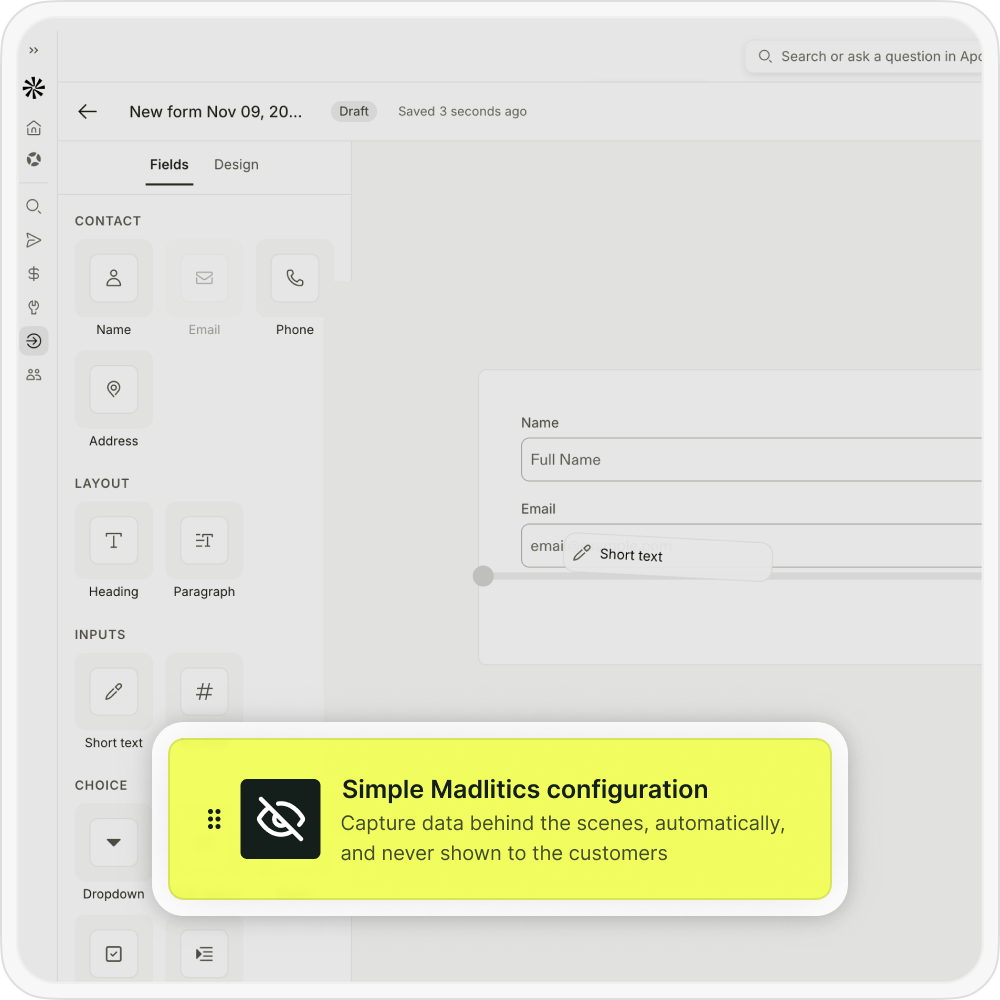
Add seven hidden fields to your Apollo form for channel, segment1, segment2, segment3, segment4, lp, and lpg. Set each field’s URL query parameter to the corresponding name and map it to an Apollo custom contact field.

Publish the form using Embed on site and place it on your website where Madlitics is installed. When someone submits, the available attribution is saved alongside their contact details. The Apollo setup guide covers the exact field settings and mapping.

Configure Apollo for UTM parameters
Receive enriched submission data
Connect to reporting
4.

Use the captured data in Apollo and your CRM

Open an Apollo contact to see the original channel, campaign details, and landing page in the fields you mapped. A visitor who arrived through the newsletter example can carry that campaign context into their submission, even after browsing to another page.

If you sync Apollo contacts to a CRM, map the attribution fields there too. With opportunity and revenue data available, you can compare which campaigns bring in qualified leads and which ones turn into customers.

Which UTM parameters are captured in Apollo.io?

Madlitics organizes tagged campaign data into four standard segment fields. Each segment records the value supplied in its corresponding parameter.
UTM parameter
Madlitics field
Example value
utm_source
segment1
google
utm_campaign
segment2
demand_gen_q1
utm_term
segment3
marketing_teams
utm_content
segment4
video_a

The utm_medium value helps Madlitics classify the marketing channel alongside other available signals. The channel is stored in channel; it is a classification rather than a copy of the raw medium value.  

The lp and lpg fields capture the original landing page and its group separately from the campaign parameters.  What you record in utm_term and utm_content depends on your tagging plan. For example, you can use them for an ad group and creative variation. Those details must be supplied through your tags; they aren’t inferred from the parameter names.

See which campaigns bring in leads that become customers

With attribution saved to your Apollo contacts, you can see where each lead came from. Map those fields into your connected CRM or reporting tools to compare sources alongside lead stages, opportunities, and revenue.

Stacked bar chart showing lead generation by marketing channel over time, comparing sources like Paid Search, Paid Social, Organic Search, Direct, and Email. Helps visualize which channels drive the most traffic.

Leads by channel
Group leads by their original marketing channel and compare how they progress through your sales process to see which sources bring in prospects teams can close.

Line chart displaying lead-to-customer conversion rates by channel, comparing Google Ads, Facebook Ads, LinkedIn Ads, Organic Search, and Email. Shows how different sources drive qualified leads over time.

Conversion rate by channel
Compare the percentage of leads from each original marketing channel that become qualified opportunities or customers. Use consistent stages and reporting periods to see which sources convert most reliably.

Line chart showing revenue performance by marketing campaign, comparing Google Ads, Facebook Ads, and LinkedIn Ads. Helps identify top-performing and underperforming campaigns.

Revenue by campaign
Connect captured campaign values with associated deals and revenue in your CRM or reporting tool. Compare how much revenue each campaign generates, then add campaign costs separately when you want to assess return on ad spend.

Related articles

Put your Apollo campaign data to work

With original campaign details saved to your Apollo contacts, you can compare where leads come from and give sales context for the follow-up. The campaign, creative variation, and landing page help explain what brought someone in, even when they submitted your form elsewhere on the site.

Take those fields into your connected CRM to see what happens next. A campaign that generates fewer submissions may bring in more qualified opportunities, while another produces volume that rarely turns into revenue. With attribution mapped and sales outcomes available, you can use those differences to decide where to invest next.

Keep campaign context with your Apollo leads

Capture the marketing details behind each submission and keep them available for follow-up and reporting.

Preserve the original campaign
Keep the campaign details captured when someone first arrives, even if they browse to another page before submitting your Apollo form.

See attribution on the contact
Save available channel, campaign, and landing page values to mapped Apollo custom fields so your team can review them alongside the lead’s details.

Capture sources beyond UTMs
Use available referrer information to identify organic search, organic social, and referral traffic alongside your tagged campaigns.

Compare targeting and creative
Capture the term and content values from your campaign links to see which audiences, placements, and creative variations bring in qualified leads.

Identify valuable landing pages
Record where visitors first entered your site. Compare those pages and their reporting groups against the quality of leads they introduce.
Connect campaigns with sales outcomes
Map attribution into your connected CRM and combine it with opportunity and revenue data to see which campaigns contribute to customers.
Start a Madlitics free trial

Frequently asked questions

Answers about capturing and preserving UTM parameters in Apollo.io forms