Digital Marketing
How to capture Microsoft Ads data in Zoho Forms
Capture original Microsoft Ads campaign details alongside form responses to see which campaigns generate qualified leads, customers, and revenue.
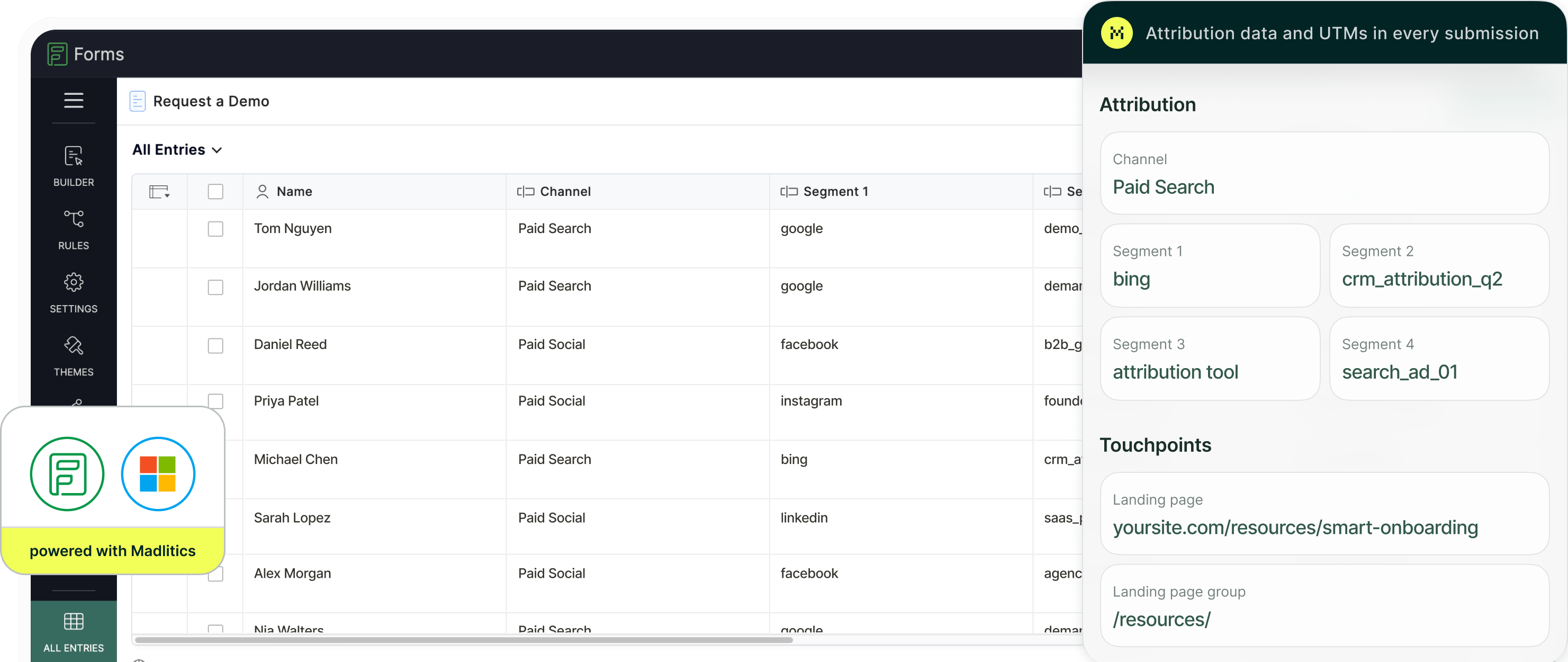
Microsoft Ads reports campaign conversions, while lead qualification and revenue outcomes often sit in your CRM. Keeping the original campaign details attached to Zoho Forms entries connects those two views.
Madlitics preserves first-touch attribution as visitors browse and return, then passes it into your configured form fields. Tagged campaign links supply the source, campaign, ad-group, and creative labels alongside the original landing page data.
Send those fields through your Zoho Forms integration into your CRM to compare Microsoft Advertising campaigns, including Bing search campaigns, against qualified leads, customers, and revenue.
Traffic and submission counts show only part of campaign performance. This illustrative example shows how the picture changes when campaign attribution is connected to customers and revenue.
Microsoft Ads Campaign Performance Based on Traffic Metrics
Search Retargeting attracts the most visitors at the lowest cost per visit. Based on traffic alone, it looks like the strongest campaign.
Microsoft Ads Campaign Performance Connected to Leads, Customers, and Revenue
The Demo Requests campaign generates fewer leads than Search Retargeting, but produces 17 customers and $126,000 in revenue, compared with 3 customers and $11,000.
Connecting campaign attribution to customer outcomes reveals which Microsoft Ads campaigns generate qualified demand and revenue.
Preserve original campaign attribution alongside each configured form entry.
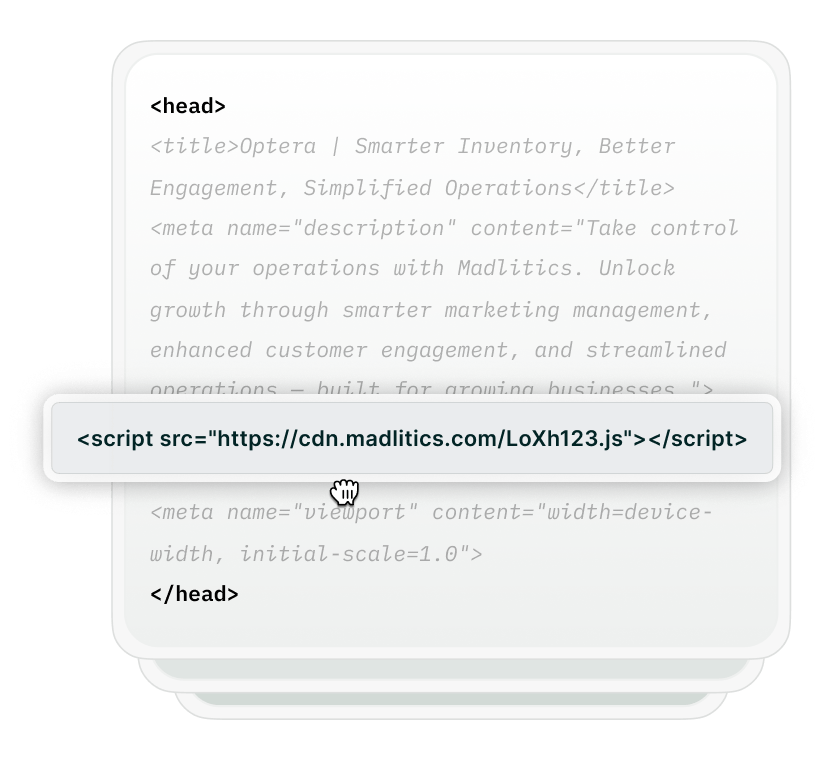
Add Madlitics to the website where your Zoho form is embedded. It captures original attribution when visitors arrive and preserves it as they browse, keeping campaign details available when they reach your form.

Tag your Microsoft Ads destination URLs with consistent source, medium, campaign, term, and content values.
For example: https://www.yourwebsite.com/demo?utm_source=bing&utm_medium=cpc&utm_campaign=demo-requests&utm_term=marketing-teams&utm_content=revenue-reporting-v1
Here, the campaign is demo-requests, the ad group is marketing-teams, and the creative variation is revenue-reporting-v1.
Add seven Single Line fields, hide them from respondents, and assign their matching aliases: channel, segment1, segment2, segment3, segment4, lp, and lpg.
Follow the Zoho Forms setup guide to configure the fields and embed your form. For the tagged Search campaign above, entries include Paid Search as the channel, Bing as the source, and the supplied campaign, ad-group, and creative labels in the campaign segments.
The original landing page URL and group are captured alongside them. A click identifier such as msclkid requires an additional configured field.

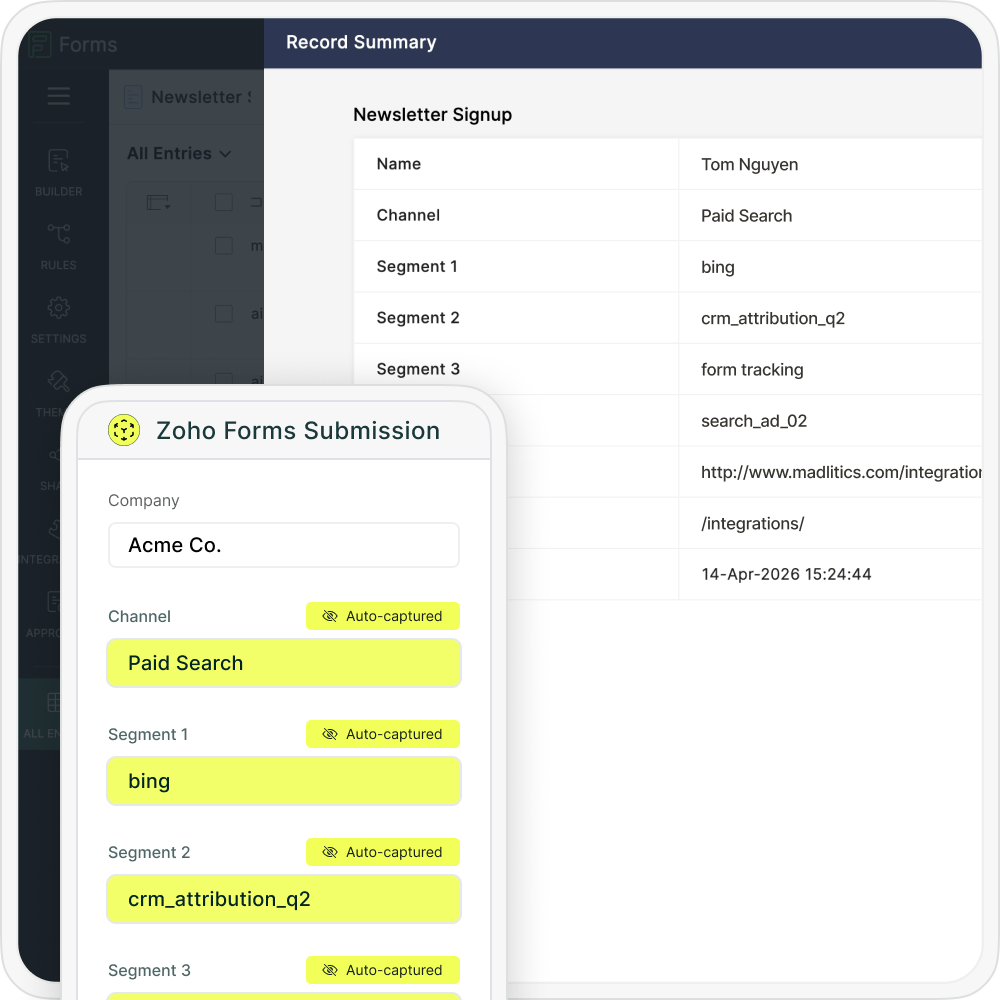
Send the captured fields through your configured Zoho Forms integration, webhook, or automation workflow. Map them to the appropriate lead or contact properties so original Microsoft Ads attribution stays attached to the record.
Combine that attribution with qualification, associated deals, and revenue to compare which campaigns generate customers.
Compare captured campaign data with lead, customer, and revenue outcomes in your connected tools.

Leads by channel
See how Paid Search contributes to lead generation alongside other marketing channels.

Conversion rate by channel
Compare the percentage of leads that become customers across acquisition channels.

Revenue by campaign
Identify which Microsoft Ads campaigns generate customer revenue in your CRM.
Madlitics preserves original Microsoft Ads attribution in your configured Zoho Forms entries. Send campaign and landing page data into your CRM to see which marketing efforts generate qualified leads, customers, and revenue.
Follow the Zoho Forms setup guide to configure your fields, assign their aliases, and embed your form.
Keep original Microsoft Ads campaign context attached to your form entries.
Campaign details with each lead
Capture tagged source and campaign values alongside form responses.
Ad-group and creative context
Use term and content tags to identify the ad groups and creative variations behind submissions.
Original landing page insights
Capture the first landing page URL and group to compare which entry pages attract leads.
Persistent first-touch attribution
Preserve original campaign details as visitors browse and return, while their attribution cookie remains available.
Answers about capturing Microsoft Ads attribution in Zoho Forms.