Digital Marketing
How to Capture Google Ads Data in Ninja Forms
Keep original Google Ads campaign details with your Ninja Forms leads, then compare campaigns with lead quality, customers and revenue in your existing tools.

Google Ads reports clicks and conversions, but evaluating lead quality means connecting those campaigns with what happens after someone submits your form. Which enquiries become opportunities? Which campaigns bring in customers?
Madlitics captures the original campaign details supplied in your Google Ads URLs and preserves them as leads browse. When someone submits your Ninja Form, the configured fields receive that attribution alongside their answers, including the original landing page and supported click IDs when available.
Pass those fields through your existing Ninja Forms connection to keep campaign context with the CRM record. Your team can then compare Google Ads campaigns with qualification, pipeline and customer outcomes using its existing reports.
Traffic metrics show what it costs to bring people to your website. Connecting those visits with leads and customers helps you evaluate what the campaigns produce.
The illustrative example below shows how the same campaigns look when measured by traffic alone and then by customer outcomes.
Google Ads Campaign Performance Based on Traffic Metrics
Display Retargeting generates the most visits at the lowest cost per visitor. On traffic metrics alone, it appears more efficient than either Search campaign.
Google Ads Campaign Performance Connected to Leads, Customers, and Revenue
The customer data changes the comparison. Attribution Tool generates fewer leads than Display Retargeting but produces 17 customers versus three, with lead-to-customer conversion rates of 14.0% and 1.5%. Ad spend per customer is approximately $153 for Attribution Tool versus $1,300 for Display Retargeting. These figures cover advertising spend, rather than the full cost of acquiring a customer.
Madlitics supplies the original campaign attribution used to group leads. Connecting those fields with spend, customer and revenue records makes this comparison possible in your existing reporting tools. See how to use Ninja Forms marketing attribution to compare original lead sources with qualification, pipeline and customer outcomes.
Capture original campaign details with each lead and keep that context in your connected tools.
Install Madlitics on your WordPress website to capture first-touch attribution when someone arrives and preserve it as they browse. This keeps the original marketing source available when they reach your Ninja Form.
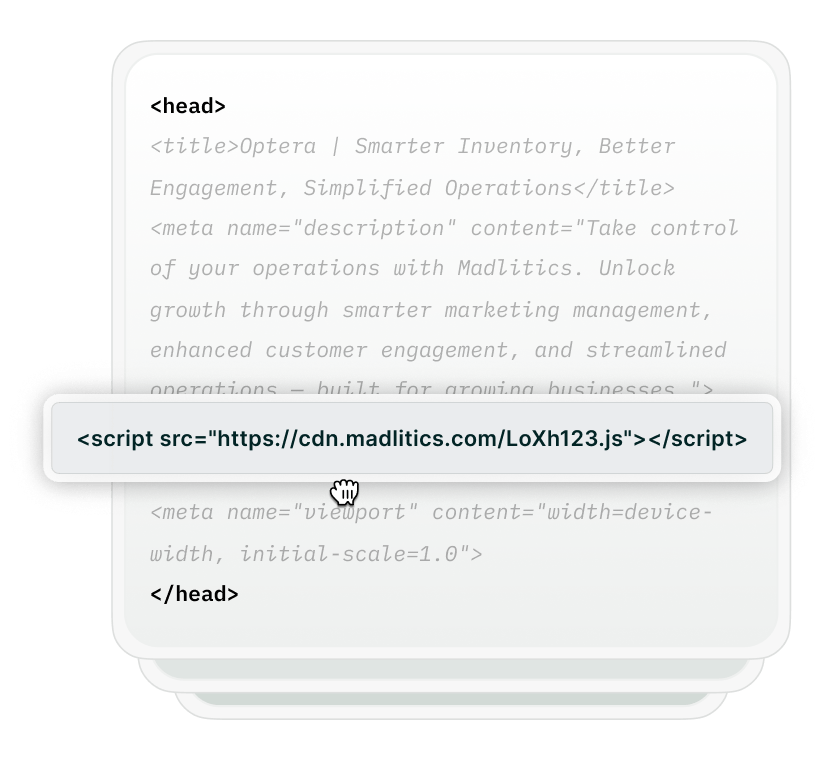

Add UTMs to your Google Ads landing URLs to identify the source, campaign, ad group and creative you want recorded with each lead. Use consistent, readable values so you can compare submissions from the same campaign.
Add the seven default Madlitics hidden fields to your Ninja Form. These receive the original channel, four campaign segments, landing page URL and landing page group without adding anything for the lead to complete.
To capture a supported click ID such as GCLID, add its corresponding field using the Madlitics field reference.


When someone submits your Ninja Form, Madlitics writes their stored first-touch attribution into the configured fields. The original campaign details and landing page appear alongside their contact information, even after they browse beyond the page where they arrived.
Pass those fields through your existing Ninja Forms connection to keep campaign context with the CRM record to compare campaigns with lead quality, opportunities and customers in your existing reports.
channelsegment1utm_source for tagged campaigns.segment2utm_campaign.segment3utm_term, such as an ad group label or keyword.segment4utm_content, such as a creative variation.lplpgClick IDsCompare captured Google Ads attribution with lead and customer outcomes in your existing reports.

Leads by channel
See how leads first attributed to Google Ads compare with other marketing channels.

Conversion rate by channel
Use CRM outcomes to compare the proportion of leads from each channel that become customers.

Revenue by campaign
Combine captured campaign values with customer and revenue records to compare Google Ads results.
Madlitics keeps original Google Ads campaign details attached to your Ninja Forms leads, even when they browse before submitting. Configure the attribution fields, map them into your existing tools, and compare campaigns with the outcomes your team cares about.
Start a free trial to capture campaign context alongside your leads and bring it into your CRM reporting.
Keep campaign context with your leads, from the original ad visit to your CRM reports.
Capture Google Ads campaign details
Record the source, campaign, ad group or term, and creative values supplied through your campaign URLs.
Revenue-focused reporting
Use captured campaign fields alongside connected customer and revenue records to evaluate results past clicks and submissions.
Send data to your tools
Map captured fields through your existing Ninja Forms connections to keep campaign context with downstream lead records.
Original landing page insights
See where Google Ads leads first entered your website and compare those entry pages with lead quality and customer outcomes.
Answers to common questions about Google Ads tracking with Madlitics and Ninja Forms