
Digital Marketing
How to capture UTM Parameters in Fluent Forms
Turn Fluent Forms responses into full attribution records ready for your marketing tools, and see what drives leads, not just form fills.
Start a free trial
Fluent Forms makes it easy to build flexible WordPress forms, but capturing reliable UTM parameters for attribution is still a persistent challenge for marketers. Fluent Forms can read UTMs from the URL, but it only sees what’s present when the page (and form) loads—so if a visitor clicks around your site first, lands on a different page, or returns later to submit, attribution often disappears. In practice, UTMs show up on only a small fraction of submissions, while most entries come through with blank or incomplete tracking fields, making it hard to see which campaigns are actually driving results.
The result is incomplete lead insights and a broken link between campaigns and the Fluent Forms submissions they generate. Madlitics solves this by automatically enriching each Fluent Forms response with persistent, first-touch attribution data—channel, source, campaign, and more—without manual scripts or complex hidden-field workarounds. Instead of wrestling with brittle tracking setups, you get clean, consistent attribution on every submission that’s ready to flow straight into your CRM and reporting stack.
Accurate marketing attribution starts with capturing where leads come from. Madlitics works with [platform] to automatically capture UTM parameters, channel data, and first-touch attribution, then writes it into every form submission for your CRM and reporting workflows.
Include UTM parameters on any marketing effort that drives traffic (paid ad, email campaign, organic post, etc) to capture and analyze where visitors are coming from.
Ex. URL with UTMs: yoursite.co/wsform-form?utm_source=google &utm_medium=cpc &utm_campaign=demand_gen_q1 &utm_term=crm+software &utm_content=hero_banner


Configure Fluent Forms to collect attribution data — Madlitics writes attribution values into dedicated form fields at submission so every lead includes its associated marketing context, while staying hidden from respondents.
When a visitor submits a Fluent Forms, Madlitics automatically writes the captured UTM parameters and attribution data into the hidden fields you configured.
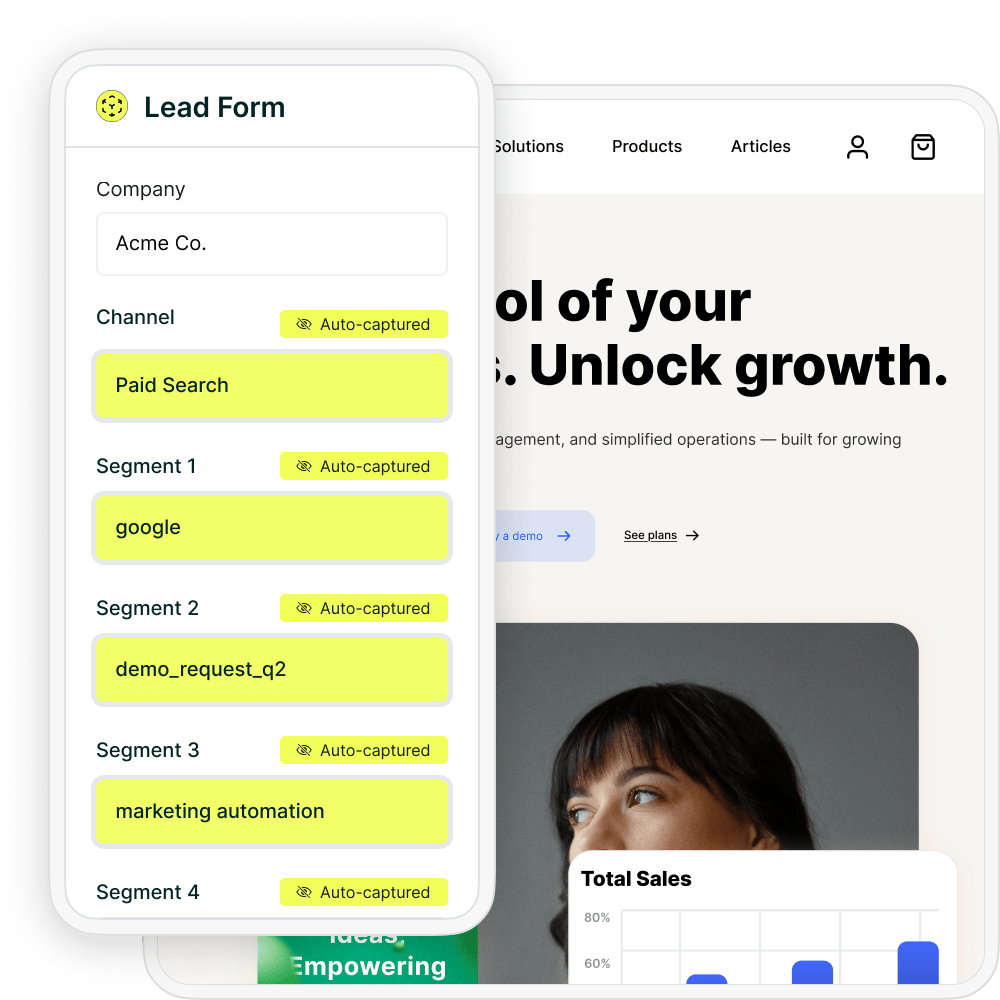

Fluent Forms submission can sync data into your CRM, marketing automation platform, spreadsheets, BI tools, or reporting workflows just like any other lead record — clearly see which Google Ads campaigns are generating leads, customers, and revenue for the business.
Madlitics adds a persistent attribution layer in front of your Fluent Forms so that every submission inherits clean, consistent tracking data — regardless of which page the user converts on.
When a visitor lands on your site, Madlitics captures first-touch information such as channel, source, campaign, medium, keyword or ad content (if available), and landing page details. That data is stored client-side and associated with the visitor’s session and subsequent sessions, so if they move from a campaign landing page to a blog article and then finally to a “Request Demo” Fluent Forms the original context is still available.
At submit time, Madlitics injects this normalized attribution data into hidden fields on your Fluent Forms turning each response into a complete record you can send to your CRM, marketing automation platform, or data warehouse. This means Fluent Forms becomes a reliable capture mechanism instead of a dead end for attribution.
The real value comes from reports that reveal what actually drives pipeline and revenue.
Spot your top channels instantly
Build leads-by-channel breakdowns to see how Organic Search, Paid Search, Paid Social, and referrals stack up on Fluent Forms conversions. Spot if SEO is quietly crushing paid efforts, then reallocate budget from low performers to scale what's working.
Compare ad networks head-to-head
Drill into submissions by network or campaign to benchmark Google vs. Meta vs. LinkedIn performance. Uncover which platforms deliver the lowest CPLs or highest demo-to-customer rates, even for the same form across funnels.
Find campaigns that close (not just click)
Connect Fluent Forms data to your CRM and track customers + revenue by campaign, keyword, or landing page. Pinpoint which efforts generate cheap form fills but zero pipeline versus the ones quietly producing your highest LTV deals.
Prioritize high-ROI content and keywords
Group by landing page or directory (/blog vs. /features) to measure content performance, or slice revenue by keyword/gclid to bid smarter in ad platforms. Turn Fluent Forms responses into a mirror of your ad account breakdowns — but tied to actual leads and sales.
When Fluent Forms send complete UTM and attribution data into your CRM, you can finally report on more than just submission counts. You can analyze which forms, traffic sources, and campaigns drive your best leads and customers, then double down on the workflows and pages that move the needle.
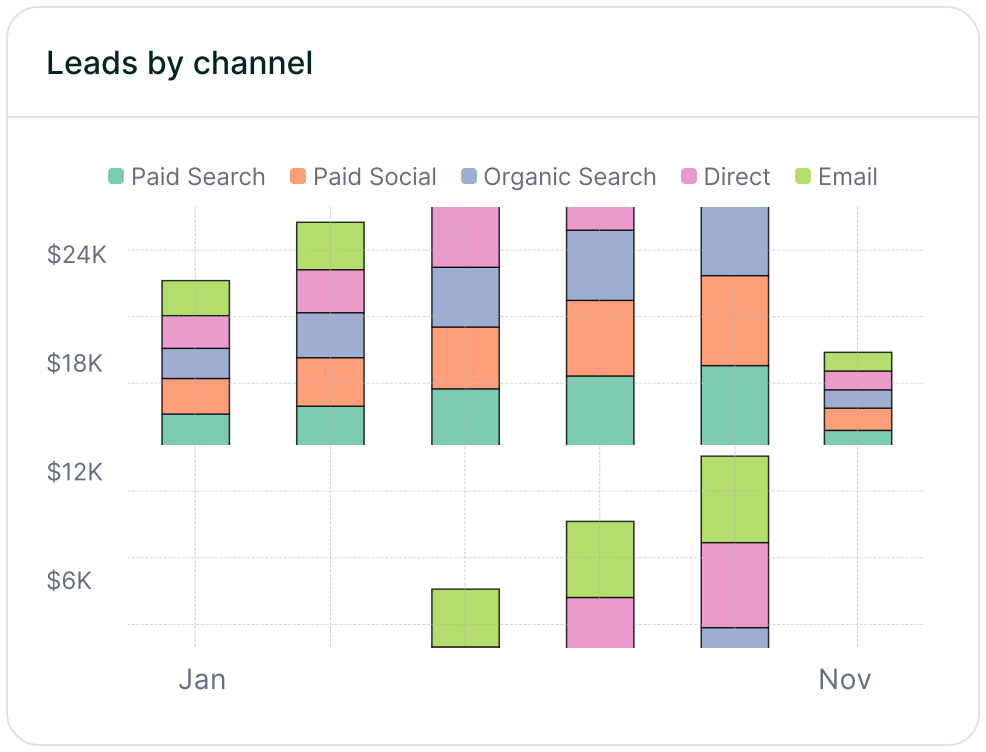
Leads by channel
Compare lead generation across Paid Search, Paid Social, Organic Search, Email, Referral, and Direct traffic. This makes it easy to see how each channel contributes to pipeline and revenue so you can prioritize the ones that perform best.
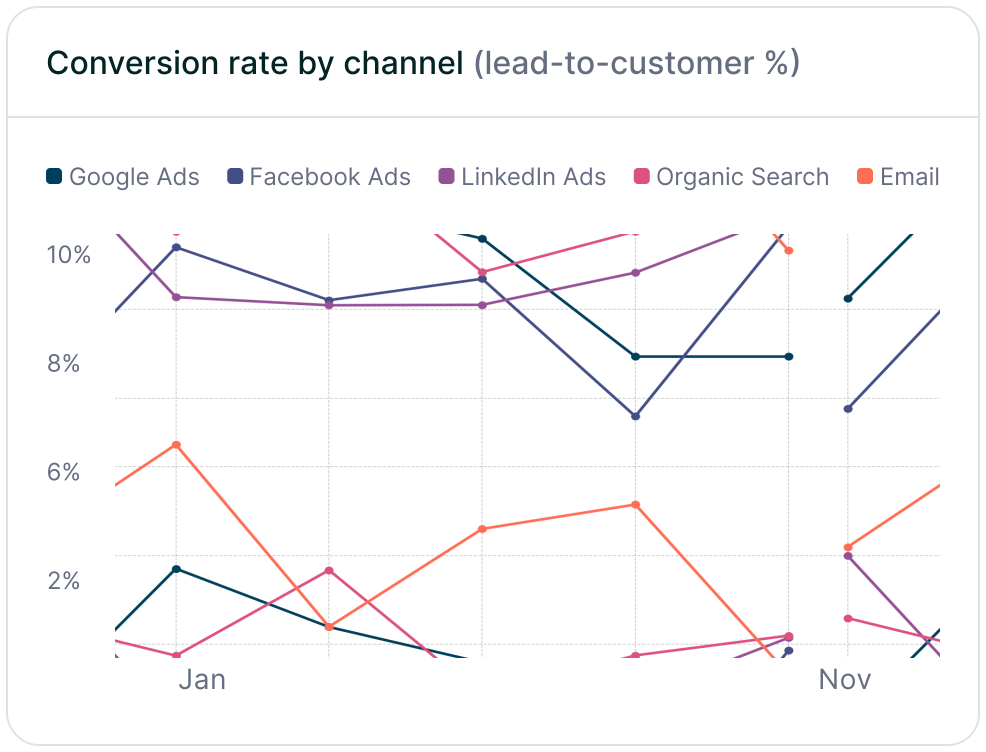
Conversion rate by channel
Measure which traffic sources convert leads into customers most effectively using the channel data captured in Fluent Forms submissions. Some channels may drive lots of form fills but low-quality leads, while others consistently produce higher-value customers and stronger revenue.
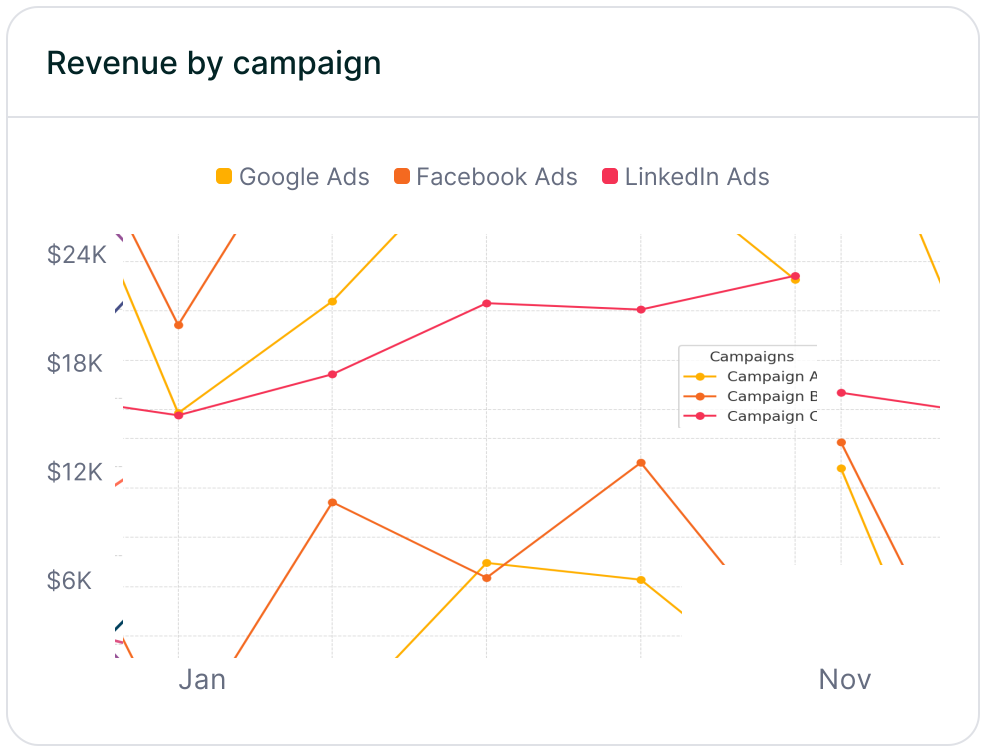
Revenue by campaign
Connect Fluent Forms attribution data to customers and revenue to see which campaigns are driving real business impact. This makes it easier to optimize budget, scale the campaigns that perform best, and reduce spend on efforts that fail to turn leads into revenue.
If you want to see which marketing campaigns are actually generating leads, customers, and revenue, Madlitics connects UTM parameters and attribution data directly to your Fluent Forms submissions. Instead of relying on disconnected reports or limited click metrics, Madlitics captures and preserves attribution from the first touch through the final conversion, so every form submission includes its source, medium, campaign, landing page, channel, and more.
With this data flowing automatically into your CRM, reporting tools, and downstream workflows, you can build clearer reports, analyze lead quality by campaign, and confidently double down on the channels driving real pipeline and revenue. Madlitics shows you which marketing efforts are working, so you can invest more in what performs and cut what doesn’t.
See which channels, campaigns, and content actually drive pipeline and revenue.
Turn attribution into decisions
Move beyond “Direct/Unknown” sources. Capture accurate attribution data to understand what's driving conversions, pipeline, and revenue.
Spot top channels
Break down leads by channel such as Organic, Paid Search, Paid Social, and referrals. Identify what is working and shift budget toward top performers.
Find campaigns that convert
Track performance by campaign, source, medium, and landing page. See which efforts generate qualified leads and customers, not just form fills.
Persistent attribution tracking
Keep UTM and session data attached to each lead, even if they return later or convert on a different page.
Answers to common questions about UTM tracking with Madlitics and Fluent Forms