Digital Marketing
How to Capture Meta Ads Data in HubSpot
Connect Facebook and Instagram campaign data with HubSpot contacts to see which Meta Ads generate qualified leads, customers, and revenue.

Madlitics connects Meta Ads attribution with customer records inside HubSpot.
A visitor discovers your business through an Instagram ad, explores your website, and returns a few days later to submit an inquiry. Preserving the original campaign, ad set, creative, and landing page details gives you the context to evaluate that lead as it progresses through your pipeline.
Madlitics captures the available attribution when the visitor arrives and writes it into configured HubSpot form fields at submission. Those values reach the contact record alongside the lead’s details, helping you connect Facebook and Instagram campaigns with customer outcomes.
Traffic and lead counts show campaign activity. Connecting attribution with HubSpot customer records shows which campaigns contribute to customers and revenue.
Meta Ads Campaign Performance Based on Traffic Metrics
The Awareness campaign generates the most visitors at the lowest cost per visit. Adding leads, customers, and revenue reveals a different performance picture.
Meta Ads Campaign Performance Connected to Leads, Customers, and Revenue
In this example, Awareness generates 201 leads but only three customers and $11,000 in revenue. Retargeting generates fewer leads yet produces 17 customers and $126,000.
Its lead-to-customer conversion rate is approximately 14.0%, compared with 1.5% for Awareness. Connecting campaign data with customer outcomes gives marketers a stronger basis for deciding where to invest.
Capture original Facebook and Instagram campaign context and keep it alongside your HubSpot contacts.
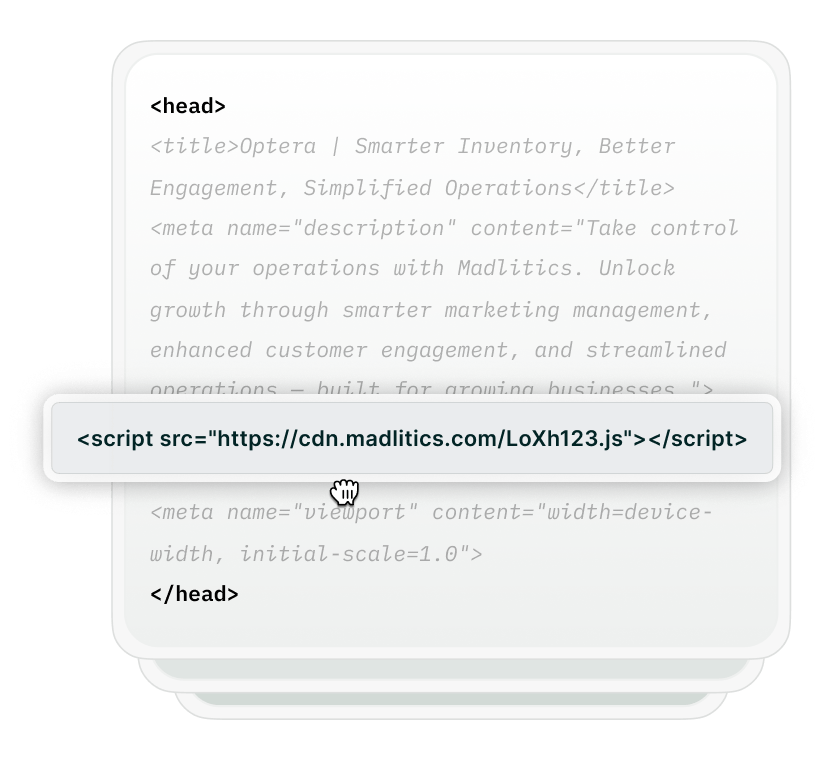
Add your Madlitics snippet to your website so it captures attribution when visitors arrive from Meta Ads and preserves it as they browse and return.
Add consistent UTM parameters to your ad destination URLs. Include the campaign, ad set, and creative details you want to compare in HubSpot.
https://yoursite.com/demo?utm_source=facebook&utm_medium=paid_social&utm_campaign=demo_requests&utm_term=revops_us&utm_content=video_ad_a
In this example, revops_us identifies the ad set and video_ad_a identifies the creative variation. Use a source value that reflects where the link appears, such as facebook or instagram.
Add Madlitics hidden fields to your HubSpot forms and connect them to your contact properties. Each submission then carries the visitor’s original channel, Meta Ads campaign details, and landing page data into HubSpot alongside their contact information.
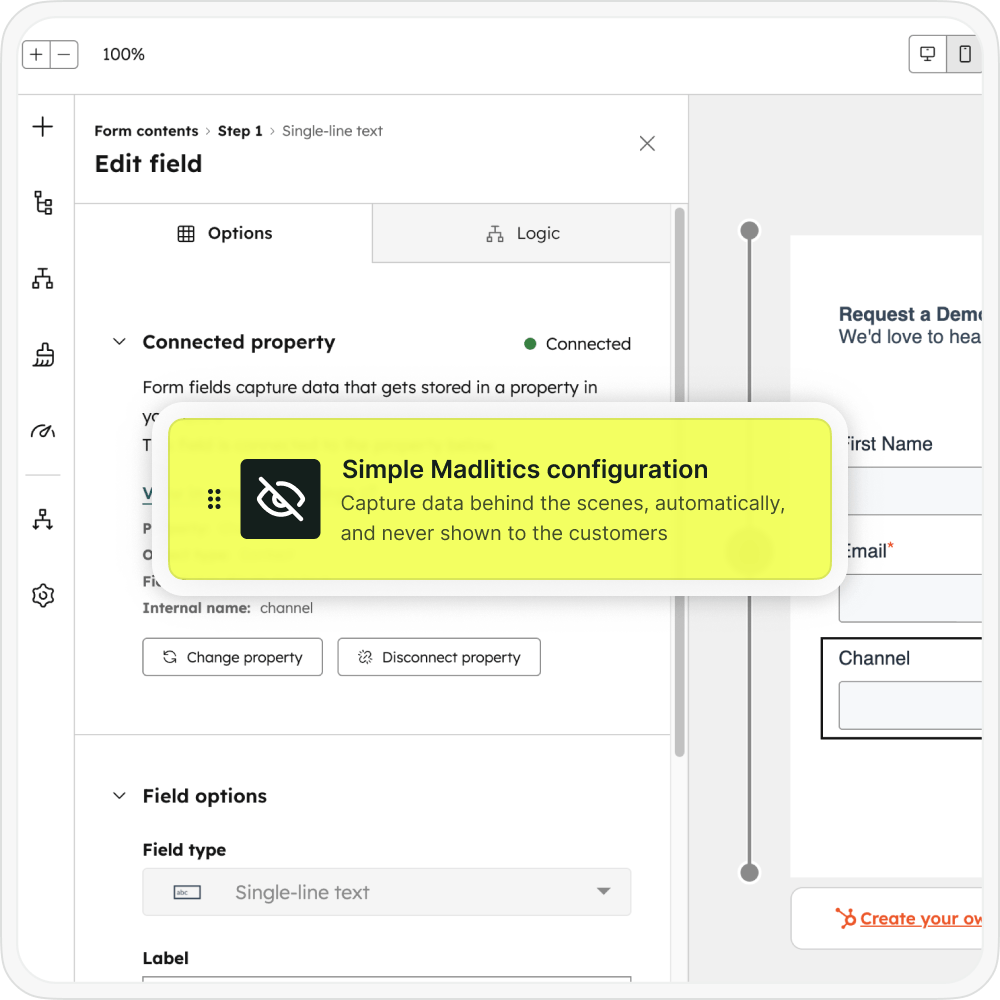

Use the captured campaign properties to compare which Facebook and Instagram campaigns, ad sets, and creative variations generate qualified leads and customers.
Connect those contacts with associated deals and revenue to evaluate Meta Ads performance inside HubSpot and guide your marketing investment.
Use attribution captured on contacts to compare acquisition channels, customer conversion rates, and Meta campaign revenue.

Leads by channel
Compare Meta Ads lead generation with paid search, organic search, email, and referrals.

Conversion rate by channel
See how often leads from each acquisition channel become customers.

Revenue by campaign
Compare closed-won revenue associated with your Facebook and Instagram campaigns.
Keep the original campaign context alongside your customer records. Madlitics captures Facebook and Instagram attribution through your configured forms, helping you see which campaigns contribute to leads, customers, and revenue.
Start a free Madlitics trial and connect campaign attribution to the tools you already use.
See which campaigns drive real business results.
Campaign insights
See which Meta campaigns, ad sets, and creative variations generate qualified leads.
First-touch attribution
Preserve the original Facebook or Instagram campaign context as visitors browse and return.
Landing page insights
Compare the original entry pages and content groups behind your Meta Ads leads.
Enriched HubSpot contacts
Keep attribution alongside contact details for segmentation, workflows, and reporting.
Answers to common questions about Meta Ads tracking with Madlitics and HubSpot