
Digital Marketing
Tracking multi-channel visitor journeys
Madlitics preserves where each lead first came from, so you can see which channels are driving your customers.
Start a free trial
Most businesses are missing out on the full story behind customer behavior. Customers interact with multiple touchpoints - like social media, search, and email - before converting, but many companies still rely on outdated "last-click" tracking. This approach ignores the earlier steps that build awareness and influence decisions.
Here's why tracking the entire visitor journey matters:
To get started, you need to:
To truly understand how visitors interact with your brand, you need to track every traffic source. This means looking beyond just paid campaigns and including organic search, social media, referrals, direct visits, and even offline touchpoints. Without this full picture, you might make decisions based on incomplete data - potentially cutting campaigns that are actually working.
Accurate marketing attribution ensures you can refine your efforts and avoid costly mistakes. Start by implementing a reliable tracking system that captures all interactions.
The first step is adding Madlitics' first-party tracking code to your website. This is a simple JavaScript snippet that automatically collects data like referring domains, IP addresses, and UTM parameters.
If you're already using a tag manager, you can install the Madlitics script once and manage updates from a single place, which reduces errors and makes changes much easier over time. When JavaScript isn't an option, such as in email templates, you can fall back on tracking pixels—small image files with encoded data that load when an email is opened and give you visibility into that channel.
Madlitics' tracking snippet is built on a server-side foundation to handle ad blockers, privacy settings, and slow connections. It's just one line of code added to your site header that immediately captures UTM parameters, referrer data, and traffic source for every visitor—no additional configuration needed.
Once your tracking code is live, configure it for all channels - not just the obvious ones.
For paid advertising, link your ad accounts directly to your analytics platform. For instance, connecting Google Ads to Google Analytics ensures paid search traffic is categorized correctly, rather than being mistakenly grouped under "Organic Search."
For earned media - like guest blog posts, partner newsletters, or organic social content - manually add UTM parameters to every link. Stick to a consistent naming format (e.g., lowercase letters with dashes) to identify which channels are delivering results. Instead of a generic tag like utm_source=social, use something more specific, such as utm_source=instagram-dms.
Direct traffic can also be tricky. Many visits labeled as "Direct" often originate from PDFs, emails without UTM parameters, or social media bios. By adding UTM parameters to links in email signatures or social profiles, you can reduce this "dark traffic" and better understand where your visitors are coming from. Madlitics helps surface this hidden traffic by capturing and categorizing source data at the moment of form submission, so leads that would otherwise land as 'Direct' are correctly attributed to their original channel.
Here’s how tracking methods can vary by channel type:
For offline efforts, QR codes are invaluable. Place them on physical materials like flyers or posters, and direct users to a URL with UTM parameters to capture the source. Additionally, adding a "How did you hear about us?" field to your CRM forms can help track word-of-mouth referrals that might otherwise go unnoticed.
After setting up your tracking code to capture all traffic sources, the next hurdle is keeping the initial UTM data intact across sessions. UTM parameters are recorded when a visitor first lands on your site, but they don’t automatically stick around for future visits or even as the user navigates across pages. Without a solution, returning visitors often get lumped into "Direct" traffic, erasing the original source that brought them in.
Persistent attribution builds on complete channel tracking by ensuring the original source data stays visible throughout the user’s journey. When UTM parameters are captured on the first visit, storing them in cookies or localStorage allows this information to be carried over to every subsequent interaction - whether it’s on a different page or during a later session. Madlitics handles this persistence automatically — when a visitor lands on your site, their attribution data is captured and held so that when they return days or weeks later and convert, the original source is still intact on their lead record.
This is especially critical for industries like B2B or businesses with long sales cycles, where the gap between the first interaction and the final conversion can stretch over weeks or even months. For instance, ClickUp implemented full-funnel tracking to monitor the entire user journey, not just the initial lead source. This approach helped them scale from $4 million to $150 million in ARR by accurately attributing revenue to the right campaigns.
Cross-device tracking is another common challenge. Since 90% of people with multiple devices switch between them to complete tasks, it’s crucial to connect these fragmented sessions. The best solution? User ID tracking. By assigning each visitor a unique identifier, you can tie their sessions together - whether they start browsing on a phone and finish the purchase on a desktop. Once a user logs in or registers, the User ID consolidates all their activity into a single, unified journey. This method ensures persistent attribution works across devices, not just within a single session.
If you notice that "Direct" traffic makes up more than 40% of your total traffic, it’s often a red flag for data gaps caused by capturing UTM parameters in forms or missing persistent attribution.
Once session data is retained, the next step is to ensure conversions carry the complete campaign context - source, medium, campaign - even if users go through multiple steps like signing up for a newsletter or downloading a PDF before making a purchase. This approach eliminates last-click bias, where only the final touchpoint (like a direct visit or an email) gets credit, ignoring the earlier campaigns that initiated the journey.
"Without understanding how campaigns influence each other, you might shut down effective campaigns or over-invest in ones that don't drive conversions." - Ryan Koonce, CEO of Attribution
Take the example of Fatty15, a health supplement brand. They faced overlapping attribution claims from ad vendors that totaled more than their actual revenue. By creating a "single source of truth" to maintain context across every touchpoint, they doubled their marketing budget while staying cash-flow positive.
To implement this effectively, use a consistent 90-day lookback window and middleware tools to attach the original campaign data to every interaction. This ensures you can track early touchpoints even in lengthy consideration cycles, preserving the full marketing story throughout the user’s journey.
After establishing persistent attribution, the next step is to turn chaotic raw data into a reliable and consistent resource for analysis. Raw tracking data can be all over the place - one marketer might label a campaign as "Facebook", another as "FB", and yet another as "fb.me." Automating this process helps you create a clearer picture of your marketing channels, making your analysis far more actionable.
Automated data normalization is key to cleaning up the chaos. By grouping variations like "FB", "Facebook", and "fb.me" under a single channel, you can measure performance more accurately. This same process also fixes UTM tagging errors - something as small as a typo like utm_medium=paidsoical could otherwise misclassify traffic as "unknown", hiding valuable campaign insights.
"Attribution is only as good as your data. If one person usesutm_source=facebookand another usesutm_source=FB, your data will be fragmented." - Emma, Local Marketing Group
Another critical piece is automated identity resolution. This process connects different identifiers - like user IDs, emails, and device IDs - into one cohesive profile. It prevents duplicate visitor counts and eliminates overlapping conversions, giving you a cleaner dataset.
Accurate data leads to reliable reporting. Cleaned data ensures that timestamps are standardized to a single local timezone and that events are grouped into clear, consistent sessions, preserving the integrity of your path analysis.
"If identities don't resolve cleanly, timestamps don't align, channels aren't normalized, or events aren't consistent, you're not running attribution, you're running assumptions at scale." - jamie-isabel, MetricMaven
This level of precision is especially crucial as marketing budgets tighten. In 2023, marketing spend accounted for nearly 9% of company revenue, but projections for 2024 show a drop to just under 8% - a 15% year-over-year cut. With these constraints, proving marketing attribution ROI is more important than ever. Manual data entry and fragmented systems can lead to errors that waste money on poorly performing campaigns or, worse, result in prematurely cutting successful ones. Automated data cleaning ensures your reports are accurate, auditable, and actionable - so every marketing dollar is spent wisely.
When your data is normalized and clean, it becomes much easier to uncover meaningful metrics and fine-tune your marketing strategy.
Once your data is clean, it’s time to dig into the landing pages that are driving conversions. Landing page tracking doesn’t just tell you someone came from Facebook - it shows exactly what content they engaged with and how that page influenced their journey to becoming a lead.
Make sure every form submission is tied back to its source landing page. This includes tracking the first page they visited, the last page before converting, and any key pages they engaged with in between.
Keep an eye on metrics like bounce rate and average visit duration to ensure your content aligns with visitor expectations. A high bounce rate often signals that visitors aren’t finding what they anticipated based on the ad or link they clicked. On the other hand, tracking assisted conversions can highlight pages that don’t get direct credit for a sale but play an essential role in moving customers through the funnel - from awareness to consideration.
For even greater accuracy, use UTM parameters like utm_content to track multiple CTAs on a single page. This helps you pinpoint which specific link captured the click. These insights can uncover areas where your content can be fine-tuned to speed up conversions.
Landing page analytics provide a clear picture of what’s working and what needs improvement. For example, analyzing path lengths can help you identify pages that accelerate conversions. Pages with shorter path lengths are often your top performers and may be worth directing more traffic toward.
This level of precision is especially critical now - marketing budgets have tightened, dropping from roughly 9% of company revenue in 2023 to just under 8% in 2024. Knowing which pages deliver the best ROI ensures you’re investing your resources wisely.
Go a step further by mapping landing page data (via utm_source or utm_campaign) to your CRM lead records. This allows you to connect specific landing pages to high-value deals, transforming surface-level metrics into actionable insights. With Madlitics every form submission is enriched with the landing page path alongside the full UTM context, so your CRM record tells the complete story of where the lead came from and what content converted them.
Once your landing page data is clean and well-organized, it’s time to bring attribution data into your forms and CRM systems. This step ensures that every lead submission carries the complete marketing context - from the first interaction to the final conversion. With this integration, both your sales and marketing teams can trace leads back to their origins effortlessly.
Hidden fields are a simple yet powerful way to collect attribution data without disrupting the user experience. These fields automatically capture UTM parameters (like utm_source, utm_medium, and utm_campaign) from the URL and attach them to the form submission.
To make this work smoothly, stick to a strict naming convention for your UTM parameters. Use lowercase letters and dashes instead of spaces (e.g., summer-sale-2026 instead of Summer Sale 2026). A consistent format, such as us-ecommerce-hoodie-q1, helps prevent data inconsistencies when the information flows into your CRM. If you're using Madlitics, hidden field configuration is handled natively — UTM parameters are captured and appended to every form submission automatically, regardless of which form builder or CRM you're using.
For cases where client-side tracking is limited, server-side tracking can be a lifesaver. It ensures that critical form events are still captured, even on high-value lead pages where losing attribution data could hurt performance.
Once the data is captured, the next step is to map these parameters in your CRM to create a unified view of your leads.
Mapping attribution parameters to your CRM fields links your marketing efforts directly to revenue outcomes. For instance, in Salesforce, you can go to Object Manager > Lead/Contact > Fields > New Picklist to add values that match your UTM naming standards. In HubSpot, workflows can automate the mapping of fields like utm_source or utm_campaign to the "Original Source" property.
Here’s an example of how this works in practice: A health supplement company integrated attribution data into their CRM, breaking down data silos and doubling their marketing budget by identifying the most effective channels.
If you’re using form builders like Webflow, or capturing UTMs in Jotform, automation tools such as Zapier can ensure that UTM data flows seamlessly into your CRM as new leads are created. To capture offline and word-of-mouth referrals, consider adding a self-reported field like, "Where did you hear about us?" This fills any gaps left by digital attribution.
Finally, make it a habit to audit your CRM regularly. Look for duplicate records and inconsistencies in naming conventions to maintain clean and reliable data.
Once attribution data is integrated into your CRM, you gain a full view of how visitors transition into customers. This step ties together all your tracking efforts, allowing you to turn raw data into actionable strategies. By identifying which channels deserve more investment and which tactics need adjustment, you can refine your marketing approach for better results.
Start by focusing on metrics that directly affect your ROI. One critical measure is Customer Acquisition Cost (CAC), which tells you how much you're spending to gain each customer. Pair this with the LTV:CAC ratio - a healthy benchmark here is 3:1, meaning each customer should bring in at least three times what you spent to acquire them.
Another helpful metric is assisted conversions, which highlight channels that support or initiate conversions but don’t always get full credit. For instance, display ads may appear to have a 0% conversion rate in last-click reports, yet data-driven attribution often reveals their strength in introducing your brand to potential customers.
Metrics like time-to-conversion and path length shed light on how long it takes prospects to make decisions and how many touchpoints they require. Quick conversions often signal high-intent traffic, while longer paths suggest the need for more nurturing. Additionally, monitoring bounce rates and funnel drop-offs can help you identify problem areas. A high bounce rate on specific landing pages might indicate a mismatch in messaging, while drop-offs between pricing and signup pages could point to obstacles in your conversion process.
These insights help you decide where to reallocate resources, prioritizing channels with high assisted conversion value.
Using these metrics, you can determine which channels consistently drive conversions - whether through initial touchpoints or by assisting along the way. Conversion path analysis is key here, as it reveals how various channels work together. For example, a sequence like Paid Search → Organic Social → Direct → Conversion shows how multiple touchpoints contribute to the final goal. Relying solely on last-click attribution could undervalue those early interactions that build brand awareness.
Focus your budget on channels with strong assisted conversion rates and high ROI. Shift resources from underperforming areas to those driving measurable growth. Keep in mind that 73% of customers engage with multiple touchpoints before making a purchase, and most need at least seven brand exposures before taking action. Your analysis should reflect this multi-touch reality, ensuring every channel’s contribution is recognized.
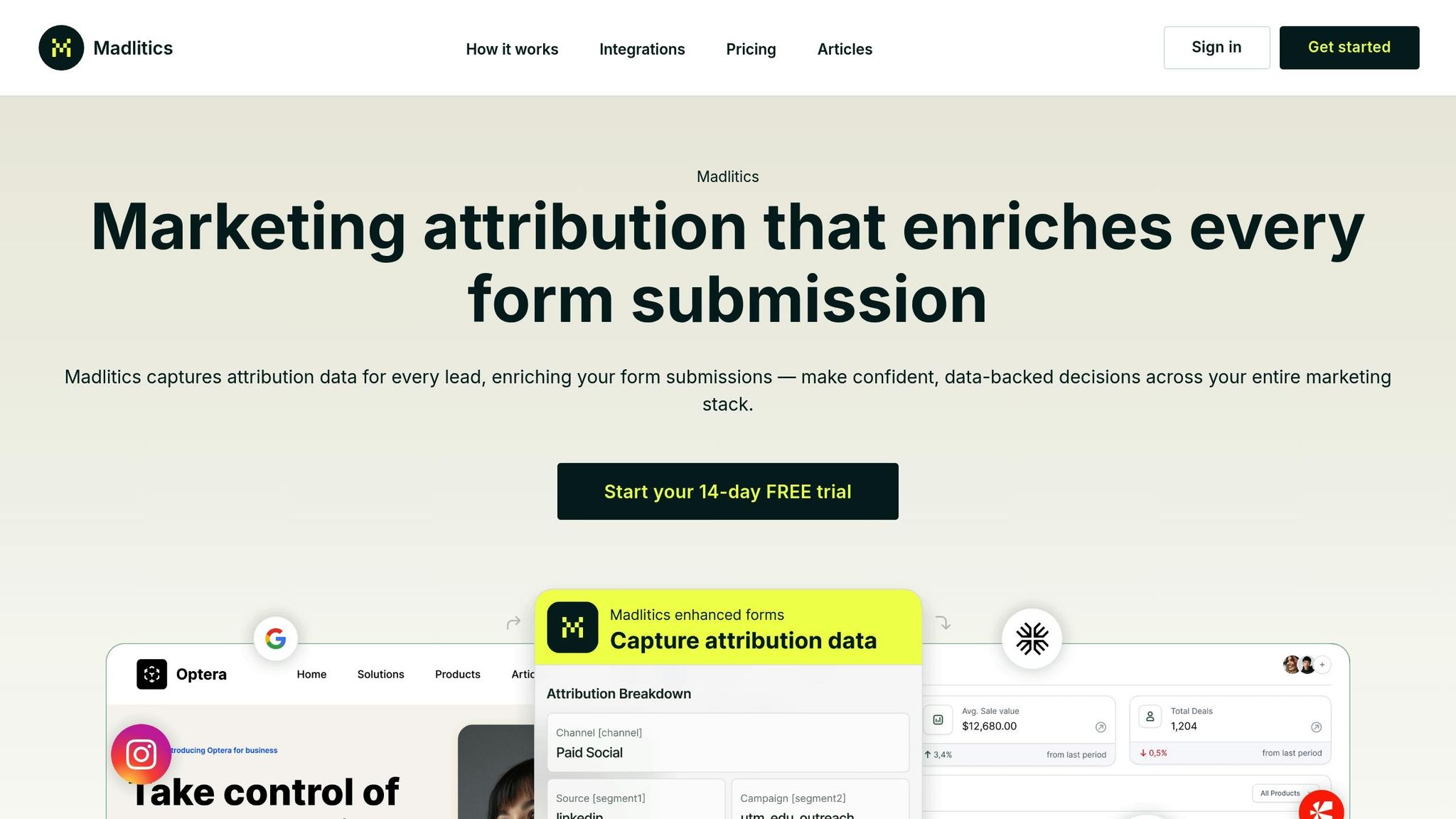
To gain a comprehensive view of your visitors' journeys across all channels, consider a tool that tracks interactions in real time. Madlitics provides this by attaching clear attribution data to every form submission, revealing the entire path from the first click to conversion.
Madlitics simplifies multi-channel tracking by integrating proven attribution methods into a user-friendly solution:
Getting started with Madlitics is simple. First, add the Madlitics code snippet to your website's header to begin tracking visitor journeys. Then, configure your forms by including hidden fields to capture attribution data. Finally, map these fields to your CRM to ensure channel, campaign, and landing page data are automatically added to every lead record. For detailed instructions, refer to the testing resources.
Madlitics offers a 14-day free trial — no credit card required. This quick setup ensures your team can immediately access accurate and actionable attribution data.



Tracking how visitors interact with your brand across multiple channels helps eliminate the blind spots caused by relying solely on last-click attribution. By understanding the entire sequence of touchpoints - from the first interaction on social media to the final conversion through email or search - you can pinpoint which channels play a crucial role in assisting conversions, even if they aren't the last step. This ensures you don't mistakenly cut channels that are effectively guiding customers through the funnel.
The financial benefits are hard to ignore. As highlighted earlier, full-funnel tracking can lead to noticeable revenue growth and smarter budget allocation. In fact, brands that use detailed customer journey data to personalize their strategies see a 40% increase in revenue.
With tighter budgets making accurate attribution more critical than ever, understanding how your campaigns work together allows you to focus on the channels that genuinely contribute to conversions. These insights can serve as a solid foundation for refining your tracking strategy right away.
Now that you understand the importance of multi-channel tracking, it’s time to take action and improve how you capture and use visitor journey data.
Tools like Madlitics make this process easier by capturing attribution data at the moment of form submission and seamlessly organizing it across your marketing platforms. With a 14-day free trial and no credit card required, you can start tracking complete visitor journeys right away. This means you’ll know exactly where your best leads come from and where to focus your marketing efforts next.
Answers to your top questions















