
Digital Marketing
How to capture UTM parameters and marketing attribution data in Jotform
Turn Jotform responses into full attribution records ready for your marketing tools, and see what drives leads, not just form fills.
Start a free trial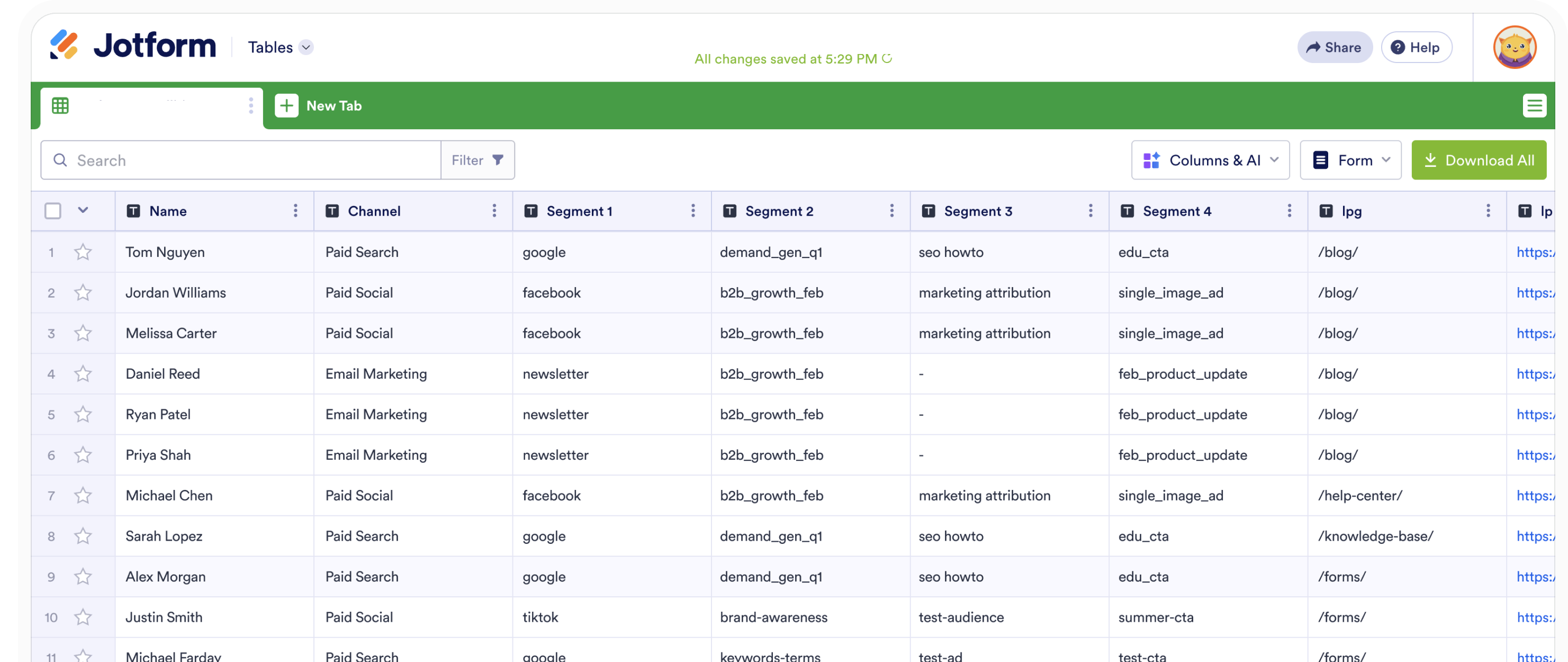
Jotform makes it easy to collect leads. Getting reliable attribution data from those submissions is the hard part. UTM parameters often go missing or only appear on a small share of responses, which leaves you with “Direct” or incomplete data in your CRM and reports, making it difficult to see which campaigns, pages, and channels are actually driving results.
Madlitics fixes this by making sure every Jotform submission includes accurate, persistent attribution data, by capturing UTM parameters, source, medium, campaign, and landing page details when visitors first arrive, then keeps that information attached through their entire journey.
In this guide, you will learn how to use Madlitics with Jotform to capture complete attribution data on every submission and send it into your CRM, marketing tools, or data warehouse. With that in place, you can clearly see which channels, campaigns, and forms are driving leads, pipeline, and revenue, and invest more confidently in what works.
Accurate marketing attribution starts with capturing where leads come from. Madlitics works with Jotform to automatically capture UTM parameters, channel data, and first-touch attribution, then writes it into every form submission for your CRM and reporting workflows.
Add UTM parameters to your marketing links to track source, campaign, and performance.Madlitics handles the rest—automatically capturing attribution data and attaching it to every form submission.
ex. URL with UTMs: https://yoursite.com/jotform-form?utm_source=google &utm_medium=cpc &utm_campaign=demo_q2 &utm_term=marketing-automation &utm_content=hero_ad

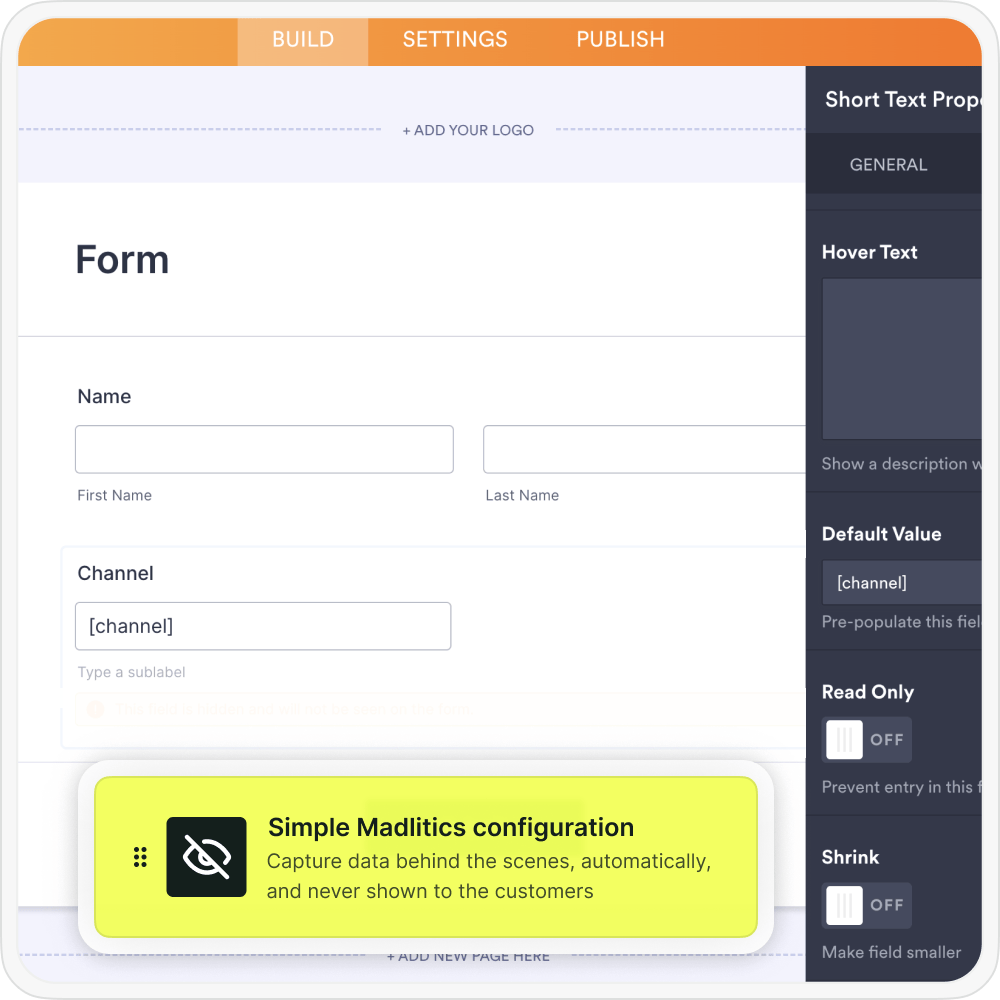
Configure Jotform to automatically collect attribution data via Madlitics and include campaign and session details with each submission.
When a visitor submits a Jotform, Madlitics automatically writes the captured UTM parameters and attribution data into the Madlitics fields you configured, turning each submission into a complete record that includes both customer details and the full marketing context in one place.
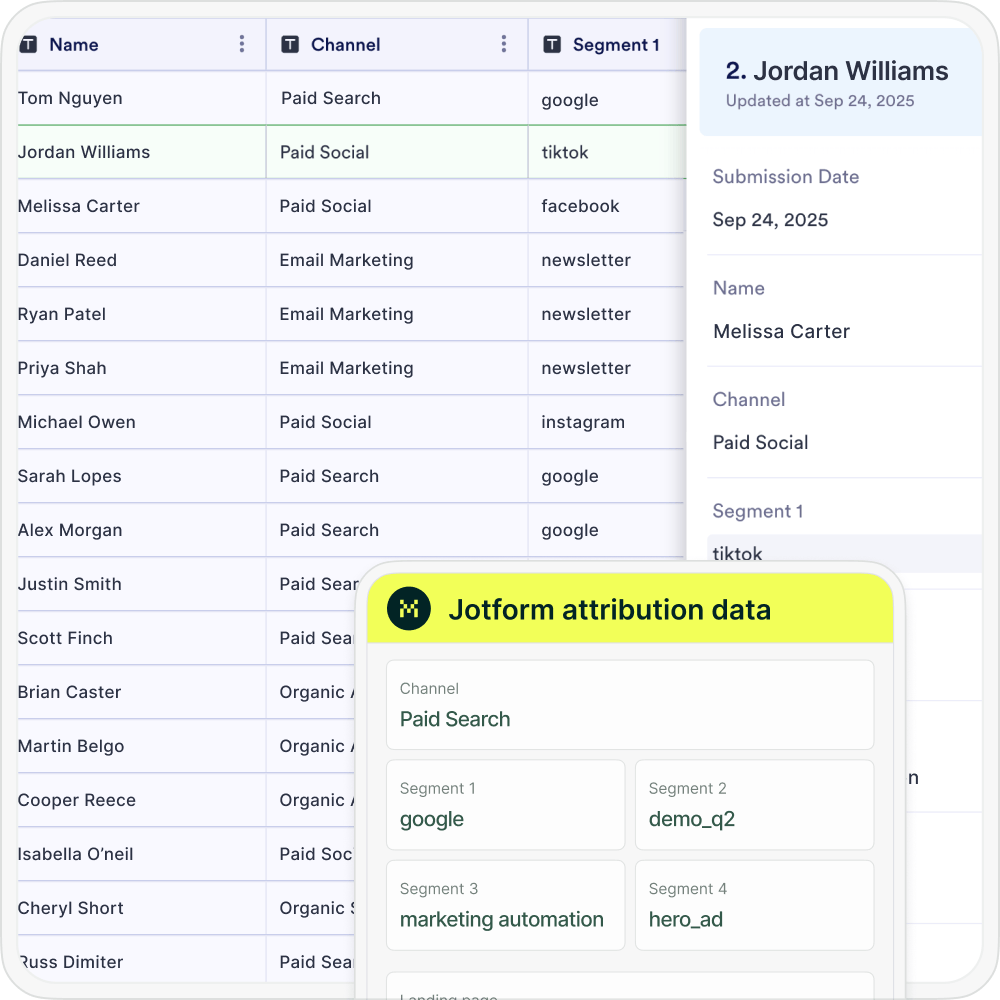

When a lead comples a submission, Jotform sends customer details plus full UTM and attribution data into your CRM, marketing automation platform, spreadsheets, or BI tools just like any other lead record — see which channels, campaigns, and pages are driving real pipeline and revenue.
Madlitics adds a persistent attribution layer in front of your Jotform so that every submission inherits clean, consistent tracking data—regardless of which page the user converts on.
When a visitor lands on your site, Madlitics captures first-touch information such as channel, source, campaign, medium, keyword or ad content (if available), and landing page details. That data is stored client-side and associated with the visitor’s session and subsequent sessions, so if they move from a campaign landing page to a blog article and then finally to a “Request Demo” Jotform, the original context is still available.
When Jotform sends complete UTM and attribution data into your CRM, you can report on more than just submission counts. Analyze which forms, traffic sources, and campaigns drive your best leads and customers, then double down on the workflows and pages that move the needle.
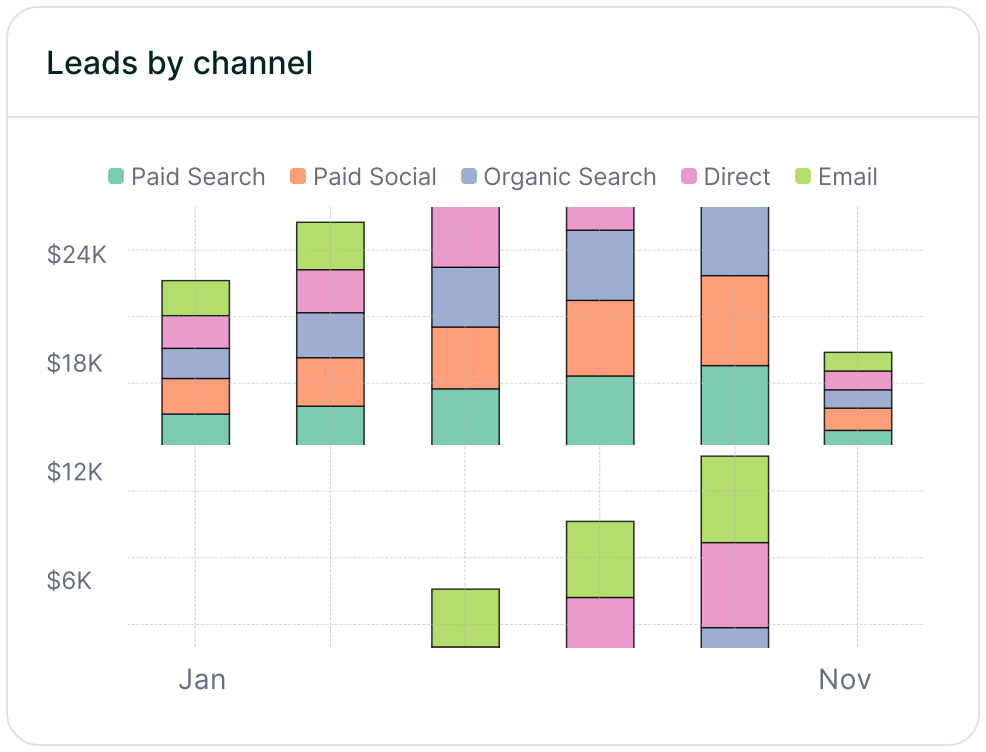
Leads by channel
Compare lead generation across Paid Search, Paid Social, Organic Search, Email, Referral, and Direct traffic. This makes it easy to see how each channel contributes to pipeline and revenue so you can prioritize the ones that perform best.
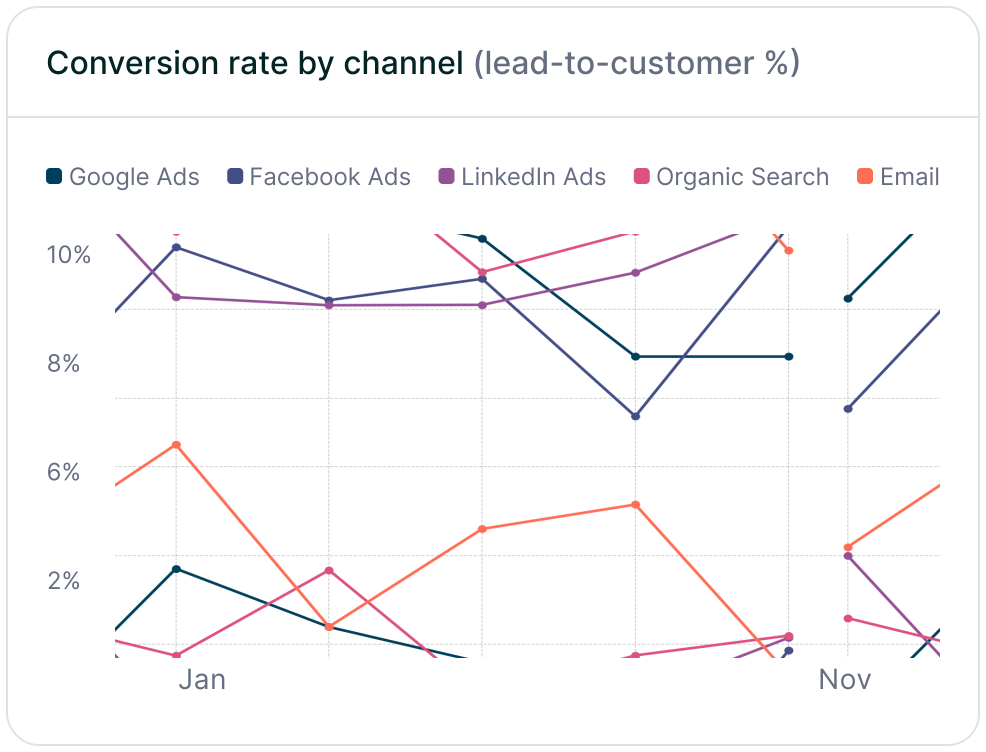
Conversion rate by channel
Measure which traffic sources convert leads into customers most effectively using the channel data captured in Jotform submissions. Some channels may drive lots of form fills but low-quality leads, while others consistently produce higher-value customers and stronger revenue.
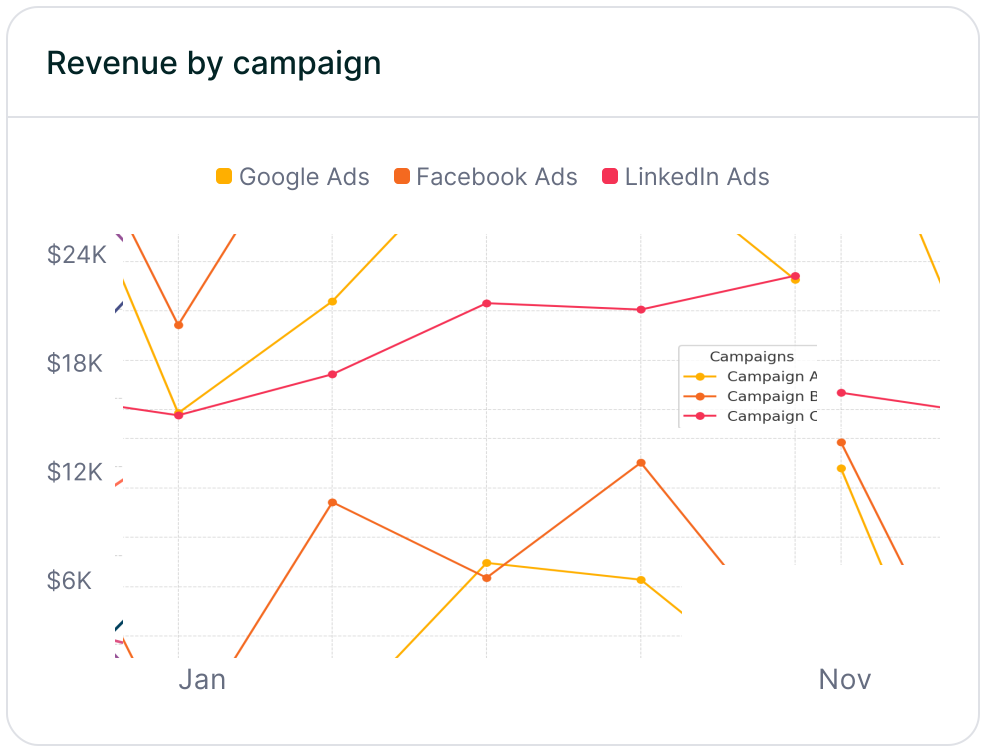
Revenue by campaign
Connect Jotform attribution data to customers and revenue to see which campaigns are driving real business impact. This makes it easier to optimize budget, scale the campaigns that perform best, and reduce spend on efforts that fail to turn leads into revenue.
Jotform is a powerful tool for creating engaging, high-converting forms that capture leads across your site, from demos to content upgrades. Its conversational design and embed flexibility make it a go-to for performance marketers chasing better response rates.
Pairing it with Madlitics unlocks even more potential by turning every submission into a full attribution record — persistent channel, campaign, keyword, click ID, and landing page data that flows straight to your CRM. No more "Direct/Unknown" gaps or manual stitching; you get clean insights on what truly drives pipeline and revenue.
See which channels, campaigns, and content actually drive pipeline and revenue.
Turn attribution into decisions
Move beyond “Direct/Unknown” sources. Capture accurate attribution data to understand what's driving conversions, pipeline, and revenue.
Spot top channels
Break down leads by channel such as Organic, Paid Search, Paid Social, and referrals. Identify what is working and shift budget toward top performers.
Find campaigns that convert
Track performance by campaign, source, medium, and landing page. See which efforts generate qualified leads and customers, not just form fills.
Persistent attribution tracking
Keep UTM and session data attached to each lead, even if they return later or convert on a different page.
Answers to common questions about UTM tracking with Madlitics and Jotform