
Digital Marketing
How Madlitics compliments Google Analytics
GA4 Tracks Sessions + Madlitics Tracks Leads – Bridge Traffic Data to CRM Revenue with 365-Day Attribution
Start a free trial
Madlitics and Google Analytics (GA4) work together to solve a common problem for marketers: linking website traffic data with CRM lead data. While GA4 is great for tracking website sessions and traffic trends, it struggles to connect those sessions to individual leads or maintain attribution over longer sales cycles. This is where Madlitics comes in - it provides lead-level attribution by tracking visitors across multiple sessions and sending detailed marketing data directly into your CRM.
By using Madlitics with GA4, you can bridge gaps in attribution, improve lead tracking, and make better data-driven marketing decisions.
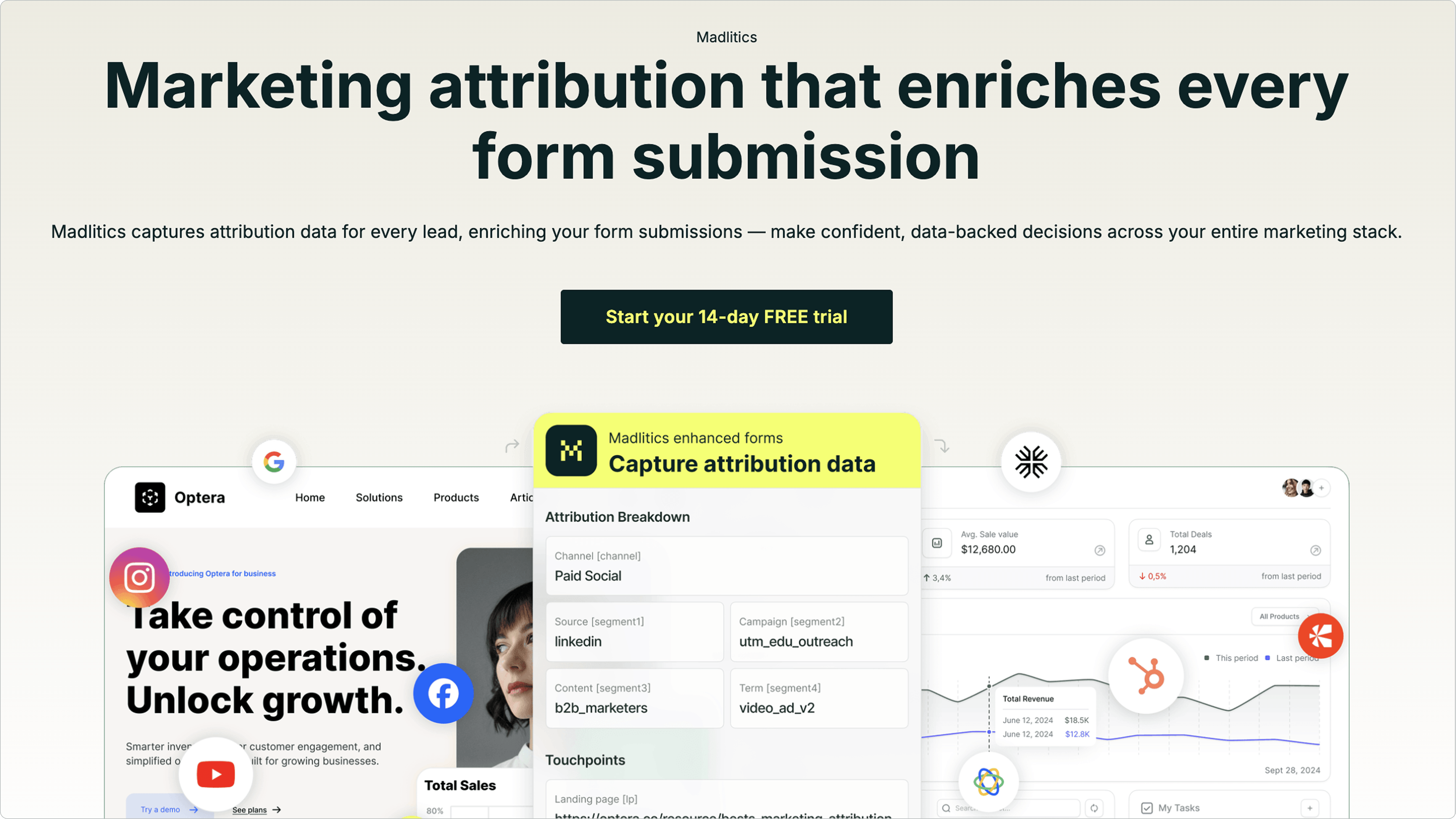
Madlitics is a form-first attribution platform that focuses on tracking the entire marketing journey for each individual lead. Unlike tools like Google Analytics that analyze aggregate traffic, Madlitics connects specific channel, campaign, and landing page data directly to each form submission in your CRM. This approach fills the gaps left by session-based tools, improving how marketing performance is analyzed.
Madlitics tracks all inbound traffic sources, providing a complete view of lead origins. Each lead submission is automatically enriched with cleaned, standardized UTM data across seven attribution fields: Channel, Segment 1 (Source), Segment 2 (Campaign), Segment 3 (Term/Content), Segment 4 (Ad Group/Audience), Landing Page, and Landing Page Group.
Using a 365-day tracking cookie to ensure first-touch attribution remains intact, even for long sales cycles — if someone clicks an ad in January, explores your site, and finally converts in March, the platform attributes the lead to that initial January campaign, ensuring campaigns are credited accurately, regardless of when the conversion happens.
Madlitics doesn’t just focus on paid campaigns - it captures traffic from all inbound sources, including organic search, social media, referrals, and direct visits. This gives marketers a comprehensive understanding of how all channels contribute to lead generation.
"We run dozens of forms across platforms. Madlitics keeps the attribution consistent everywhere and pushes the same fields into our CRM and email tool." - Marco D., Marketing Ops Manager, Telecom
Madlitics seamlessly integrates with your CRM to complete the data flow. It embeds attribution data into hidden fields within your lead capture forms. When someone submits a form, these fields automatically pass key marketing details - like channel, campaign, and source - into the CRM record. Setup is quick and straightforward: install a code snippet and add seven hidden fields (channel, segment1, segment2, segment3, segment4, lp, lpg) to your forms.
The platform supports major CRMs like Salesforce, HubSpot, Keap, Zoho, and Pipedrive, as well as form builders like Gravity Forms, Typeform, WPForms, and Webflow Forms. Additionally, Madlitics can sync attribution data with payment processors such as Stripe and Chargebee, allowing you to track which ads drive actual revenue, not just leads.
"It's the first solution my team actually uses every day because the data shows up where they already work. No training, no new dashboards." - Sam R., Growth Lead, Tech Startup
Google Analytics 4 (GA4) is a session-based tool designed to monitor website traffic across various channels like organic search, paid ads, social media, and referrals. It relies on UTM parameters and click IDs (e.g., gclid, fbclid, msclkid) to pinpoint where your visitors are coming from. Its main advantage lies in its ability to provide insights into overall traffic trends and user behavior on your site.
GA4's default attribution model, Data-Driven Attribution (DDA), uses machine learning to assign credit for conversions across multiple touchpoints. However, its 90-day lookback window can be a drawback for businesses with longer sales cycles. To use DDA effectively, your property must meet a threshold of at least 400 conversions monthly and 10,000 total ad interactions. These requirements highlight some of GA4's limitations in tracking more complex customer journeys.
"GA4's default attribution models are fine for basic reporting. But when you need to understand the messy reality of how customers actually find you... those defaults start feeling pretty inadequate."
– Drew Madore, Founder & CEO, Synergist Digital Media
While GA4 can track user journeys across different channels, it faces challenges when it comes to connecting sessions to individual CRM leads. Because it's session-focused, it doesn’t naturally link website activity to specific leads or CRM data. Another hurdle is its reliance on UTM parameters from the current page URL - if a visitor navigates away from the landing page or returns later, the platform may lose attribution context. This gap makes it harder to piece together a full picture of the customer journey, especially for multi-session interactions.
GA4 doesn’t offer built-in CRM integration for platforms like Salesforce or HubSpot. Instead, businesses need to rely on manual processes like CSV uploads, SFTP transfers, or BigQuery exports, combined with tracking identifiers like client_id or user_id for syncing through APIs. Another drawback is the 24 to 48 hours or more it can take for GA4 to fully process event data. Once data is finalized, it cannot be edited - making it impossible to adjust for refunds or cancellations after the fact.
"Integrating CRM data with GA4 can be complex, requiring robust data governance to ensure accuracy and compliance with data privacy regulations."
– Jorge Cunha, IT TECH BUZ

When it comes to bridging the gap between user behavior and lead conversion, Madlitics and Google Analytics 4 (GA4) each bring unique strengths to the table, offering complementary insights into why marketing attribution matters for growth.
Madlitics shines in its ability to provide form-first attribution. It enriches every lead submission with detailed marketing context, ensuring that the original source of a lead is tracked across multiple sessions. This persistent tracking prevents attribution loss when users browse before converting. It also simplifies reporting with automatic UTM normalization, ensuring consistent and accurate data. Plus, its native CRM integrations with platforms like Salesforce and HubSpot allow for direct enrichment of lead data. Setting it up is straightforward - just add a code snippet and configure seven hidden fields to capture key data.
On the other hand, GA4 excels in analyzing aggregated session data. It offers robust tools for traffic analysis and integrates seamlessly with the Google ecosystem. Its data-driven attribution model uses machine learning to analyze the entire customer journey, delivering insights into user behavior, session performance, and engagement patterns. Additionally, GA4's integration with Google Ads supports more precise bidding strategies and campaign optimizations.
The key difference lies in their focus: Madlitics zeroes in on granular, lead-level data captured at the point of form submission, while GA4 provides a broader, session-level view of overall user behavior.
"We needed dependable channel categorization and UTM mapping without rewiring our stack. Madlitics delivered exactly that. It's now standard on every form we launch."
– Sophie A., Head of Growth, Fintech

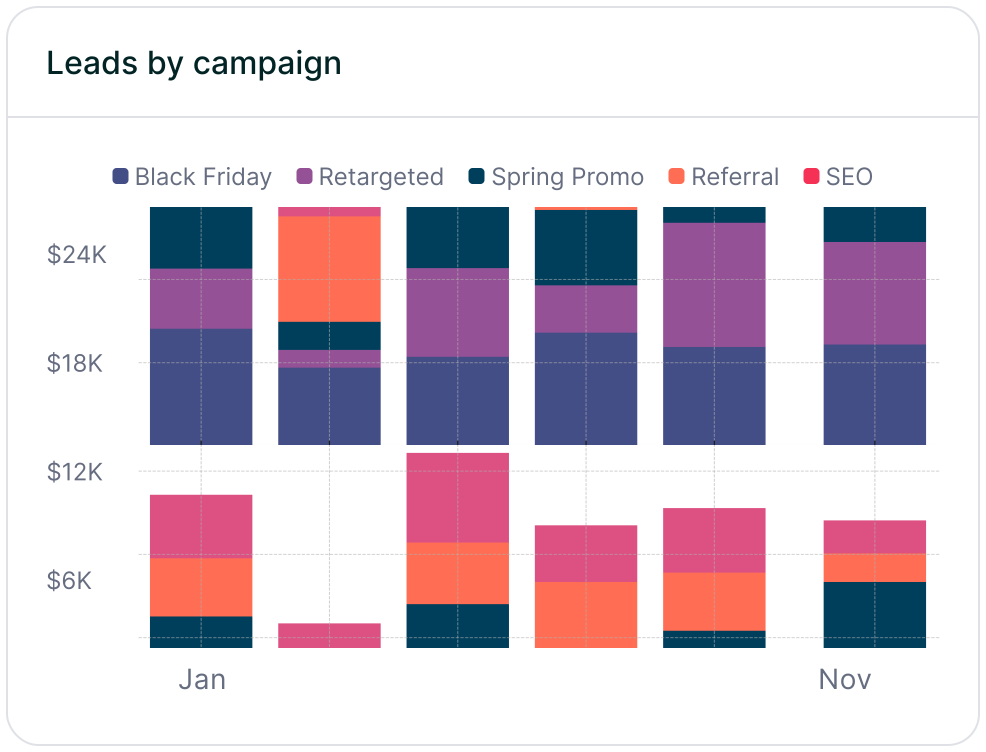


Google Analytics (GA4) and Madlitics each bring something distinct to the table, making them a powerful duo when used together. GA4 excels at providing a broad view of traffic patterns and user behavior across your site, while Madlitics dives into the marketing attribution details behind each lead at the exact moment a form is submitted. Essentially, one focuses on tracking visits, while the other zeroes in on conversions.
By combining their strengths, you can unlock deeper insights. Start with GA4 to pinpoint which channels are driving the most traffic - perhaps 40% of your visitors come from paid social campaigns. Then, use Madlitics to uncover which of those visitors actually convert through form submissions. For example, you might find that a specific landing page drives more conversions, allowing you to shift your budget from high-traffic, low-conversion channels to campaigns that directly impact revenue.
Madlitics also addresses attribution challenges like UTM inconsistencies and persistent tracking issues. By leveraging both tools, you can close attribution gaps while GA4 continues to provide valuable traffic insights for broader optimization efforts.
To make this integration seamless, add Madlitics' script to your high-traffic forms while keeping your GA4 setup intact. This enriched data will flow directly into your CRM and sync with GA4 dashboards, offering clearer and more reliable revenue attribution. Start with your most effective forms and scale from there.
This combined strategy not only bridges existing data gaps but also turns guesswork into actionable, data-backed decisions, helping you confidently allocate your marketing budget for maximum impact.
Answers to your top questions















