Digital Marketing

UTM Parameters: What They Are and How to Use Them

Learn what UTM parameters are, how to build consistent tracking links, and how to use reports to turn vague traffic data into clear, revenue-focused marketing insights.
Attribution is broken

UTM parameters are small tags added to URLs that help track where your web traffic comes from. They provide detailed insights into which campaigns, platforms, or content are driving visitors to your site. By using these tags, you can:

  • Identify traffic sources (e.g., Facebook, Google, newsletter).
  • Track marketing channels like social media, email, or paid ads.
  • Measure campaign performance and ROI accurately.

For example, a URL like yoursite.com?utm_source=facebook&utm_medium=social&utm_campaign=spring_sale shows that a visitor came from Facebook via a social media post during a specific campaign.

Why use them?

  • Prevent misclassified traffic (up to 30% of traffic can appear as "Direct" without UTMs).
  • Compare performance across platforms and content types.
  • Optimize spending by focusing on high-performing campaigns.

To create UTM-tagged links, you can do it manually, use tools like Google's Campaign URL Builder, or set up templates for consistency. Just remember: consistent naming and testing are key to ensuring reliable data.

UTM parameters are essential for tracking and improving your marketing efforts. They simplify marketing attribution, enabling smarter decisions about where to invest your time and money.

What Are UTM Parameters and Why Use Them?

UTM parameters are small snippets of text added to URLs that help track where your web traffic originates. When someone clicks on a link with these tags, your analytics tool captures the information, showing exactly which marketing effort led them to your site.

For example, a link like yoursite.com/product?utm_source=facebook&utm_medium=social&utm_campaign=spring_sale reveals that the visitor came from Facebook, via a social media post, during your spring sale. This method is essential for understanding campaign performance and calculating ROI.

There are three key UTM parameters you’ll use most often:

  • utm_source: Identifies the platform or source (e.g., "facebook" or "newsletter").
  • utm_medium: Specifies the type of channel (e.g., "social" or "email").
  • utm_campaign: Refers to the specific campaign (e.g., "spring_sale_2026").

Without UTM tags, up to 25%–30% of traffic could be incorrectly labeled as "Direct" in your analytics.

"Algorithms guess, but UTMs tell the truth." – Dan McGaw, CEO of McGaw.io

For over two decades, UTM parameters have been a reliable standard for tracking marketing efforts. They integrate seamlessly with platforms like Google Analytics, CRMs, and email tools, offering a unified way to analyze performance. This allows you to tie specific campaigns to actual revenue, giving you a clear picture of ROI.

Benefits of Using UTM Parameters

Using UTM parameters gives you better insights, helping you make smarter decisions about where to invest your budget. Instead of just knowing that "Facebook" drove 1,000 visitors, you can identify which specific post, ad, or link converted those visitors. This level of detail lets you reallocate resources to high-performing content while a campaign is still running, rather than waiting until it’s over.

For instance, while your email traffic might show an 8% conversion rate overall, UTM tags could reveal that one campaign is only converting at 2%. With this insight, you can tweak or replace underperforming content. IBM, for example, improved its efficiency by up to 30% using optimized tracking strategies.

UTM parameters are also invaluable for A/B testing. By utilizing the utm_content parameter, you can track variations like "red_button" versus "blue_button" in the same ad. This helps you determine which version performs better and adjust your strategy accordingly.

Another major advantage is accurate traffic attribution. Without UTMs, visits from email campaigns, social posts, or display ads often get misclassified as "Direct", "Referral", or "Other." Proper tagging ensures you stay in control of how traffic sources are reported. Additionally, Google Analytics retains campaign attribution for UTM-tagged sessions for up to six months, so even conversions that happen weeks later are credited to the correct source.

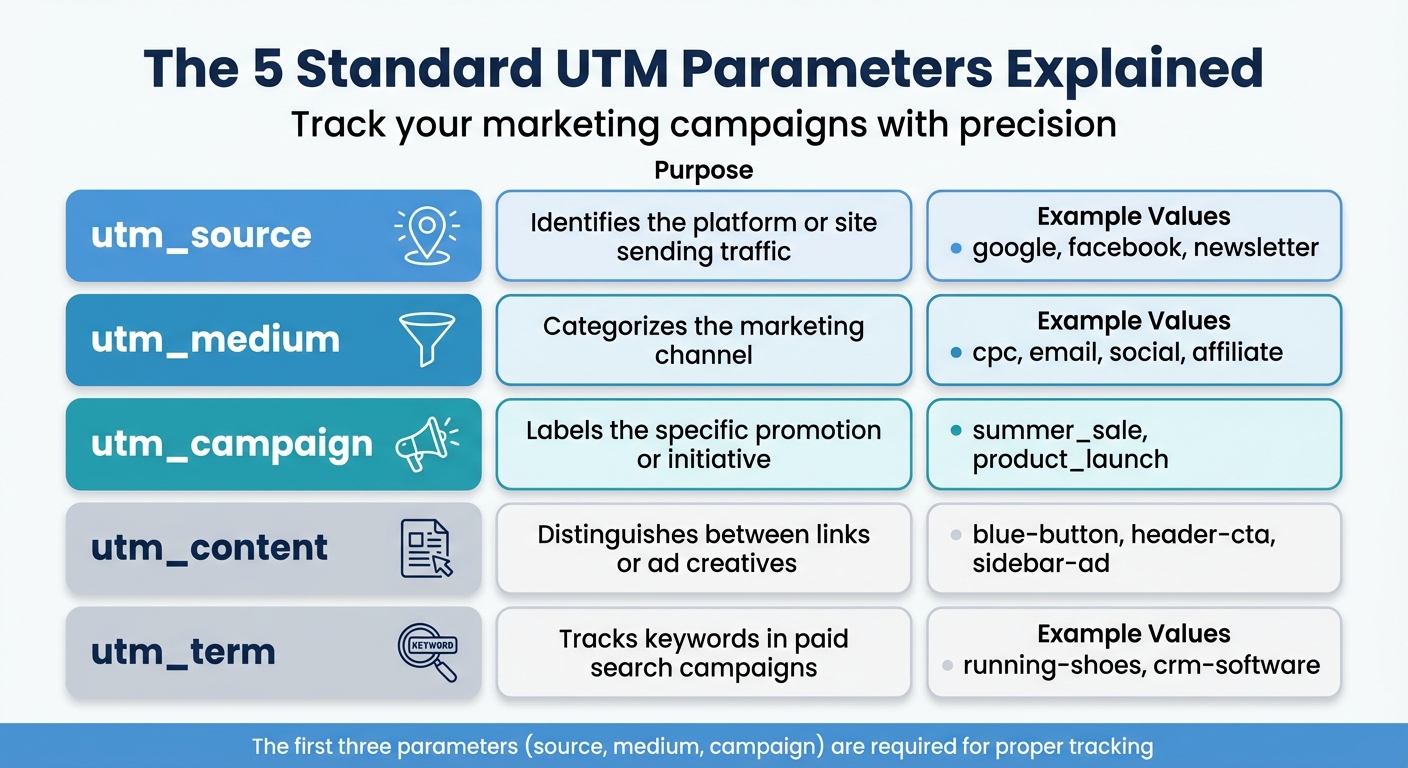
The 5 Standard UTM Parameters Explained

The 5 Standard UTM Parameters Explained with Examples

UTM, short for Urchin Tracking Module, gets its name from Urchin Software - the company Google acquired in 2005 to create Google Analytics. These five standard UTM parameters provide detailed insights into your campaigns, helping you make sense of your marketing data.

When added to URLs as a query string (starting with ? and separated by &), these parameters allow analytics tools to attribute website sessions and conversions directly to specific marketing efforts.

"UTM tracking transforms vague website traffic data into actionable marketing intelligence." – Dan McGaw, Founder and CEO, UTM.io

While utm_source, utm_medium, and utm_campaign are the most commonly used, including all five parameters ensures a deeper understanding of your campaign's performance. Here's a breakdown of each parameter and how it works.

Parameter

Purpose

Example Values

utm_source

Identifies the platform or site sending traffic

google, facebook, newsletter

utm_medium

Categorizes the marketing channel

cpc, email, social, affiliate

utm_campaign

Labels the specific promotion or initiative

summer_sale, product_launch

utm_content

Distinguishes between links or ad creatives

blue-button, header-cta, sidebar-ad

utm_term

Tracks keywords in paid search campaigns

running-shoes, crm-software

utm_source: Track Where Traffic Comes From

The utm_source parameter answers the question, "Where did this visitor come from?". It identifies the specific platform or site that directed traffic to your page. Common values include google, facebook, newsletter, and linkedin. For affiliate marketing, you might use the affiliate's name or ID as the source to track their contribution.

utm_medium: Identify the Marketing Channel

The utm_medium parameter helps you categorize traffic by the marketing channel or tactic being used. For example, you might use cpc for paid ads, email for newsletters, or social for organic posts. If you're running both organic and paid campaigns on Facebook, you can tag organic posts with utm_medium=social and paid ads with utm_medium=cpc. This distinction ensures you can compare performance accurately and measure ROI across channels.

utm_campaign: Label Specific Campaigns

The utm_campaign parameter groups data by specific marketing initiatives or promotions. Use descriptive names like spring_sale_2026, product_launch, or q1_webinar to make tracking easier. If you're running the same campaign across multiple platforms, consistent naming allows you to analyze the overall performance while still breaking down results by channel.

"The right campaign naming structure for you is the one that gives you the right information for your decisions." – Shopify Staff

To avoid issues with URL encoding, use hyphens or underscores instead of spaces when naming campaigns.

utm_content: Distinguish Between Links and Creatives

The utm_content parameter is perfect for A/B testing or tracking multiple creatives within a single campaign. For example, in an email with two call-to-action buttons, you could tag one as utm_content=cta-top and the other as utm_content=cta-bottom. Similarly, in display ads, you might label different formats like video_ad, static_banner, or carousel_ad. This parameter helps you identify which creative elements perform best.

utm_term: Track Keywords in Paid Search

The utm_term parameter is designed to track keywords in paid search campaigns. Examples include running+shoes, crm-software, or best-coffee-beans. While Google Ads provides auto-tagging with gclid, manually adding utm_term can be useful for non-Google platforms or to maintain consistent reporting. Google Analytics also attributes campaign data to a user's session for up to six months, ensuring that even delayed conversions are credited properly. This makes it easier to refine your keyword strategy and maximize the return on your ad spend.

How to Create UTM-Tagged URLs

There are three main ways to create UTM-tagged URLs: doing it manually, using builder tools, or relying on spreadsheet systems. Each method suits different team sizes and campaign needs.

Building URLs Manually

If you want full control over your tracking, manual URL creation is the way to go. Start by appending a question mark (?) to the end of your base URL to kick off your tracking parameters. Then, add each parameter in the format parameter=value, separating them with ampersands (&).

Here’s an example of a basic UTM-tagged URL:
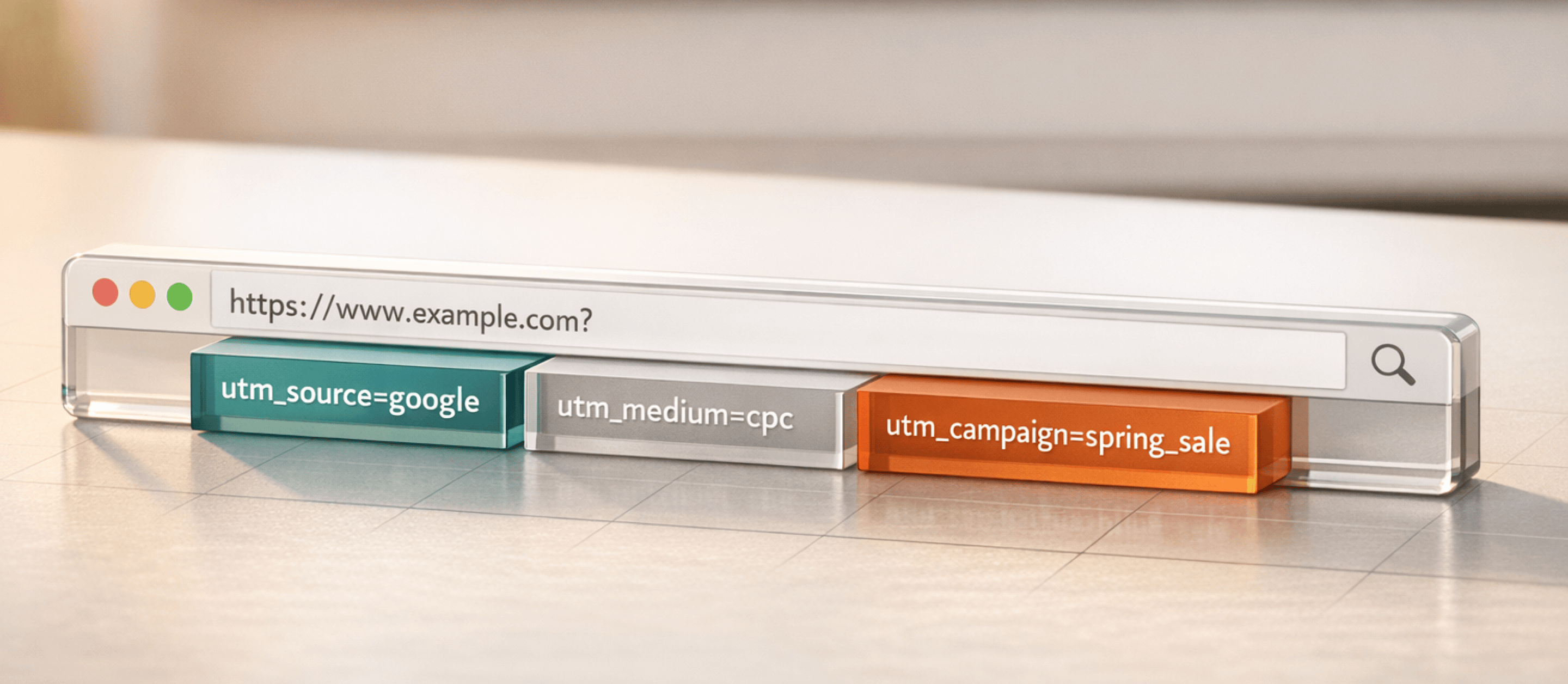
https://yourwebsite.com/page?utm_source=facebook&utm_medium=social&utm_campaign=spring_sale

To ensure accurate tracking, include the three required parameters: utm_source, utm_medium, and utm_campaign. These are essential for analytics tools to process your data correctly. Additional parameters like utm_content or utm_term can be added using the same syntax.

Keep in mind a few best practices:

  • Use lowercase values for all UTM parameters. Since these are case-sensitive, "Facebook" and "facebook" would show up as two separate sources in your analytics reports.
  • Replace spaces with underscores or hyphens to avoid %20 encoding in your URLs.
  • Avoid tagging internal links, as this can overwrite the original attribution data.

If manual URL building feels tedious or error-prone, UTM builder tools can simplify the process.

Using UTM Builder Tools

Online tools like Google’s Campaign URL Builder make creating UTM-tagged links much easier. These tools provide form fields where you input your base URL and campaign details, and they generate a properly formatted link for you. They also handle encoding automatically, so you don’t have to worry about syntax errors.

Some social media management platforms, such as Hootsuite, allow you to add UTM parameters directly within their post composer. They even shorten the links for you using services like ow.ly. Additionally, browser extensions are available to generate tagged links on the go.

"I try to think about how the attributes I use will show up in a report that someone on a different team might be referencing, and how clear it would be for them to decipher." – Fanny Lau, Social Media and Communications Manager, LivePerson

These tools are ideal for creating a small number of links - usually fewer than five URLs per month.

No matter how you create your links, maintaining consistent naming conventions is essential, as explained in the next section.

Keeping UTM Naming Consistent

The value of UTM tagging lies in its consistency. If team members use variations like "email", "e-mail", or "Email", your analytics data will split into multiple rows, making it difficult to evaluate the performance of your campaigns. Inconsistent or missing UTM parameters can even cause 25% to 30% of traffic to appear as "Direct" in your reports, masking your actual results.

To avoid this, create a UTM Style Guide with approved values for each parameter. Share it with everyone involved in building campaign links. For teams managing between 5 and 20 URLs per month, a Google Sheets template can be a helpful tool. Using formulas to concatenate URL parts, these templates serve as both a builder and a record of past links. Dropdown menus can enforce consistency, though formulas may become unreliable as the volume of URLs increases.

"Consistency isn't optional, it's the difference between actionable insights and garbage data." – Dan McGaw, CEO, UTM.io

Before launching a campaign, test your generated links by checking Google Analytics' "Real-time" reports. This ensures that your source and medium parameters are correctly recorded. Also, remember that if your URL includes an anchor fragment (#), all UTM parameters must come before the # symbol. Otherwise, Google Analytics won’t recognize them.

Using UTM Parameters Across Marketing Channels

UTM tagging isn't just a one-size-fits-all solution - it needs to be adapted to fit the unique requirements of each marketing channel. By tailoring your approach, you can gain clearer insights into campaign performance and optimize your strategies accordingly.

Email Campaigns

Email traffic is notoriously tricky to track without UTM parameters. If left untagged, it often gets lumped into the "Direct" category in analytics reports, making it nearly impossible to measure its true impact. To avoid this, every link in your email campaigns should include UTM tags.

Start by using utm_medium=email consistently across all campaigns. For utm_source, identify the specific email origin - this could be "newsletter" for your weekly updates or the name of your email platform, like "mailchimp" or "hubspot."

The utm_content parameter is particularly useful for comparing elements within your emails. For instance, you can track the performance of buttons versus text links or see which call-to-action (CTA) drives more clicks, such as "header_logo" versus "footer_link." These insights can help you refine your email strategies and better understand subscriber behavior.

"Using UTM codes in your emails can help you better understand what a subscriber does once he/she clicks in your email and visits your website." – Melanie Graham, Author, Email on Acid

Social Media Posts and Ads

Social media platforms require a slightly different approach to UTM tagging. For organic posts, use utm_medium=social. For paid ads, stick to utm_medium=paid-social or utm_medium=cpc to align with Madlitics' default channel groupings. This ensures your social traffic is categorized correctly, rather than being misclassified as "Referral" or "Other".

When it comes to utm_source, keep it simple by using the platform name, like "facebook", "linkedin", or "instagram." The utm_content parameter is invaluable for testing creative variations, such as different ad formats or placements. This helps you identify what resonates most with your audience.

"I try to think about how the attributes I use will show up in a report that someone on a different team might be referencing, and how clear it would be for them to decipher." – Fanny Lau, Social Media and Communications Manager, LivePerson

To maintain clean URLs, consider using a UTM cleaner script that removes parameters from the address bar after the data is captured. This prevents tagged URLs from being shared incorrectly. Additionally, URL shorteners with branded domains can help make your links more user-friendly and appealing.

Paid Advertising Campaigns

Paid advertising campaigns demand even more precision when it comes to UTM tagging. To align with GA4's channel grouping, use utm_medium=cpc for paid search campaigns, with sources like "google" or "bing." For paid social, stick with utm_medium=paid-social or utm_medium=cpc and sources such as "facebook", "instagram", or "linkedin".

The utm_id parameter is crucial for Google Analytics data imports, as it should match the IDs used in your uploaded campaign data. Use utm_content to differentiate ad variations - whether you're testing different headlines, button colors, or images (e.g., "hero-image-red" vs. "hero-image-blue"). While utm_term is typically used to track keywords in paid search, it can also help monitor specific audience segments in paid social campaigns.

For Google Ads, auto-tagging with gclid often makes manual utm_term parameters unnecessary. However, platforms like Bing Ads still require manual tagging. Some platforms, like LinkedIn, now offer dynamic UTM parameters that automatically populate details like campaign and creative names into your URLs.

About 30% of paid campaigns lack proper UTM tagging, which can lead to wasted ad spend and inaccurate reporting. Companies that implement precise tracking have reported up to a 3x ROI through better optimization, with some seeing a 30% boost in ROI after refining their UTM strategies. Before scaling any paid campaign, double-check your parameters in the GA4 "Realtime" report to ensure everything is set up correctly.

Analyzing UTM Campaign Data with Madlitics

Once your UTM-tagged links are live, Madlitics captures that attribution data before a visitor submits a form and writes it directly into the submission itself. Instead of living only in an analytics dashboard, your utm_source, utm_medium, utm_campaign, and related fields become part of your CRM record, email tool, or database entry.

This changes how you analyze performance. Rather than reviewing traffic sessions, you can evaluate actual leads and customers by channel, campaign, landing page, and creative variation. Because UTMs are intentionally labeled, you stay in control of how marketing efforts are categorized across your reporting stack.

Comparing Campaigns, Sources, and Creatives

With attribution data embedded in each form submission, you can compare campaigns at the record level. For example, you can filter your CRM by campaign name to see which initiatives generate qualified leads, pipeline, or revenue. You can group by channel to determine whether Paid Search, Organic Social, Email, or Affiliates are producing customers, not just clicks.

Creative analysis becomes more actionable as well. If you use utm_content values such as "blue_button" and "red_button," you can measure which variation leads to more submissions, booked demos, or closed deals. Instead of stopping at session metrics, you can connect creative performance directly to business outcomes.

Consistency still matters. UTM values are case-sensitive, and inconsistencies like "Email", "email", and "EMAIL" will fragment reporting inside your CRM just as they would in analytics tools. Standardized lowercase naming keeps your data clean and usable across systems.

"UTM parameters are the plumbing of digital marketing. Invisible when working, but catastrophic when broken." – Dan McGaw, CEO, McGaw.io

Avoiding Common UTM Mistakes

Avoid placing UTM parameters on internal links between pages on your own site. Internal tagging can overwrite the original traffic source and break the integrity of your attribution data before it is written into the form submission.

Incorrect UTM implementation can lead to 25–30% of traffic being categorized as "Direct", making it significantly harder to measure true ROI. When UTMs are inconsistent, misspelled, or missing entirely, attribution gaps appear. Leads may enter your CRM without reliable channel data, making it difficult to determine which campaigns are truly generating revenue.

Misaligned utm_medium values, inconsistent naming conventions, or incomplete tagging structures can further fragment reporting. Clean inputs are essential if you want clean output.

Using UTM Insights to Improve ROI

When UTM data is embedded directly into form submissions, you can analyze performance based on real outcomes, not just visits. A campaign generating high traffic but low lead quality becomes obvious when you filter by opportunity stage or closed revenue. If a particular landing page drives submissions but few customers, that signals a messaging or targeting issue.

Identifying High-Performing Channels

Because channel data is stored inside each submission, you can compare performance across platforms at the lead and revenue level. If one channel consistently produces higher close rates or lower cost per acquisition, you have a clear signal to reallocate budget.

The utm_content parameter becomes especially powerful when tied to outcomes. By labeling variations clearly, you can see which creative not only drives submissions but produces qualified pipeline and revenue. This closes the loop between marketing experimentation and business impact.

"Algorithms guess, but UTMs tell the truth." – Dan McGaw, CEO, McGaw.io

Session-Level Reporting vs. Submission-Level Attribution

Traditional analytics platforms report attribution at the session level. They show how visits behave within a defined attribution window. That is useful for traffic optimization, but it does not permanently attach attribution data to individual leads.

Madlitics writes attribution directly into each form submission before the visitor clicks submit. That means channel, campaign, landing page data, and related parameters stay with the record inside your CRM. If a lead converts later, changes devices, or moves through a longer sales cycle, the original source remains intact.

This distinction matters when building a reliable marketing attribution framework. Session data helps you optimize traffic. Submission-level attribution helps you understand which campaigns generate customers and revenue.

Before scaling any campaign, confirm that your UTM parameters are structured correctly and consistently applied. Clean attribution data at the point of submission prevents reporting gaps and ensures your revenue analysis reflects reality.

Best Practices for Managing UTM Parameters

Managing UTM parameters with precision is key to accurate campaign tracking and better ROI. When UTM tags are inconsistent or poorly maintained, your data becomes unreliable, riddled with duplicate entries and inaccurate reports. Unfortunately, many companies neglect proper UTM tagging altogether, leading to flawed insights. However, adopting clear, standardized practices can improve campaign attribution accuracy by up to 29%. These approaches work hand-in-hand with strategies for creating and using UTM-tagged URLs.

Creating UTM Naming Conventions

A solid naming convention is the backbone of effective UTM tracking. Without one, you might see "fb", "Facebook", and "facebook" scattered across your reports as separate sources. To avoid this, use consistent formatting - stick to hyphens or underscores instead of spaces to prevent messy "%20" strings in your URLs.

When setting utm_medium values, align them with GA4's default channel groupings. This ensures traffic is categorized correctly in your reports. For example:

  • Use "cpc" for paid search campaigns
  • Use "email" for newsletters
  • Use "social" for organic posts
  • Use "paid-social" for paid social ads

Maintain a centralized list of approved parameter values in a shared spreadsheet or dedicated tool. This list acts as your team's "single source of truth". Assign a "Data Champion" to oversee these rules, onboard new team members, and perform regular audits.

"A naming convention is your single authoritative source for how to create UTM codes. Without it, team members might use 'fb' versus 'facebook,' creating fragmented data in your analytics." - UTM.io

Common UTM Mistakes to Avoid

Even with a solid naming convention, mistakes can still happen. Here are some common errors to watch out for:

  • Tagging internal links: Never use UTM parameters on links within your own website. This resets the original traffic source and makes visitors from paid ads appear as direct traffic.
  • Mixing up source and medium: The source specifies where the traffic originates (e.g., "facebook"), while the medium explains how users arrived (e.g., "cpc" or "social").
  • Using special characters: Avoid special characters in your parameters, as they can break URLs or disrupt tracking .
  • Redundant campaign names: Instead of creating separate campaign names like "summer_sale_fb" and "summer_sale_email", use a single name, such as "summer_sale", across all channels for a unified view of campaign performance.
  • Including personal information: Never include email addresses, names, or other personal details in UTM parameters. Doing so could violate privacy laws.
  • Skipping link testing: Always test your links in GA4's Real-time report before launching a campaign to catch any errors early.

Reviewing and Maintaining UTM Data

Regular maintenance is essential for keeping your UTM data clean and reliable. Conduct monthly audits of GA4's Traffic Acquisition reports to identify typos, inconsistent tags, or unapproved values. Navigate to Reports > Acquisition > Traffic Acquisition to spot duplicate sources or mediums that need correction.

To minimize manual errors, create reusable templates for recurring campaigns like weekly newsletters. New team members should receive a quick training session that covers your naming conventions and provides hands-on examples of how to build proper UTM links.

Keep parameter values concise - under 50 characters - to reduce typos and ensure readability in reports. Adding date identifiers can also help you compare performance over time. If you notice a spike in "Unassigned" traffic, it could mean your utm_medium values don't align with default channel groupings. For instance, using "paid_social" instead of "paid-social" can cause issues. Regular audits will help you maintain accurate attribution across all campaigns.

Madlitics multi-channel attribution visualization, showing marketing platforms like TikTok, Instagram, Google, and Facebook. The graphic highlights how different sources contribute to high-performing marketing channels.
1. Add UTM parameters to all inbound links
Any marketing effort that drives traffic — whether it’s a paid ad, an email campaign, or an organic post — should have properly structured URLs that clearly define the visitor’s origin. Setting it up is a straightforward process that starts with ensuring all inbound links include UTM parameters.

A LinkedIn campaign, for example, might link to:
https://yoursite.com/?utm_source=linkedin&utm_medium=paidsocial&utm_campaign=q1_promo
Screenshot of a form builder interface with a highlighted 'Hidden Input' field. Accompanied by text explaining how to install and set up Madlitics by adding hidden fields to capture marketing attribution data.
2. Add hidden fields
Once you’ve added UTM tracking to your inbound links, the next step is to install Madlitics on your site and update your Framer Forms to include hidden fields that will store attribution data when a visitor submits a form automatically. Hidden fields to include:
• Channel (e.g., Paid Search, Organic Social, Direct)
• Segment 1 (Platform name: Google, LinkedIn, Twitter)
• Segment 2 (Campaign name)
• Segment 3 (Ad group, offer name, or post type)
• Segment 4 (Creative type or ad variation)
• Landing page/group (Tracking & first-touch attribution)
CRM interface showing a detailed view of captured attribution data, including marketing channels, segments, and landing pages. A business profile of a lead is displayed, highlighting how Madlitics enriches lead data for sales and marketing teams.
3. Utilize attribution data
With the setup complete, every form submission in Framer now carries full attribution data, ensuring accurate insights into where leads originate. Pass this data to your CRM, analytics tools, or marketing automation platforms to track performance, refine campaigns, and optimize marketing efforts with precision.

Conclusion

UTM parameters are the backbone of accurate marketing attribution. Without them, 25–30% of traffic typically gets lumped into the "Direct" category, obscuring the real performance of your campaigns. By tagging every link with utm_source, utm_medium, and utm_campaign, you eliminate guesswork and take control over how your traffic is classified.

These parameters link detailed revenue and conversion data directly to specific campaigns, posts, or ads. This level of detail enables smarter budget allocation, more reliable ROI predictions, and A/B testing of creatives or call-to-actions to pinpoint what drives the best results. Such precision is critical for effective UTM management.

"UTMs give you attribution control. They're the only way to intentionally label traffic. Algorithms guess, but UTMs tell the truth." – Dan McGaw, CEO of McGaw.io

To succeed, consistent tagging practices and marketing attribution resources are essential. Use lowercase values, align utm_medium with GA4’s categories, and avoid tagging internal links. Stick to a centralized naming system, conduct pre-launch testing, and perform regular audits to maintain accuracy.

When implemented correctly, UTMs turn vague data into actionable insights. They provide the clarity needed to identify which channels, campaigns, and content pieces are truly driving results. With this knowledge, you can make data-driven decisions that enhance ROI across your marketing efforts. Mastering UTM parameters equips you with the tools to refine your strategy and maximize your impact.

Related articles to get you started with Madlitics

Frequently asked questions

Answers to your top questions about our UTM parameters
Put attribution data to work
Sync, analyze, and automate — turn insights into action.
Automation icon indicating hands-free marketing attribution and data flow.
Sync with your CRM
Pass UTM parameters into Salesforce, HubSpot, or ActiveCampaign so your sales team knows exactly where every lead came from — no more guessing.
Analytics report icon, indicating data insights and reporting.
Built smarter reports
Use Google Sheets, Looker Studio, or Airtable to create data-driven reports that reveal which campaigns drive real revenue — helping you make informed budget decisions.
Impact measurement icon, symbolizing marketing effectiveness.
Track revenue impact
Sync UTM data with Stripe, PayPal, or Chargebee to see which campaigns generate paying customers, not just leads — so you can scale what works.
Personalization icon, representing customization features.
Personalize email campaigns
Trigger personalized email flows in Klaviyo, Mailchimp, or ConvertKit based on a lead’s original source — ensuring the right message reaches the right audience.
Visualizing your marketing impact
See how attribution data translates into actionable insights.
Stacked bar chart showing lead generation by marketing channel over time, comparing sources like Paid Search, Paid Social, Organic Search, Direct, and Email. Helps visualize which channels drive the most traffic.
Leads by channel
See how different marketing channels contribute to lead generation over time. Understand which ones drive the most traffic and whether your marketing mix is balanced. Shift your budget toward the highest-performing channels to maximize results.
Stacked bar chart illustrating lead volume across different marketing campaigns, including Black Friday, Retargeted, Spring Promo, Referral, and SEO. Highlights trends in campaign effectiveness.
Leads by campaign
Track inbound leads across all campaigns, whether or not they have UTM parameters. Ensure every lead is categorized correctly, including Organic and Referral traffic. Use this insight to refine messaging, targeting, and budget allocation for better performance.
Line chart displaying lead-to-customer conversion rates by channel, comparing Google Ads, Facebook Ads, LinkedIn Ads, Organic Search, and Email. Shows how different sources drive qualified leads over time.
Conversion rate by channel
See which channels convert leads into paying customers. Some bring buyers, while others generate unqualified leads. Focus your budget on what drives revenue.
Line chart showing revenue performance by marketing campaign, comparing Google Ads, Facebook Ads, and LinkedIn Ads. Helps identify top-performing and underperforming campaigns.
Revenue by campaign
Focus your budget on campaigns that drive revenue, not just leads. Identify top performers and optimize underperforming efforts to maximize profitability.
Everything you need for reliable lead attribution
Accurate, persistent, and automated tracking — so your campaigns perform at their best.
Performance icon symbolizing marketing campaign effectiveness and results tracking.
Outperforms basic UTM tracking
Madlitics captures, categorizes, and persists attribution data across sessions, giving you a complete, structured view of what’s working in your marketing. Say goodbye to losing attribution when users navigate your site, struggling with formatting inconsistencies, and ingored non-UTM traffic.
Capture icon indicating data collection from various marketing channels and sources.
Capture all traffic
Madlitics categorizes all inbound leads — whether they have UTM parameters or not — so every conversion is accounted for, and you won't miss out on Organic Search, Organic Social, and Referral traffic.
Routing icon representing the flow of marketing data and attribution pathways.
Attribution across pages and sessions
A LinkedIn ad click should be attributed correctly—even if the visitor signs up on a different page later. If someone clicks an ad, browses multiple pages, then submits a form later, Madlitics persists attribution data across sessions, ensuring your reports reflect true performance.
List icon representing structured marketing data, reports, or campaign breakdowns.
Cleaner, more reliable data
Duplicate UTMs and inconsistent formatting break reports and mislead teams. Madlitics cleans and organizes attribution data before sending it to your CRM, giving you accurate insights.
Target icon symbolizing precise audience targeting and marketing campaign focus
See which content converts
Attribution isn’t just about where visitors came from—it’s about what convinced them to convert. By capturing landing page data alongside UTM parameters, Madlitics shows you which blog posts, case studies, or pricing pages drive the most revenue, helping you scale content that works.
Action icon representing campaign execution, optimization, and engagement.
Transform form submissions into actionable insights
Madlitics connects marketing touchpoints to lead generation, ensuring every form submission is fully attributed — optimize ad spend by identifying high-ROI channels, refine messaging based on what content drives engagement, make data-driven decisions with clean, structured reports, and more.