Learn how to sync data from ads, CRM, and email into a single source of truth so you can fix attribution gaps, enrich leads, and confidently double down on the channels that actually drive revenue.
Multi-channel data synchronization is the process of connecting and aligning data from various platforms like Facebook, Google Ads, CRMs, and email tools to create a unified view of customer interactions. It ensures smoother data flow, better tracking of customer journeys, and improved marketing insights. Here's what you'll learn:
Steps involved: Data collection, cleaning, identity resolution, and activation.
Challenges without it: Disconnected systems lead to fragmented data, wasted time, and inaccurate performance metrics.
Benefits: Accurate attribution, enriched lead data, and better resource allocation.
Methods: Push-based (real-time) vs. pull-based (scheduled) synchronization, plus tools like ELT pipelines and iPaaS.
Implementation tips: Conduct a data audit, standardize naming conventions, and use tools like Madlitics to simplify the process.
This guide breaks down how synchronization works, why it’s crucial for marketing success, and how to implement it effectively for better results.
Benefits of Multi-Channel Data Synchronization
When marketing data flows effortlessly across platforms, it directly impacts attribution accuracy, lead intelligence, and ROI. Companies using integrated attribution frameworks report 20–30% higher marketing ROI compared to those relying on isolated data sources. This approach reshapes how budgets are allocated and success is measured. Let’s dive into how improved attribution, enriched lead data, and optimized conversions can elevate your marketing efforts.
Better Attribution Accuracy
When systems don’t communicate, different platforms often claim credit for the same conversion. For instance, Facebook might attribute a sale to a retargeting ad, Google Analytics could credit organic search, and your CRM might point to an email campaign. Without synchronization, pinpointing the true driver of a conversion becomes a guessing game.
By syncing data across channels, you create a single source of truth for tracking conversions. Instead of relying on last-click attribution, you gain visibility into the entire customer journey - from initial discovery to final conversion. This ensures that all channels contributing to brand awareness get the recognition they deserve.
Additionally, linking offline and online channels further enhances ROI by providing a more comprehensive view of performance.
Richer Lead Data
A simple form submission tells you who converted, but synchronized data explains why. Enhanced attribution data reveals the complete journey, showing how a lead discovered and engaged with your brand before converting.
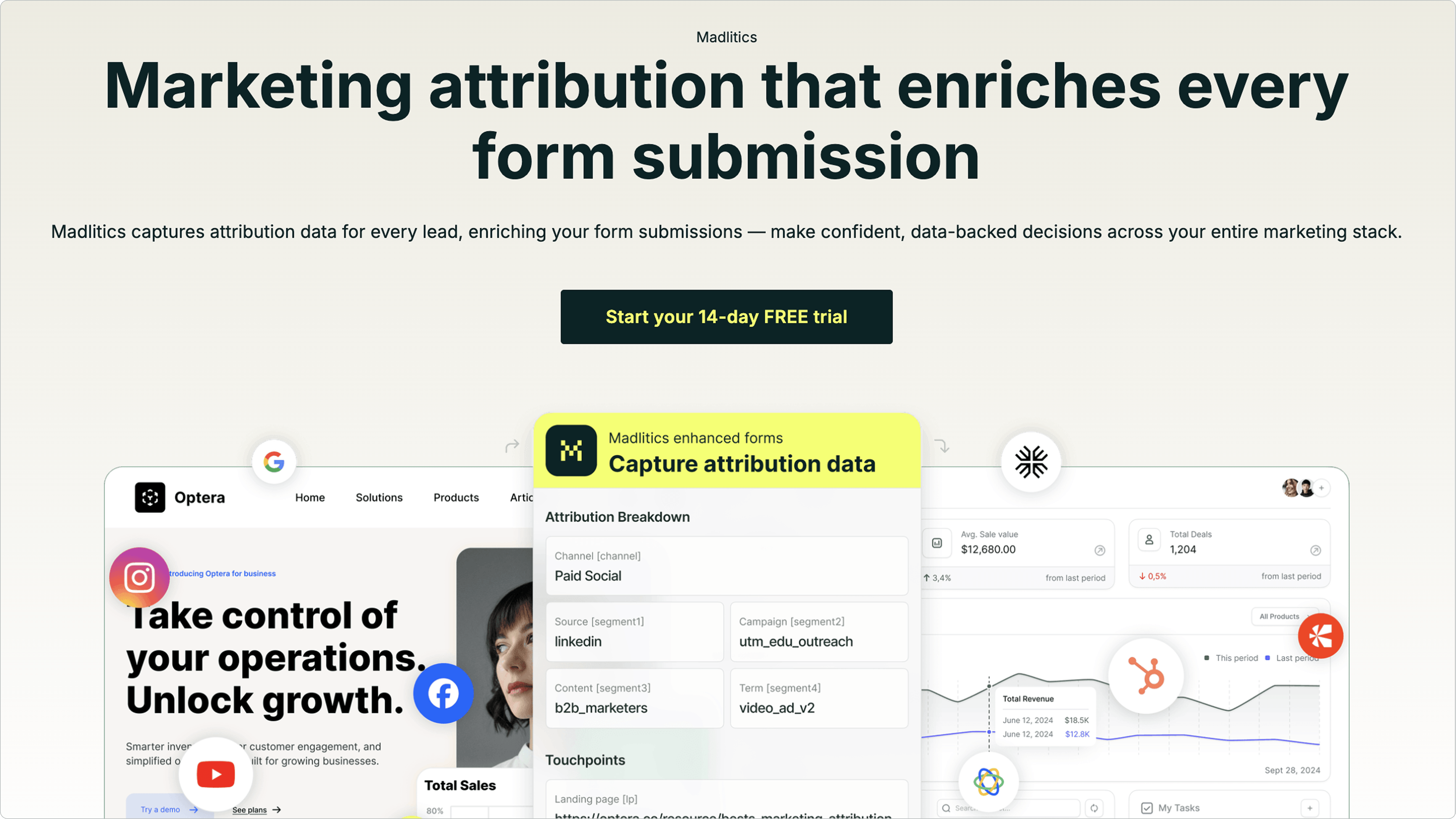
At Madlitics, for example, form submissions are enriched with persistent attribution data, even when visitors navigate multiple pages before converting. This ensures your sales team has the full marketing context behind each lead.
This enrichment process is automated and applies across all channels - whether traffic comes from paid ads, organic search, social media, referrals, or direct visits. By normalizing data (e.g., merging variations like "Google / CPC" and "google-ads"), synchronization eliminates fragmentation, which 55% of marketers identify as a major hurdle in performance tracking. The result? A complete picture of the customer journey that strengthens your marketing strategy.
Synchronized data doesn’t just improve attribution; it also provides deeper insights into your leads.
Higher Conversion Rates and ROI
Synchronized data doesn’t stop at better reporting - it drives actionable insights. With a clear understanding of which channels, campaigns, and content truly generate conversions, you can move beyond vanity metrics and focus your resources where they matter most.
Automation plays a key role here, saving time and enabling smarter resource allocation. It also highlights high-performing channels you might have overlooked.
The numbers speak for themselves: 64% of marketing leaders say data-driven strategies are essential, yet only 32% of companies have even partially unified their marketing data. Closing this gap leads to better-qualified leads, lower customer acquisition costs, and ultimately, increased revenue by doubling down on the channels that deliver real results.
Methods and Techniques for Data Synchronization
Push-Based vs Pull-Based Data Synchronization Methods Comparison
Choosing the right synchronization method depends on factors like data volume, latency needs, and whether you're aiming for operational consistency or detailed reporting. Picking the wrong method can create bottlenecks, but the right one ensures smooth data flow across platforms.
Types of Synchronization
One-way synchronization moves data in a single direction - from the source system to the destination. This is perfect when one system generates records while another simply collects them for reporting. It's straightforward to set up and works well when the destination system doesn't need to send data back.
Two-way synchronization allows data to flow in both directions between systems. For example, if a lead's status changes in your CRM, that update syncs back to your marketing automation platform and vice versa. However, this method requires clear conflict resolution rules to handle simultaneous updates.
Multi-way synchronization ensures data consistency across three or more systems. Hybrid synchronization builds on this by integrating data from diverse sources like cloud platforms, data lakes, and private clouds.
Push-Based vs. Pull-Based Synchronization
Push-based methods send data immediately when specific events occur. For instance, webhooks can trigger after a form submission, or event streaming platforms like Kafka can deliver real-time updates. This method is ideal for low-latency scenarios like cart abandonment alerts or personalized in-product experiences.
Pull-based methods operate on a set schedule. The destination system requests data from the source at regular intervals - every hour, day, or as needed. Traditional batch ELT (Extract, Load, Transform) processes follow this approach, first landing raw data in a warehouse and then transforming it. This method is great for handling large-scale data transfers and is commonly used for tasks like cross-channel reporting, LTV/CAC analysis, or historical audits, where completeness matters more than speed.
Most marketing teams use a mix of both methods. As The Pedowitz Group advises:
"Treat integration as a standards-first program, not a connector project".
Batch ELT is well-suited for strategic tasks like reporting and budget planning, while real-time streaming is best reserved for critical, low-latency triggers. This balance helps manage operational complexity effectively.
Comparison of Synchronization Methods
Different synchronization patterns are tailored for specific needs. ELT pipelines are ideal for moving raw data into a warehouse for scalable reporting. iPaaS (Integration Platform as a Service) supports bi-directional syncs between tools like CRMs and marketing automation platforms. Event streaming powers real-time personalization, while Reverse ETL pushes processed data from your warehouse back into operational systems for audience targeting.
Here's a breakdown of the key differences between push-based and pull-based methods:
Feature
Push-Based (Event-Driven)
Pull-Based (Batch/Scheduled)
Activation
Triggered by specific events (e.g., form submissions)
Triggered by a set schedule (e.g., hourly or daily)
For systems requiring efficiency without excessive re-syncing, Change Data Capture (CDC) offers a great option. This method tracks only changes instead of syncing entire datasets, reducing system load while enabling near real-time updates. It's particularly useful for keeping large databases aligned without overwhelming your infrastructure.
Features Needed for Effective Synchronization
For data synchronization to provide meaningful insights, it must be built on systems that can reliably capture, organize, and maintain data. Without the right features in place, you run the risk of incomplete records, inaccurate attribution, and reports that fail to reflect actual performance. Here's a breakdown of the key elements that matter most.
Complete Channel Coverage
To understand the full customer journey, you need to track data from every traffic source. If you're only monitoring paid ads but ignoring organic search, social media, or direct traffic, you're missing critical pieces of the puzzle. The complexity grows when offline channels are involved - consider that 80% of consumers shop in-store at least once a month, and phone calls convert 10–15 times more effectively than digital clicks for high-ticket brands.
Complete channel coverage means collecting data from:
Email campaigns and CRM records: Sales calls, product demos
Website analytics
Offline events: Point-of-sale systems, call centers, direct mail
Brands that integrate both online and offline attribution have reported ROI gains of up to 30%.
Persistent Attribution
Attribution often fails when customers interact with your brand across multiple sessions before converting. Many systems rely on last-touch attribution, which undervalues earlier touchpoints like awareness campaigns. Persistent attribution solves this by using stable identity keys - such as email addresses, customer IDs, or device IDs - to connect interactions across sessions.
With the decline of cookie-based tracking and stricter privacy regulations, first-party data has become the most reliable foundation for attribution. Building your systems around first-party data ensures consistency and long-term accuracy.
Auto-Cleaned and Normalized Data
Raw data is often messy - time zones may not match, channel names might vary (e.g., "Google Ads" vs. "google-ads"), and duplicate events can clutter your records. Automated cleaning tools standardize timestamps, normalize channel names into a consistent format, and eliminate duplicates.
This process not only prevents reporting errors but also saves marketing teams 10–15 hours per week that would otherwise be spent manually fixing data. Effective synchronization also depends on data contracts, which establish clear rules for schemas, naming conventions, and data freshness. Clean, standardized data is the backbone of deeper analysis, such as identifying high-performing landing pages.
Landing Page Insights Preservation
To truly understand what drives conversions, you need to preserve insights about landing page performance. Clean, unified data allows you to link form submissions and other actions back to specific landing pages, revealing which content resonates most with users.
This process requires sessionization, which groups individual events into cohesive visits, maintaining the chronological path of each user. When done correctly, this data integrates seamlessly into CRM and marketing automation platforms, giving sales teams a clear view of which pages influenced conversions. For example, at Madlitics, we ensure that every form submission includes detailed landing page insights. This approach captures the full context of visitor behavior, helping you identify the pages that contribute most to growth.
How to Implement Multi-Channel Data Synchronization
Implementing multi-channel data synchronization requires a clear plan. Start by evaluating your current marketing data sources. Most marketing teams rely on 8–15 tools that don’t naturally work together. This makes it crucial to identify where your data resides and how it’s being used. These steps lay the groundwork for creating synchronized, reliable marketing data that addresses the integration challenges mentioned earlier.
Conduct a Data Audit
Before diving into synchronization, you need to know what you’re working with. Begin by listing all your marketing data sources - this could include platforms like Google Ads, Meta, your CRM, web analytics, e-commerce systems, mobile apps, and billing tools. Assign a dedicated owner to each source to ensure accountability and data quality. For each system, document its data formats, field mappings, and refresh frequency.
Next, rank your sources by their impact on your business, data volume, and relevance to current campaigns. Start with the most critical systems to achieve early wins.
A key part of the audit is conducting a gap analysis. Identify any missing data points, technical roadblocks, or silos that prevent a unified view of the customer journey. For instance, if your point-of-sale system isn’t linked to your CRM, you may be missing offline conversion data, which is significant since 80% of consumers shop in-store at least once a month. Map your data sources to specific KPIs like Customer Acquisition Cost (CAC), Lifetime Value (LTV), and multi-channel attribution, ensuring that every piece of data supports a clear business goal.
"Marketing teams today do not have a data problem. They have an integration problem." - Vinay D, Ingest Labs
Lastly, review your data for privacy compliance. Confirm how consent is tracked across systems to meet regulations like GDPR and CCPA. After completing the audit, standardize your data using unified taxonomies to maintain consistency across all channels.
Set Up Unified Taxonomies
Standardized naming conventions are critical. For example, if one system uses "Company" and another uses "Organization", your data won’t align when combined. The same applies to UTM parameters (utm_source, utm_medium, utm_campaign), lifecycle stages (Lead, MQL, SQL, Customer), and product categories.
"Treat integration as a standards-first program, not a connector project. Start by defining identity keys (person/account/asset), data contracts (schemas, names, SLAs), and consent rules." - The Pedowitz Group
Create formal data contracts that define schemas, field names, required data types, and Service Level Agreements (SLAs) for data freshness. For example, ensure consistent naming for high-value events like "Add to Cart", "Purchase", or "Lead Form Submission".
Your identity strategy is equally important. Use stable keys - such as email, customer ID, or device ID - and maintain crosswalk tables to match identities across platforms. This ensures you can connect interactions across sessions and devices to a single user.
Publish your naming standards in a central, easily accessible document. This prevents inconsistencies over time and saves your team hours of manual data reconciliation each week. Once your taxonomy is in place, integrate technology solutions to operationalize your synchronized data.
Madlitics simplifies synchronization by capturing attribution data at the point of form submission and enriching leads with marketing context. The setup is straightforward: install a code snippet, create conversion forms as usual (with a few invisible fields), and collect data upon submission.
Madlitics provides:
Complete Channel Coverage: Tracks all traffic, including organic search, social, referrals, and direct visits - not just paid campaigns.
Persistent Attribution: Maintains attribution across multiple sessions, ensuring the original source isn’t lost.
Auto-Cleaned Data: Organizes and normalizes your data automatically, reducing inconsistencies and improving reporting reliability.
By integrating directly with CRMs, Madlitics ensures that attribution data flows seamlessly into your existing tools. This enables your sales team to see detailed landing page insights for every lead submission, connecting form fills back to the pages and campaigns that drove them. The result? Higher conversion rates, reduced wasted spend, and increased revenue, all supported by accurate attribution data.
When implementing, start with critical tools like your CRM and email platforms. Run the new system alongside your legacy setup for at least a month to ensure accuracy and minimize risks.
Monitor and Optimize Performance
Synchronization isn’t a one-and-done task - it requires continuous monitoring and improvement. Set up automated data validation to catch duplicates or incomplete records before they enter your system. This includes automated checks for issues like null values, schema drift, or missing conversions.
Track metrics that reflect synchronization health, such as:
Data freshness: How quickly new data appears in reports.
Attribution accuracy: Whether conversions are correctly assigned to their sources.
Data completeness: The percentage of records with all required fields.
Brands that integrate online and offline attribution effectively have seen ROI improvements of up to 30%. The benefits of getting this right are hard to ignore.
Set up SLA alerts to flag issues like data falling out of sync or missing conversions. Marketing platforms frequently update their APIs, so monitoring for "schema drift" ensures your taxonomy remains intact. Review synchronization performance monthly to identify recurring issues or opportunities to add new data sources. This process feeds back into refining your audit and taxonomy, creating a cycle of continuous improvement.
Keep detailed records of your data contracts, naming standards, and integration decisions. These documents are invaluable for onboarding new team members or troubleshooting problems down the line.
Keeping your marketing data in sync across multiple channels isn’t just a nice-to-have - it’s essential for making smart, informed decisions. When your data flows seamlessly, you get a unified customer view that helps you understand where your money is best spent. In fact, marketers using three or more channels see a 494% higher order rate compared to those sticking with just one.
To make this work, it’s important to treat synchronization as an ongoing process that follows clear standards. Start by reviewing your data sources, setting up consistent taxonomies, and using tools that handle manual reconciliation automatically. This can save the 2.4 hours per day often wasted on fixing data by hand, while also cutting down on the mistakes that could derail your campaigns. These foundational steps pave the way for more advanced tools and strategies.
Madlitics makes this process easier by automating data synchronization and adding valuable marketing context to every lead. With seamless integration into your CRM, Madlitics ensures your sales team knows exactly which channels and campaigns contributed to each lead - from the first interaction to the final conversion.
Frequently asked questions
Answers to your top questions
What is multi-channel data synchronization in marketing?
Why is multi-channel data synchronization so important for attribution?
What problems do disconnected systems cause for marketing teams?
What are the key steps in a multi-channel data synchronization process?
What’s the difference between push-based and pull-based data synchronization?
How does multi-channel data synchronization improve lead quality and sales handoff?
How can a tool like Madlitics help with multi-channel data synchronization?
What role does persistent attribution play in multi-channel data synchronization?
Have Questions?
Contact our support team and we'll work together to figure out a solution
Madlitics is trusted by marketers across industries to help reduce wasted spend and drive smarter growth.
Accurate, persistent, and automated tracking — so your campaigns perform at their best.
Outperforms basic UTM tracking Madlitics captures, categorizes, and persists attribution data across sessions, giving you a complete, structured view of what’s working in your marketing. Say goodbye to losing attribution when users navigate your site, struggling with formatting inconsistencies, and ingored non-UTM traffic.
Capture all traffic Madlitics categorizes all inbound leads — whether they have UTM parameters or not — so every conversion is accounted for, and you won't miss out on Organic Search, Organic Social, and Referral traffic.
Attribution across pages and sessions A LinkedIn ad click should be attributed correctly—even if the visitor signs up on a different page later. If someone clicks an ad, browses multiple pages, then submits a form later, Madlitics persists attribution data across sessions, ensuring your reports reflect true performance.
Cleaner, more reliable data Duplicate UTMs and inconsistent formatting break reports and mislead teams. Madlitics cleans and organizes attribution data before sending it to your CRM, giving you accurate insights.
See which content converts Attribution isn’t just about where visitors came from—it’s about what convinced them to convert. By capturing landing page data alongside UTM parameters, Madlitics shows you which blog posts, case studies, or pricing pages drive the most revenue, helping you scale content that works.
Transform form submissions into actionable insights Madlitics connects marketing touchpoints to lead generation, ensuring every form submission is fully attributed — optimize ad spend by identifying high-ROI channels, refine messaging based on what content drives engagement, make data-driven decisions with clean, structured reports, and more.
Trusted by marketing teams everywhere
Built for real teams. Backed by real results.
Madlitics is trusted by marketers across industries to help reduce wasted spend and drive smarter growth.