
Digital Marketing
What is data-driven attribution in marketing
Replace last-click bias with machine learning— assign real credit & connect channels to revenue.
Start a free trial
Data-driven attribution (DDA) is a marketing method that uses machine learning to analyze how different customer touchpoints contribute to conversions. Unlike older models like last-click attribution, which gives all credit to the final interaction, DDA evaluates the entire customer journey - factoring in timing, sequence, and even device type. This helps businesses understand which channels and interactions drive revenue.
For most teams, the real challenge is not understanding DDA in theory but operationalizing it in a messy, multi-channel reality. That’s where Madlitics comes in. Madlitics captures first-party attribution data directly from your forms, standardizes it across sources, and connects it to revenue in your CRM and payment tools, so you can put data-driven attribution into practice without rebuilding your entire stack.
DDA is essential for businesses navigating complex customer journeys across multiple devices and platforms. By focusing on actual performance and by relying on clean, persistent first-party data, it helps marketers allocate resources where they matter most — and Madlitics provides the infrastructure to make that level of attribution reliable and repeatable.
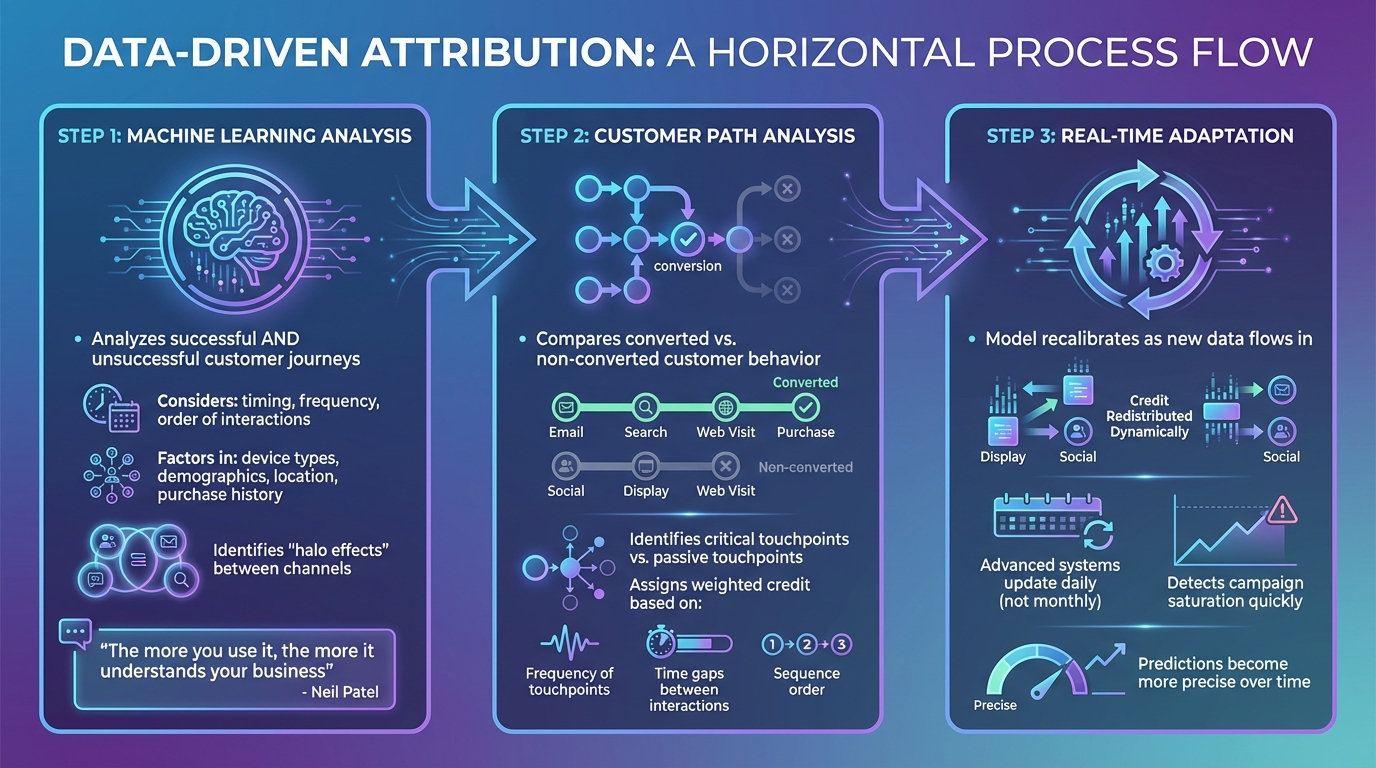
Data-driven attribution relies on machine learning algorithms to dig deep into customer behavior. These algorithms analyze both successful and unsuccessful customer journeys, focusing on factors like how often interactions occur, their timing, and the order in which they happen.
This approach goes far beyond basic click tracking. It considers details such as device types, demographics, location, and even past purchase habits to create a model tailored specifically to your business. It also uncovers "halo effects", where one marketing channel indirectly influences another. For instance, a social media ad might inspire someone to later search for your brand and make a purchase.
"The fantastic thing about data-driven attribution is that because it uses machine learning, it's constantly evolving. The more you use it, the more it understands your business, meaning better results over time!" - Neil Patel, Co-Founder, NP Digital
Using insights from machine learning, the attribution model examines customer journeys to identify which touchpoints played a critical role in conversions versus those that were merely part of the path. By comparing the behavior of customers who converted with those who didn’t, the algorithm pinpoints which interactions truly influenced the outcome.
It assigns credit based on various weighted factors, including how often touchpoints occurred, the time gap between them, and their sequence.
One of the standout features of data-driven attribution is its ability to adapt in real time. As new data flows in, the model recalibrates, redistributing credit dynamically.
Some advanced systems update their models daily instead of monthly, giving marketers the ability to quickly detect when campaigns start losing their impact or reach saturation. With more user activity data over time, the system’s predictions become increasingly precise, offering a constantly evolving view of campaign performance. This means marketers can stay ahead of trends and make adjustments that maximize effectiveness.
Data-driven attribution stands out for its ability to analyze marketing effectiveness with precision, helping businesses make smarter decisions about their budgets and strategies.
By using machine learning, data-driven attribution evaluates the actual contribution of each touchpoint, removing the guesswork of traditional models that rely on fixed rules. This approach eliminates bias and ensures every channel's impact is measured fairly. According to research, advertisers who adopt data-driven attribution experience an average 6% boost in conversions compared to those sticking with other models.
Another advantage is its ability to account for indirect influences. For example, awareness-stage campaigns may not lead to immediate conversions but often play a key role in a customer’s decision-making process. By connecting with CRMs or payment platforms, this model ties marketing spend directly to revenue outcomes - offering a clearer picture of ROI beyond just lead generation.
"Data-driven attribution is more accurate than other attribution models. This is because it calculates the actual contribution of each marketing touchpoint rather than assigning credit based on a pre-defined rule." – Neil Patel, Co-Founder, NP Digital
When you understand which channels truly drive value, you can stop wasting money on campaigns that don’t deliver. Data-driven attribution identifies which touchpoints contribute to revenue rather than just generating traffic, helping you focus on strategies that yield the best returns.
It also highlights saturation points - those moments when continued spending on a channel results in diminishing returns - so you can avoid overspending. On top of that, this model drills down to specifics like keywords, ad formats, and content types, allowing you to fine-tune your budget and get the most out of every dollar.
You don’t need to completely overhaul your marketing stack to get data-driven attribution up and running. The key lies in setting up a solid tracking foundation, connecting your tools, and using the insights to make smarter decisions about where to allocate your budget.
For any attribution model to work effectively, you need complete data from all marketing channels - paid, organic, social, referral, and direct. This includes both inputs (like spend, impressions, clicks) and outputs (such as revenue and conversions).
Start by standardizing your UTM parameters across all campaigns. Every inbound link should use a structured URL format with utm_source, utm_medium, and utm_campaign tags. This ensures you can clearly identify where your visitors are coming from. Without this consistency, your data can become fragmented and unreliable.
Next, define the conversion events that matter most to your business - whether it’s booked demos, signups, or closed deals. These goals give the machine learning model a clear target to optimize toward. For example, Google Ads typically requires at least 3,000 ad interactions and 300 conversions within 30 days to qualify for data-driven attribution.
Modern attribution relies on statistical modeling rather than tracking individual users, which is becoming less feasible due to privacy regulations. This privacy-friendly approach doesn’t depend on third-party cookies, which are being phased out.With Madlitics, you can capture this first-party attribution data directly from your forms and keep it consistent across channels, so your data-driven attribution models have a clean, reliable foundation to work from.
Once you’ve established robust data collection, integrate these insights with your existing marketing tools to take immediate action.
With tracking in place, connect your attribution data to the tools your team already uses, such as CRMs, analytics dashboards, and automation platforms.
For CRMs like Salesforce, HubSpot, or Zoho, map attribution data to fields that provide sales teams with context, such as lead source and campaign details. You can also integrate with payment processors like Stripe, PayPal, or Chargebee to directly connect marketing spend with revenue. Madlitics simplifies this process by automatically capturing and passing key attribution data (such as channel, platform, and campaign) into your form submissions, CRM and analytics tools, without extra manual tagging or engineering work.
Automation platforms like Zapier or Make can be used to trigger personalized follow-ups in tools like Klaviyo, based on a lead’s original source.
Madlitics, for instance, offers a 14-day free trial with no credit card required, making it easy to test its integration with your existing tools. Setup involves installing a code snippet, configuring forms with a few fields, and collecting data as forms are submitted. These integrations ensure that insights are accessible where decisions are made, allowing you to refine your strategy and drive growth.
Once integrated, these insights can help you fine-tune your strategy and boost revenue.
For example, you can identify halo effects, where top-of-funnel channels indirectly influence bottom-of-funnel conversions. A Facebook awareness campaign might not generate immediate conversions but could lead to a noticeable increase in branded search traffic later.
Focus on revenue, not just clicks. Adjust your budget based on which channels are bringing in paying customers, rather than simply driving high traffic or lead volume. Monitor for saturation points - where additional spending delivers diminishing returns - and reallocate those funds to channels with greater potential.
Dive into landing page and content data to find the assets that consistently drive revenue. If certain content types are frequently part of successful conversion paths, consider scaling those formats across other campaigns.
Enable daily data refreshes to quickly spot and adjust underperforming campaigns.
"Truly data-driven attribution is built on robust statistical methodologies that can identify causal relationships between marketing activities and business outcomes." – Prescient AI
Finally, validate your findings through controlled experiments. Run A/B tests to confirm whether shifting budget to "high-influence" channels leads to increased total revenue.

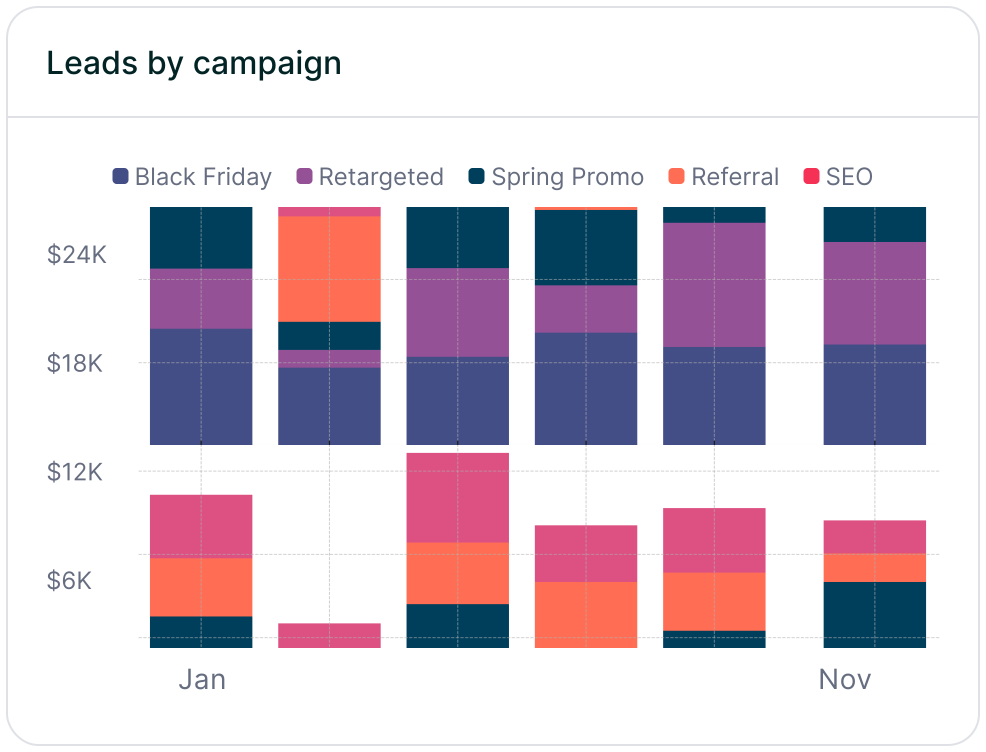


Data-driven attribution leverages machine learning to assign credit to each touchpoint based on its actual impact on conversions, rather than relying on fixed, outdated rules. This approach offers a complete picture of the customer journey—spanning social media, email, search, and more—so you can identify which channels work together to generate revenue effectively.
In October 2023, Google made a significant shift by removing traditional attribution models like first-click and last-click from Google Ads and Analytics, establishing data-driven attribution as the default. This transition resulted in an average 6% increase in conversions, underscoring how much performance is left on the table when marketers rely on simplistic models.
"Attribution is more than a reporting challenge; it is a strategic discipline that connects marketing activity to business impact." – Brett, Founder, Madlitics
Madlitics is built to help you operationalize that discipline. By capturing attribution data directly from form submissions, persisting it across sessions, and syncing it into your CRM and revenue systems, Madlitics gives you a privacy-safe, cookie-resilient foundation for data-driven attribution. It reveals insights like how a Facebook awareness campaign boosts branded search traffic or which content assets consistently appear in high-value journeys—so you can justify top-of-funnel investments and adjust budgets in near real time.
If you want to move beyond last-click and dashboards that only tell part of the story, data-driven attribution is the way forward—and Madlitics is designed to make that transition fast, practical, and measurable in your existing marketing stack.
Answers to your top questions















