Capture UTM parameters and lead source data in Tally forms

Madlitics preserves each visitor’s first-touch channel, campaign segments, and landing page data in Tally submissions, so you can see where leads come from in your CRM and marketing tools.

Keep the marketing context behind every Tally lead

Attribution data can be lost as visitors navigate between pages or return later to submit a form, leaving gaps in your reporting. Madlitics enriches Tally form submissions with the original marketing channel, campaign segments, and landing page data to measure performance, improve targeting, and scale what works.
Original lead source
Capture the marketing channel and source that first brought each visitor to your website.
UTM campaign details
Store tagged source, campaign, term, and content values alongside each Tally response.
Landing page insights
Capture the original landing page URL and group to compare which pages and content categories attract leads.
Persistent first-touch attribution
Preserve original attribution as visitors browse and return, while their attribution cookie remains available.
Sources beyond UTMs
Identify organic search, organic social, and referral sources using available referrer information.
Attribution in your CRM
Send captured data through your configured Tally integration to connect channels and campaigns with customers and revenue.

How Madlitics works with Tally

Capture original attribution in Tally submissions and connect it to reporting in your existing tools.
1.
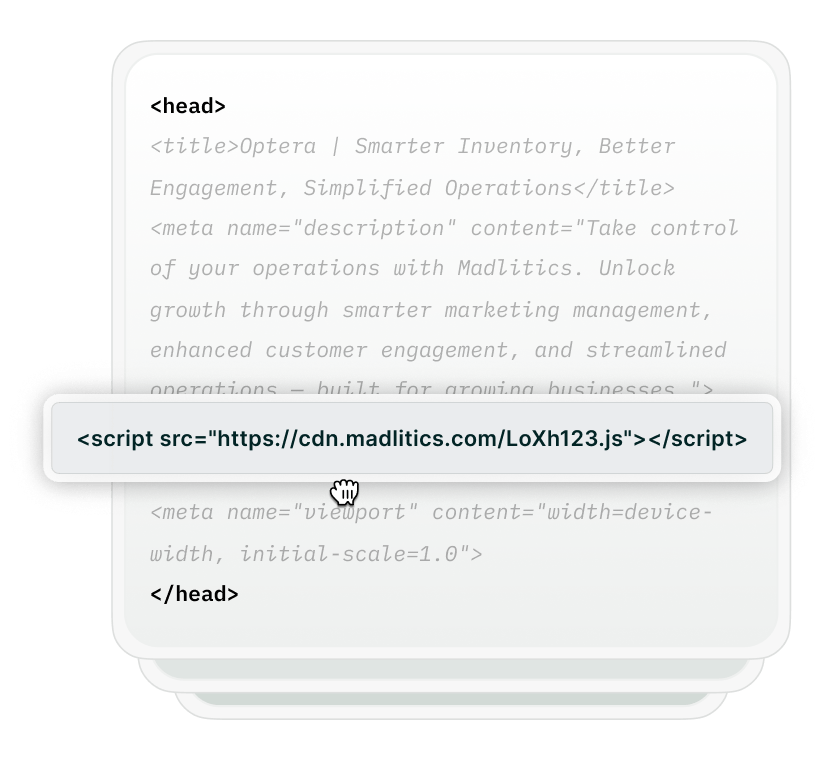
Install Madlitics on your website

Add Madlitics to the website where your Tally form is embedded. It captures each visitor’s original channel, campaign details, and landing page, preserving that attribution as they browse.

Install Madlitics on WordPress
Set up Madlitics
configure forms
2.

Configure your Tally fields

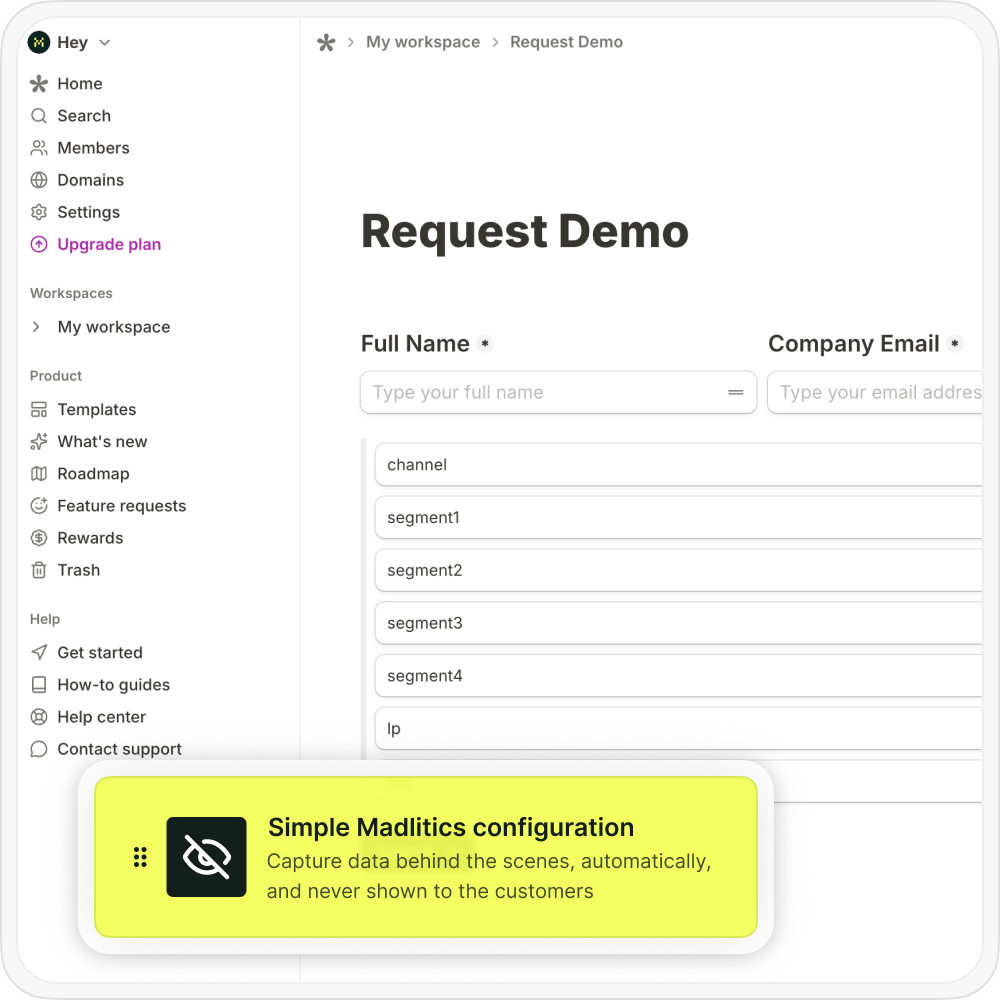
Add hidden fields for channel, campaign segments, landing page, and landing page group. Publish and embed your form using the Tally setup guide so Madlitics can pass captured attribution into those fields.

Configure Tally attribution fields
3.
Receive attribution with each submission
When a visitor completes your configured Tally form, their response includes the original marketing attribution alongside their contact details and answers.
Captured data syncs with reporting tools
Reporting with Madlitics Img
4.
Report attribution across your stack
Use your Tally integration or automation workflow to map attribution fields into your CRM. Compare which channels, campaigns, and landing pages generate qualified leads, customers, and revenue.

Tally attribution guides

Set up attribution capture and connect campaign data to your Tally submissions.
Configure hidden fields and embed your form to receive marketing attribution.
Keep original campaign details attached as visitors browse and return.
Connect tagged Google Ads campaigns to Tally leads and CRM reporting.
Capture Meta campaign and creative details alongside Tally responses.
Connect tagged LinkedIn campaigns to qualified leads and customer outcomes.
Bring Microsoft Ads campaign attribution into Tally submissions.

What you can do with Madlitics and Tally

Use Tally integrations, webhooks, or automation connections to send captured attribution into your existing tools. Map channel, campaign, and landing page fields to the destination, then combine them with customer, revenue, or campaign spend data for reporting.

Analytics
Connect Madlitics and Tally with Google Data Studio, Tableau, Power BI, and other analytics tools to create attribution reports built around real submission data. Break down leads and conversions by channel, campaign, landing page, and source data to uncover what drives qualified traffic, customer acquisition, and long term growth.
→
Payment Systems
Integrate Madlitics and Tally with Stripe, Paddle, Recurly, and other billing platforms to connect marketing attribution data with customer revenue. See which campaigns, landing pages, and channels drive paying customers so you can optimize CAC, improve retention, and invest more confidently in the marketing efforts that generate revenue.
→
Logo ActiveCampaign
CRMs
Send enriched attribution data captured through Madlitics and Tally directly into ActiveCampaign, HubSpot, Zoho CRM, and more. Every submission includes marketing channel, campaign, landing page, and source details so your team can see exactly where leads originated and which touchpoints influence conversions and pipeline growth.
→
Email Platforms
Connect Madlitics and Tally with Mailchimp, Brevo, Campaign Monitor, and other email platforms to understand which campaigns generate subscribers and engaged audiences. Attribution data flows alongside every form submission, helping you build smarter segments, personalize follow-up campaigns, and improve email performance.
→
Automations
Trigger smarter workflows in your automation tools, powered by real attribution data, from lead routing to AI-driven tasks.
→
Spreadsheets
Build clean reports and push attribution into spreadsheets for ad‑hoc analysis, strategy decks, and team dashboards for the full story
→

Frequently asked questions

Answers about capturing UTMs and lead source data in Tally forms.

Built for real teams. Backed by real results.

Madlitics is trusted by marketers across industries to help reduce wasted spend and drive smarter growth.