Madlitics + Zendesk

Track where customer inquiries originate in Zendesk — Madlitics captures first-touch attribution, campaign details, and UTM parameters for better support and engagement.

Why use Madlitics with Zendesk

Bringing clarity to lead attribution — Madlitics tracks and attributes every lead’s journey, ensuring marketing efforts translate into real, measurable results. With structured, first-touch attribution data, you can optimize campaigns, sharpen sales strategies, and drive growth with confidence.
Automated attribution
Get clean, marketing attribution data to see exactly which campaigns and channels drive revenue.
Landing Page Insights
Track the first page a lead visits, helping you understand which content drives conversions and customer interest.
Preserve the original lead source
Keep the first-touch channel and campaign with the lead when visitors move between pages or return later in the same browser.
Seamless CRM enrichment
Prioritize high-intent leads with a complete view of their marketing journey, making outreach more effective.
Smarter reporting
Make smarter budget and strategy decisions by aligning marketing and sales efforts with clear attribution insights.
Workflow efficiency
Optimize campaigns, double down on what works, and confidently scale your marketing efforts with data-driven precision.

How Madlitics works with Zendesk

Seamlessly integrating with your existing setup, Madlitics captures and organizes attribution data automatically. A few easy steps, and your marketing insights are ready to go.
1.
Install and set up Madlitics

Add Madlitics to your site, configure your existing forms with a few Madlitics fields, and let attribution data flow seamlessly.
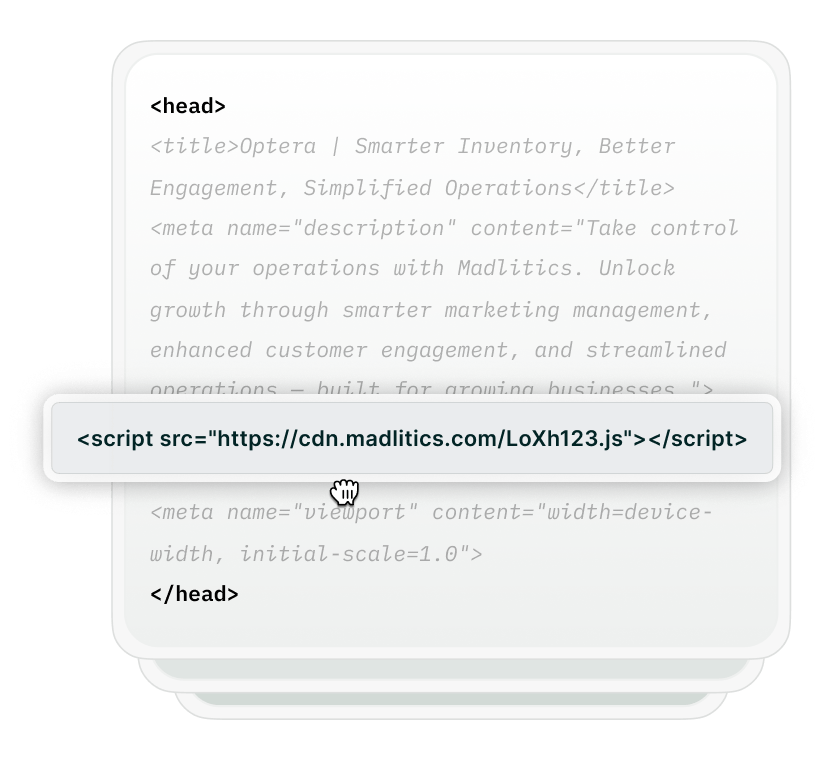
Install Madlitics on WordPress
Set up Madlitics
configure forms
2.

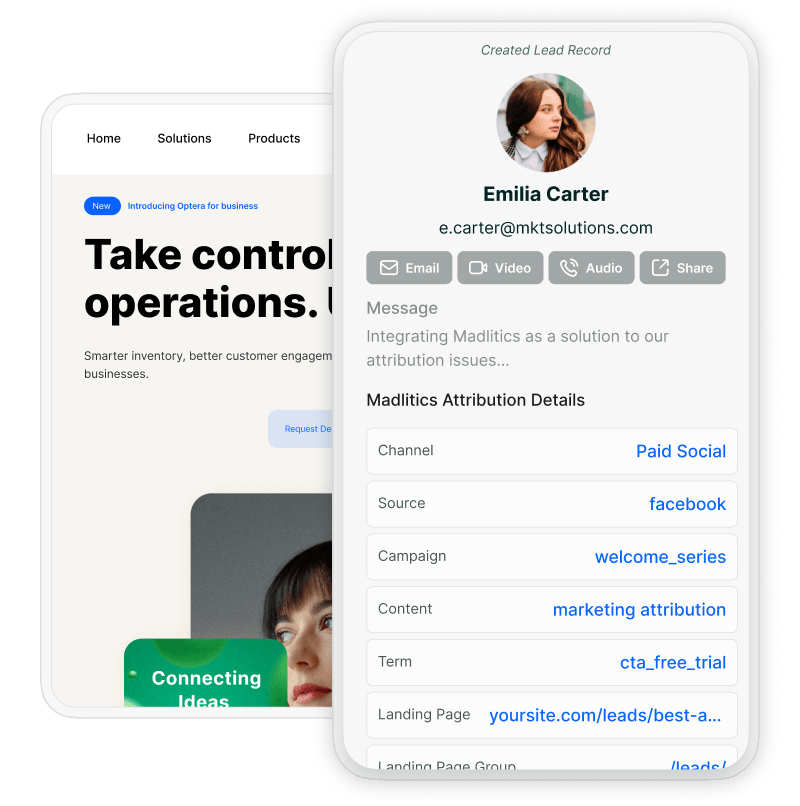
Enrich Zendesk with UTM parameters and attribution data‍

Madlitics determines where a visitor came from, whether it’s Paid Search, Organic Social, Referral, Email Marketing, and more. It records key attribution details, such as campaign name, landing page URL, and ad details, ensuring you always have a complete picture of the customer journey.
3.
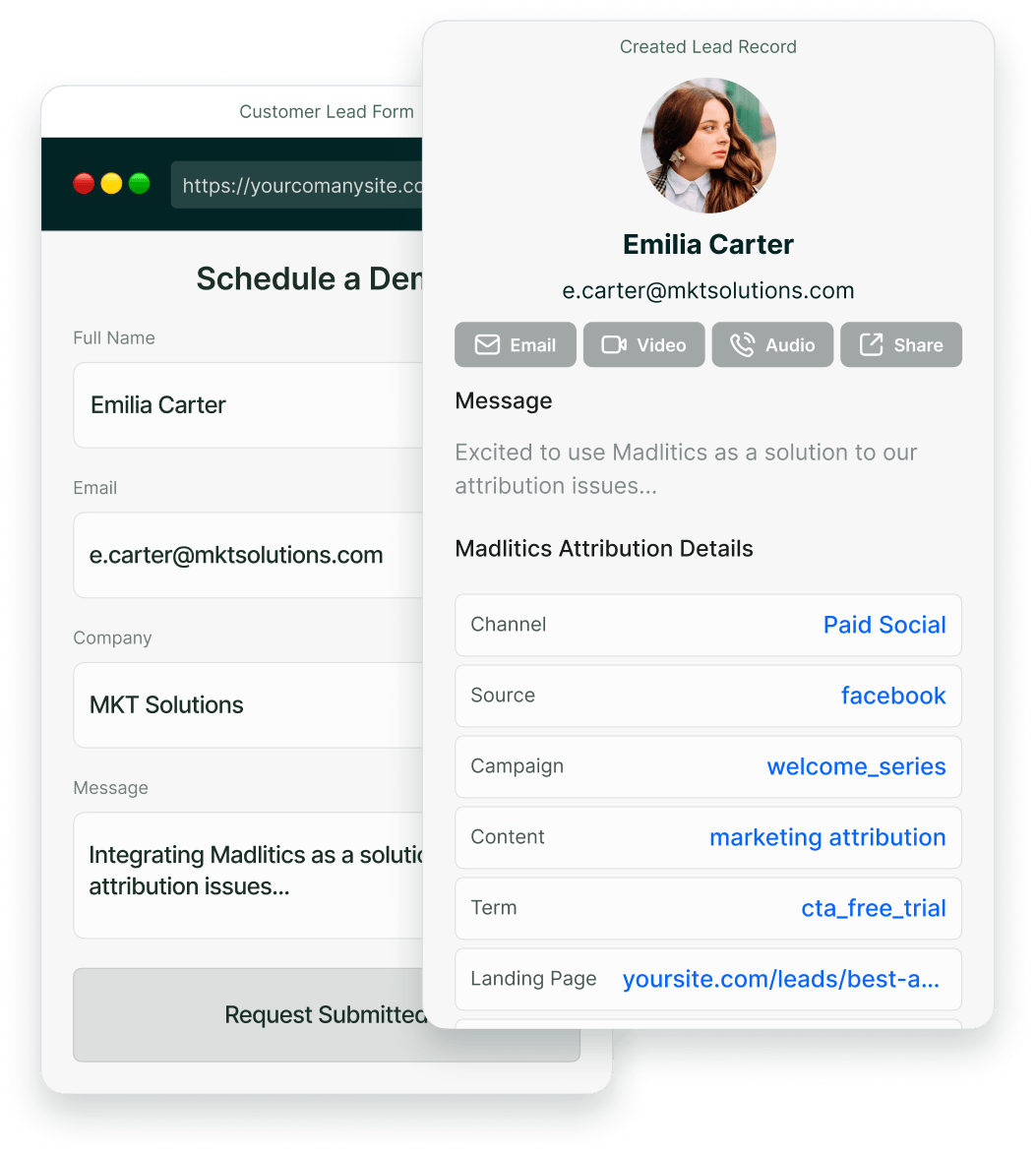
Zendesk receives marketing attribution data for campaign tracking and ROI analysis.
Once a visitor submits a form, Madlitics sends attribution data — including the marketing channel, campaign name, and ad details — directly to Zendesk. Every new lead entry is enriched with structured marketing insights, making it easier for sales teams to prioritize high-quality leads and marketing teams to track ROI.
Explore marketing channels
Captured data syncs with reporting tools
Reporting with Madlitics Img
4.
Report attribution across your stack
Send captured attribution into your existing CRMs, analytics tools, and automation workflows through configured integrations. Use channel, campaign, and landing page data alongside customer and revenue records to see which marketing efforts drive results.

Compatibility with Zendesk

Send captured attribution through your configured integrations and map it to the fields your destination needs.
Illustration of Madlitics capturing attribution data from a native form interface.
Zendesk forms
If you’re using Zendesk forms, simply install Madlitics, add a few hidden fields, and let it populate attribution data automatically — no extra integrations required.
Illustration of Madlitics integrating with third-party form tools.
CRM field mapping
Map your form’s attribution fields to custom CRM fields, keeping the original source and campaign details alongside each lead’s contact information.
llustration of Madlitics enabling attribution tracking on a fully custom lead form.
Custom lead capture forms
Custom forms can pass attribution into your marketing tools when they include compatible fields and a workflow that carries those values into the CRM.

Frequently asked questions

Answers about capturing UTMs and lead source data.

Built for real teams. Backed by real results.

Madlitics is trusted by marketers across industries to help reduce wasted spend and drive smarter growth.