Form Builder

Capture full marketing attribution in WS Form

WS Form is powerful for building flexible WordPress forms, but UTM parameters and lead source data can disappear before a visitor submits. Madlitics captures first-touch attribution, campaign data, landing page data, and click IDs so every WS Form submission includes the marketing context your team needs.

Why use Madlitics with WS Form
Madlitics helps WS Form users turn ordinary WordPress form submissions into clean attribution records, so your team can see which channels, campaigns, and pages are actually creating leads.
Automation icon indicating hands-free marketing attribution and data flow.
Automated attribution tracking
Capture channel, campaign, landing page, and click ID data with every WS Form submission, without asking visitors to fill in anything extra.
Priority icon symbolizing the ranking or emphasis of marketing campaigns and lead quality.
Reliable UTM persistence
Keep attribution data intact when visitors browse across your WordPress site, return later, or submit from a different page while exploring.
Alignment icon representing the synchronization of marketing and sales efforts.
Cleaner CRM and reporting data
Send attribution data through WS Form into your CRM, email platform, spreadsheet, or automation workflow so every lead has useful marketing context.
Workflow efficiency icon illustrating streamlined marketing processes and automation.
Better decisions from form data
Understand which campaigns and landing pages produce real leads, not just visits, so you can focus budget on what is actually converting.
How Madlitics works with WS Form
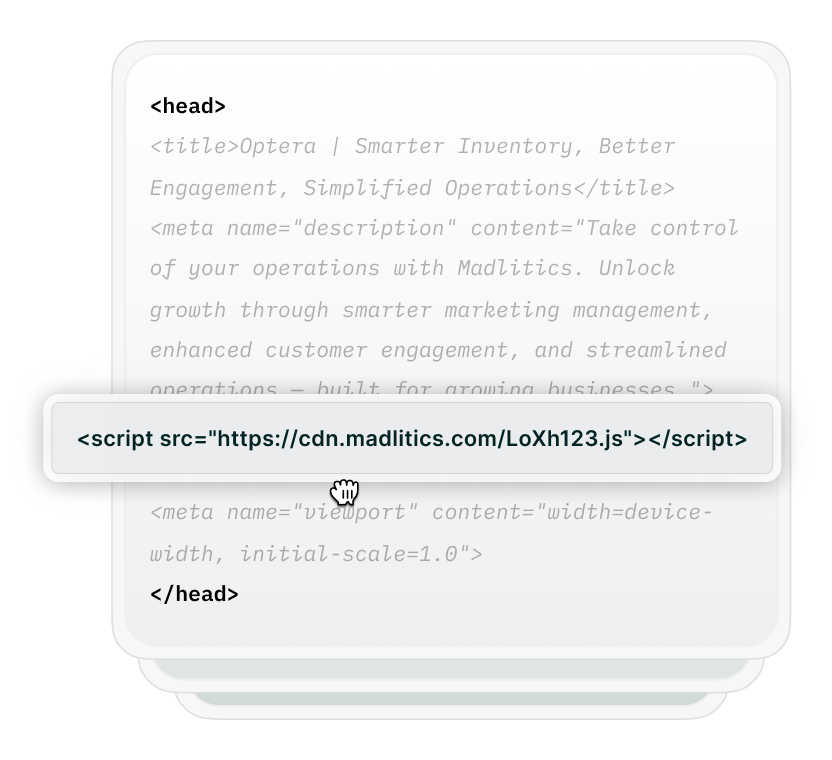
Madlitics captures attribution data before the form is submitted, writes it into your WS Form fields, and sends that data along with the rest of the lead information.
Form builder interface highlighting the addition of a hidden input field for Madlitics attribution.
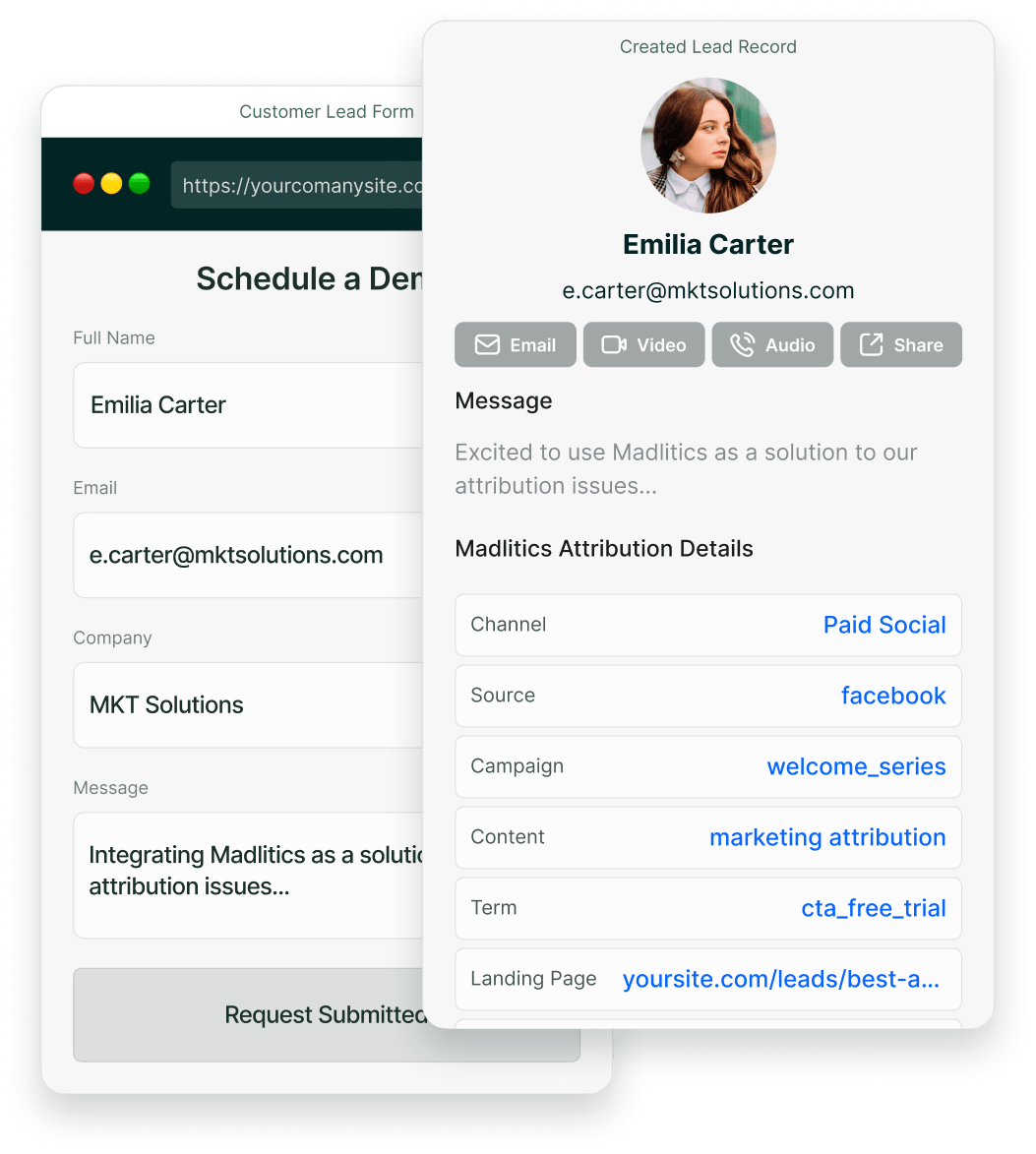
Example form displaying hidden attribution fields like Channel and Landing Page on a live website.
CRM interface showing a detailed view of captured attribution data, including marketing channels, segments, and landing pages. A business profile of a lead is displayed, highlighting how Madlitics enriches lead data for sales and marketing teams.
Graph showing new customer growth from TikTok, Instagram, Snapchat, and Google over time, with social media icons surrounding the chart and a callout for social revenue impact.
What you get with Madlitics in WS Form
Delivering marketing attribution data straight into your marketing tools, giving you a complete view of lead sources, campaigns, and marketing performance.
Marketing channels icon visualizing various lead sources and campaign touchpoints.
Marketing channel attribution
See exactly where leads originate and how they interact across channels—Google Ads, LinkedIn, referral traffic, and more.
Campaign tracking icon illustrating marketing campaign performance and segmentation."
Campaign and ad-level tracking
See which campaigns, ad variations, and content themes are driving the highest-quality leads.
Landing page icon representing first-touch attribution and website visitor insights.
Landing page insights
Track the first page a lead visits, helping you understand which content drives conversions and customer interest.
Fingerprint icon symbolizing first-touch attribution and unique visitor identification.
First-touch attribution
Know where each lead comes from and what influences their path to becoming a customer.
Track and capture lead attribution data effortlessly, with support for third-party form builders, and custom built solutions.
Illustration of Madlitics integrating with third-party form tools.
Third-party form builders
Using Gravity Forms, WPForms, Typeform, or another form builder? Madlitics captures and writes marketing attribution data seamlessly into Hubspt.
llustration of Madlitics enabling attribution tracking on a fully custom lead form.
Custom lead capture forms
Using a custom form? Madlitics captures attribution data behind the scenes so your reporting stays complete.
What you can do with Madlitics and WS Form
Enhance your marketing strategy by integrating with the tools you already use.
CRM
Send first-touch marketing attribution data captured with Madlitics and WS Form to Salesforce, Zoho, HubSpot, and more. Track exactly where leads originate, see how landing pages influence conversions, and connect marketing efforts to revenue growth.
Email Marketing
Integrate Madlitics and WS Form with Mailchimp, Campaign Monitor, and Brevo to track which marketing channels and campaigns generate subscribers. Use UTM parameters and landing page insights to build better audience segments and optimize email engagement.
Billing & Payments
Integrate Madlitics and WS Form with Braintree, Zuora, Paddle and more, to connect first-touch attribution data with revenue insights. See which campaigns, landing pages, and content drive paying customers, helping optimize acquisition costs (CAC) and improve retention.
Analytics
Connect Madlitics and WS Form with Google Data Studio, Tableau, and Power BI to generate reports that break down conversions by channel, campaign, landing page, and UTM parameters. Gain actionable insights into which marketing efforts drive the most leads and revenue, helping you refine targeting and scale successful strategies.
Visualizing your marketing impact
See how attribution data translates into actionable insights.
Stacked bar chart showing lead generation by marketing channel over time, comparing sources like Paid Search, Paid Social, Organic Search, Direct, and Email. Helps visualize which channels drive the most traffic.
Leads by channel
See how different marketing channels contribute to lead generation over time. Understand which ones drive the most traffic and whether your marketing mix is balanced. Shift your budget toward the highest-performing channels to maximize results.
Stacked bar chart illustrating lead volume across different marketing campaigns, including Black Friday, Retargeted, Spring Promo, Referral, and SEO. Highlights trends in campaign effectiveness.
Leads by campaign
Track inbound leads across all campaigns, whether or not they have UTM parameters. Ensure every lead is categorized correctly, including Organic and Referral traffic. Use this insight to refine messaging, targeting, and budget allocation for better performance.
Line chart displaying lead-to-customer conversion rates by channel, comparing Google Ads, Facebook Ads, LinkedIn Ads, Organic Search, and Email. Shows how different sources drive qualified leads over time.
Conversion rate by channel
See which channels convert leads into paying customers. Some bring buyers, while others generate unqualified leads. Focus your budget on what drives revenue.
Line chart showing revenue performance by marketing campaign, comparing Google Ads, Facebook Ads, and LinkedIn Ads. Helps identify top-performing and underperforming campaigns.
Revenue by campaign
Focus your budget on campaigns that drive revenue, not just leads. Identify top performers and optimize underperforming efforts to maximize profitability.

Frequently asked questions

Answers to your top questions about our platform
Trusted by marketing teams everywhere

Built for real teams. Backed by real results.

Madlitics is trusted by marketers across industries to help reduce wasted spend and drive smarter growth.